Skip to content
View in the app

A better way to browse. Learn more.

Flight Sim Labs Forums

A full-screen app on your home screen with push notifications, badges and more.

To install this app on iOS and iPadOS
  1. Tap the Share icon in Safari
  2. Scroll the menu and tap Add to Home Screen.
  3. Tap Add in the top-right corner.
To install this app on Android
  1. Tap the 3-dot menu (⋮) in the top-right corner of the browser.
  2. Tap Add to Home screen or Install app.
  3. Confirm by tapping Install.

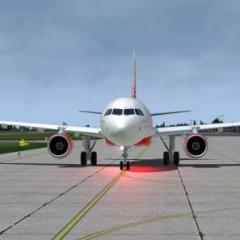
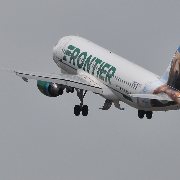
Screenshots P3D & FSX

Use this forum to post screenshots of your favorite Flight Sim Labs Aircraft from P3D or FSX

    • 0 replies
    • 2.5k views
    David Norfolk
    David Norfolk
    • 0 replies
    • 1.9k views
    Leon Weischenberg
    Leon Weischenberg
    • 0 replies
    • 2k views
    Mar:kus Czie:gler
    Mar:kus Czie:gler
    • 0 replies
    • 2.1k views
    Leon Weischenberg
    Leon Weischenberg
    • 3 replies
    • 2.5k views
    Phillip Tengg
    Phillip Tengg
    • 1 reply
    • 2.2k views
    Leon Weischenberg
    Leon Weischenberg
    • 0 replies
    • 2.1k views
    Roberto Haddad
    Roberto Haddad
    • 0 replies
    • 1.8k views
    Philippe Dosne
    Philippe Dosne
    • 0 replies
    • 1.7k views
    Leon Weischenberg
    Leon Weischenberg
    • 2 replies
    • 3.4k views
    Hardik Ramnani
    Hardik Ramnani
    • 1 reply
    • 3.6k views
    Kieran Hennighan
    Kieran Hennighan
    • 0 replies
    • 2k views
    phil highton
    phil highton
    • 0 replies
    • 2k views
    Mar:kus Czie:gler
    Mar:kus Czie:gler
    • 0 replies
    • 1.8k views
    Leon Weischenberg
    Leon Weischenberg
    • 1 reply
    • 1.9k views
    Chris Kreuzbichler
    Chris Kreuzbichler
    • 0 replies
    • 2k views
    Leon Weischenberg
    Leon Weischenberg
    • 0 replies
    • 1.8k views
    Mahmoud Fadli
    Mahmoud Fadli
    • 0 replies
    • 2.1k views
    Mar:kus Czie:gler
    Mar:kus Czie:gler
    • 0 replies
    • 1.9k views
    Leon Weischenberg
    Leon Weischenberg
    • 5 replies
    • 3.2k views
    Lucas Frolio
    Lucas Frolio
    • 22 replies
    • 4.9k views
    Leon Weischenberg
    Leon Weischenberg
    • 0 replies
    • 2.7k views
    Endrit Palushi
    Endrit Palushi
    • 0 replies
    • 1.7k views
    EREK KARTAL
    EREK KARTAL
    • 1 reply
    • 2.4k views
    Andrew Urbanczyk
    Andrew Urbanczyk
    • 0 replies
    • 1.7k views
    Leon Weischenberg
    Leon Weischenberg

Forum Statistics

  • Total Topics 32.9k
  • Total Posts 286.9k

Account

Navigation

Search

Search

Configure browser push notifications

Chrome (Android)
  1. Tap the lock icon next to the address bar.
  2. Tap Permissions → Notifications.
  3. Adjust your preference.
Chrome (Desktop)
  1. Click the padlock icon in the address bar.
  2. Select Site settings.
  3. Find Notifications and adjust your preference.