
Skip to content
View in the app

A better way to browse. Learn more.

Flight Sim Labs Forums

A full-screen app on your home screen with push notifications, badges and more.

To install this app on iOS and iPadOS
  1. Tap the Share icon in Safari
  2. Scroll the menu and tap Add to Home Screen.
  3. Tap Add in the top-right corner.
To install this app on Android
  1. Tap the 3-dot menu (⋮) in the top-right corner of the browser.
  2. Tap Add to Home screen or Install app.
  3. Confirm by tapping Install.

Lufthansa A321 D-AIRY "Die Sendung mit der Maus" 2.0.0

(4 reviews)

3 Screenshots


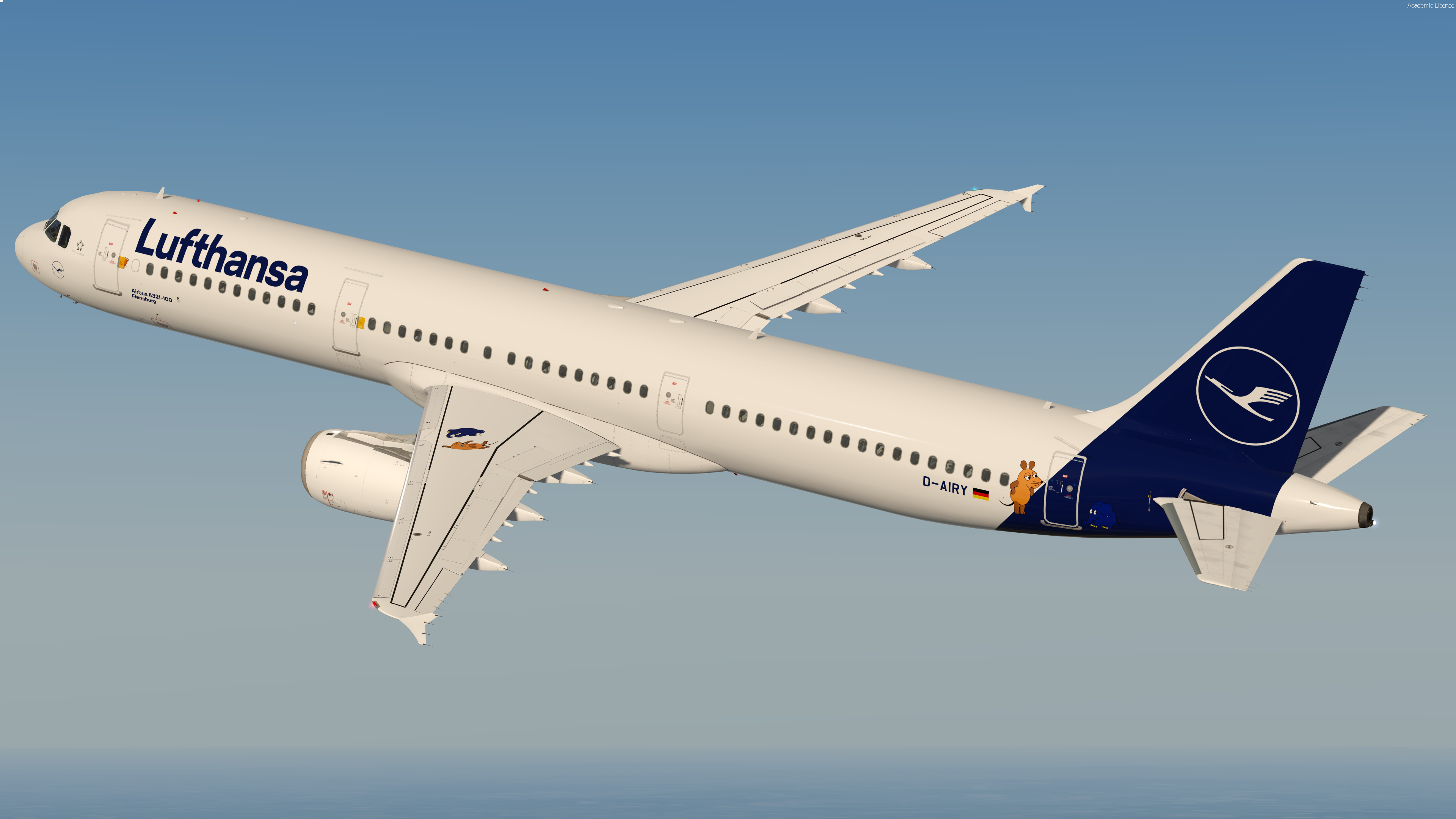
Lufthansa A321-100 D-AIRY (Die Sendung mit der Maus )

"Die Sendung mit der Maus" is a popular children television program in Germany. 
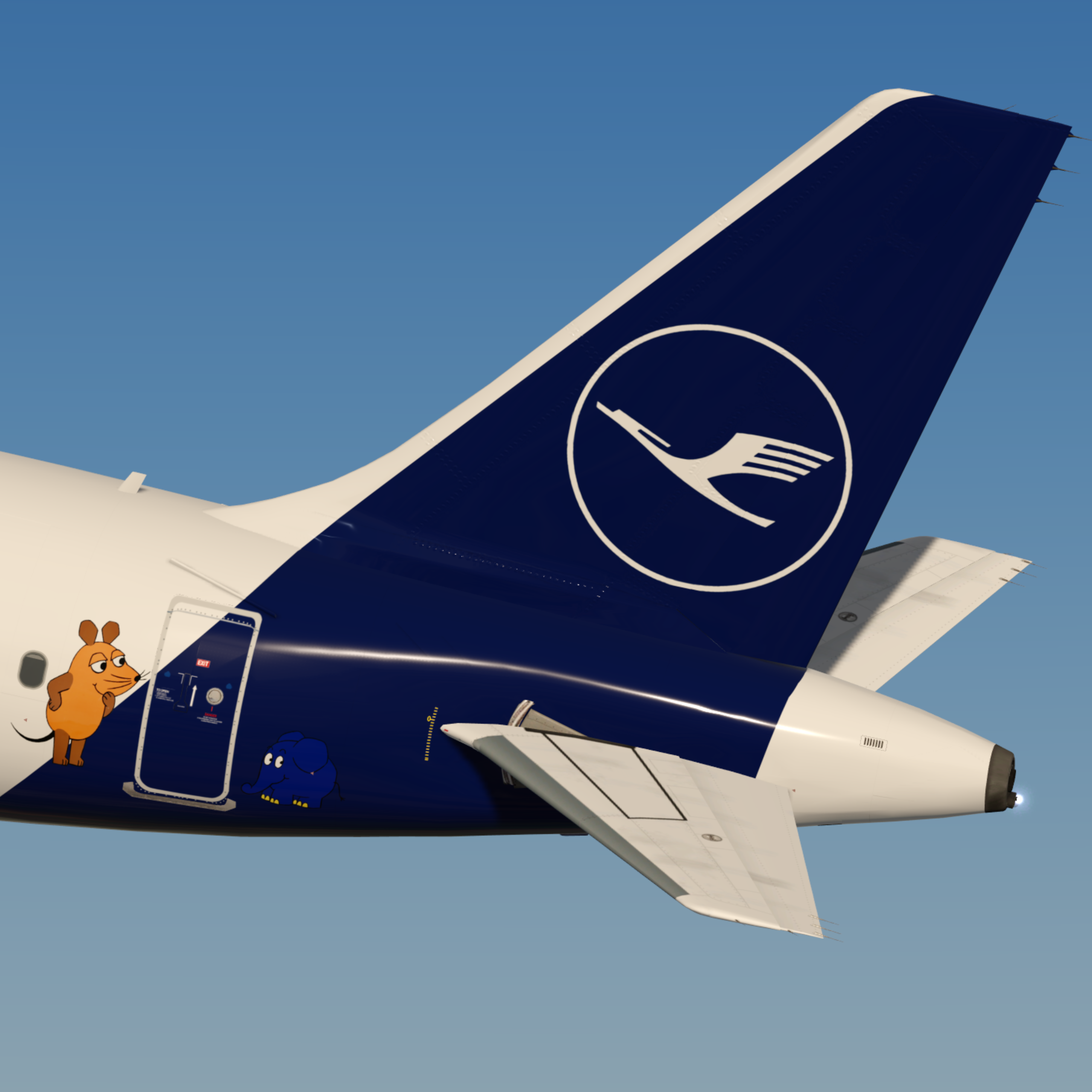
That's why Lufthansa painted an A321 with a special livery including three stickers featuring "Die Maus"

The livery features a realistic replica of the real livery including custom made stickers and the correct Lufthansa wingtextures.


Note this livery is only for v.5.0.1.103+

To install extract the livery inside : 

Users\<name>\Documents\Prepar3d v4 Add-ons\FSLabs\SimObjects\Airplanes\FSLabs A321 IAE\


YOU ARE NOT ALLOWED TO UPLOAD MY TEXTURES ANYWHERE WITHOUT MY PERMISSION!!!
 

What's New in Version 1.0.0

Released

No changelog available for this version.

User Feedback

Philipp Helmut

Philipp Helmut

   2 of 2 members found this review helpful 2 / 2 members

Sehr gute Lackierung, schaut auch echt mega aus. Gibt nur ein kleinen Fehler, auf der rechten Seite der Maschine steht anstatt Flensburg, Flensbrg

Screenshot (761).png

Viktor Graf

Viktor Graf


Nostalgia kicks in! This was the first episode of the show "Die Sendung mit der Maus" that I've watched.

Thank you for creating this marvelous livery!

Kind Regards,

Viktor


Marc Tanner

Marc Tanner


Wieder mal perfekt ! 

Holger Teutsch

Holger Teutsch

   1 of 1 member found this review helpful 1 / 1 member

Looks wonderful!

Account

Navigation

Search

Search

Configure browser push notifications

Chrome (Android)
  1. Tap the lock icon next to the address bar.
  2. Tap Permissions → Notifications.
  3. Adjust your preference.
Chrome (Desktop)
  1. Click the padlock icon in the address bar.
  2. Select Site settings.
  3. Find Notifications and adjust your preference.

