
Skip to content
View in the app

A better way to browse. Learn more.

Flight Sim Labs Forums

A full-screen app on your home screen with push notifications, badges and more.

To install this app on iOS and iPadOS
  1. Tap the Share icon in Safari
  2. Scroll the menu and tap Add to Home Screen.
  3. Tap Add in the top-right corner.
To install this app on Android
  1. Tap the 3-dot menu (⋮) in the top-right corner of the browser.
  2. Tap Add to Home screen or Install app.
  3. Confirm by tapping Install.

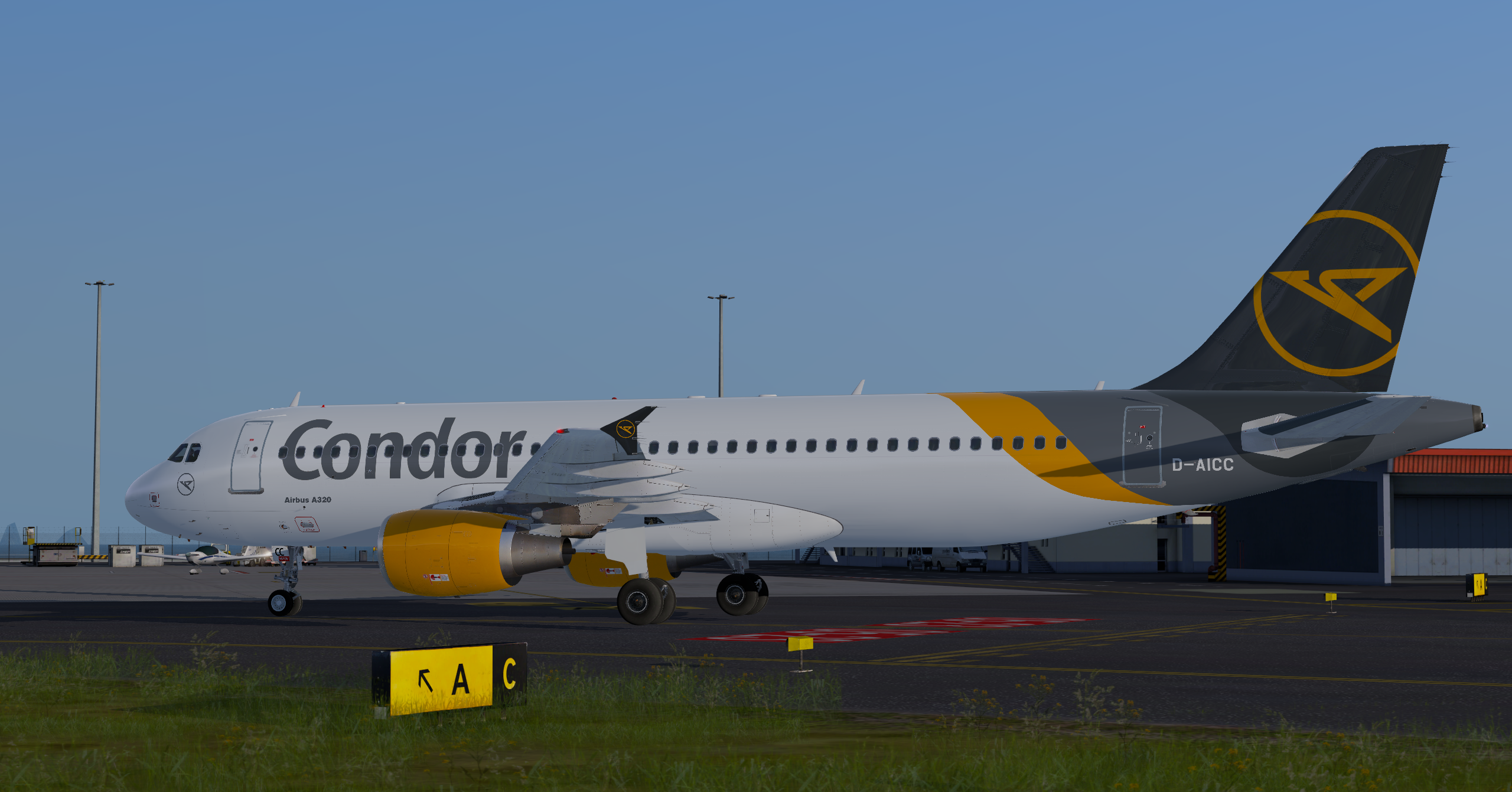
Condor D-AICC "New Colors" 1.2.0

(3 reviews)

1 Screenshot

Condor A320 "New Colors" Repaint

P3D V4 and P3D V5 compatible. To install the livery simply copy the folder "Texture.CFG D-AICC" in the A320 CFM main folder.

D-AICC SELCAL:JK-FP  MSN: 3093

I hope you like it! 

What's New in Version 1.1.0

Released

-adjusted grey color
-fixed airbus font

User Feedback

TomJay

TomJay


The "Airbus 320" sign on the right hand side of the aircraft is upside down.... Rest is perfect ;)

Florian Hofmann

Florian Hofmann

   3 of 4 members found this review helpful 3 / 4 members

Please fix the door colour, the Airbus font and the position of the Condor Logo and font 

The rest looks good 

Dennis Frank

Dennis Frank

   0 of 2 members found this review helpful 0 / 2 members

One word. Awesome!

Account

Navigation

Search

Search

Configure browser push notifications

Chrome (Android)
  1. Tap the lock icon next to the address bar.
  2. Tap Permissions → Notifications.
  3. Adjust your preference.
Chrome (Desktop)
  1. Click the padlock icon in the address bar.
  2. Select Site settings.
  3. Find Notifications and adjust your preference.

