
Skip to content
View in the app

A better way to browse. Learn more.

Flight Sim Labs Forums

A full-screen app on your home screen with push notifications, badges and more.

To install this app on iOS and iPadOS
  1. Tap the Share icon in Safari
  2. Scroll the menu and tap Add to Home Screen.
  3. Tap Add in the top-right corner.
To install this app on Android
  1. Tap the 3-dot menu (⋮) in the top-right corner of the browser.
  2. Tap Add to Home screen or Install app.
  3. Confirm by tapping Install.

Hello San Diego, and thank you Steve Dra for your liveries! :)
Featured Replies

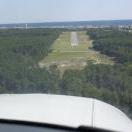
Not sure how these would turn out on here. Deboarding at San Diego after leaving Philly behind. 


2016-10-7_17-52-18-72.BMP

2016-10-7_20-53-15-244.BMP

2016-10-7_20-55-9-500.BMP

2016-10-7_20-56-12-976.BMP

p.s     was curious about capturing stills, are the majority of simmers using Fraps or just the image capture through fsx? 
Cheers


Nice pics MT!

To create my pics in flightsim, I just hit the printscreen key and paste it into my old version of Paint Shop Pro 9 (it has a smaller footprint than the newest one I use to paint, and its really quick).

Then I crop them, sharpen them (to make up for the jpeg compression), add the border, and most important...save as a jpeg, using the jpeg export tool.  This takes your 8mb BMP files, and compresses them to 250kb!  

Next I attach them here using the link below that says choose files...

Finally, I click the little + sign in the image thumbnail that allows you to insert your images into your post...like so....

mt2.jpg

mt1.jpg

mt3.jpg


mt4.jpg

This way folks can see the pics right here without downloading then opening. :)


Thanks for flying one of my paints....hope to see more in the future...Its one of the best ways you can show appreciation to your freeware painters. ;)

  • Author

Cheers for the heads up SD :) 
I even felt a bit cringey just knowing why the stills weren't coming out like everybody elses, haha! Cheers. 
 

Account

Navigation

Search

Search

Configure browser push notifications

Chrome (Android)
  1. Tap the lock icon next to the address bar.
  2. Tap Permissions → Notifications.
  3. Adjust your preference.
Chrome (Desktop)
  1. Click the padlock icon in the address bar.
  2. Select Site settings.
  3. Find Notifications and adjust your preference.