
Skip to content
View in the app

A better way to browse. Learn more.

Flight Sim Labs Forums

A full-screen app on your home screen with push notifications, badges and more.

To install this app on iOS and iPadOS
  1. Tap the Share icon in Safari
  2. Scroll the menu and tap Add to Home Screen.
  3. Tap Add in the top-right corner.
To install this app on Android
  1. Tap the 3-dot menu (⋮) in the top-right corner of the browser.
  2. Tap Add to Home screen or Install app.
  3. Confirm by tapping Install.

Delivery flight of the newest member of the fleet :D
Featured Replies

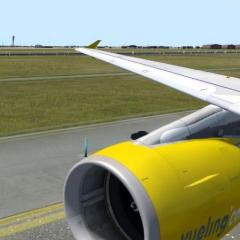
Was lucky enough to have the honor of picking up the brand new A319 out of Toulouse yesterday evening. Did a delivery flight from LFBO to EKCH for SAS, here are some shots.

  ab750c6861.jpg

Brand new of the assembly line in Toulouse

b08d6e92d8.jpg

Flex of 77 today as only the pilots and 500KG of cargo are on board

02b34d0cd0.jpg

Even though she has less then 100 flight hours, the systems still get check like every other plane.

 4ebb45ca74.jpg

Bye bye Toulouse! We did do a wing rock during the departure ;)

8fd62de678.jpg

4300FPM with climb power and flaps up :o 

5fb855e4f7.jpg

Just to get a feel for the airplane I decided to turn of the AP and ATH during the app. I'm surprised how little you need to move the thrust to keep her on speed.

bb42d5056f.jpg

Welcome home! Did not notice the bugs on the windshield until we pulled into stand B7, guess someone will have to clean that :lol:


Awesome shots.

Account

Navigation

Search

Search

Configure browser push notifications

Chrome (Android)
  1. Tap the lock icon next to the address bar.
  2. Tap Permissions → Notifications.
  3. Adjust your preference.
Chrome (Desktop)
  1. Click the padlock icon in the address bar.
  2. Select Site settings.
  3. Find Notifications and adjust your preference.