Skip to content
View in the app

A better way to browse. Learn more.

Flight Sim Labs Forums

A full-screen app on your home screen with push notifications, badges and more.

To install this app on iOS and iPadOS
  1. Tap the Share icon in Safari
  2. Scroll the menu and tap Add to Home Screen.
  3. Tap Add in the top-right corner.
To install this app on Android
  1. Tap the 3-dot menu (⋮) in the top-right corner of the browser.
  2. Tap Add to Home screen or Install app.
  3. Confirm by tapping Install.

Lufthansa New livery D-AIZA 1.0.2

(4 reviews)

2 Screenshots

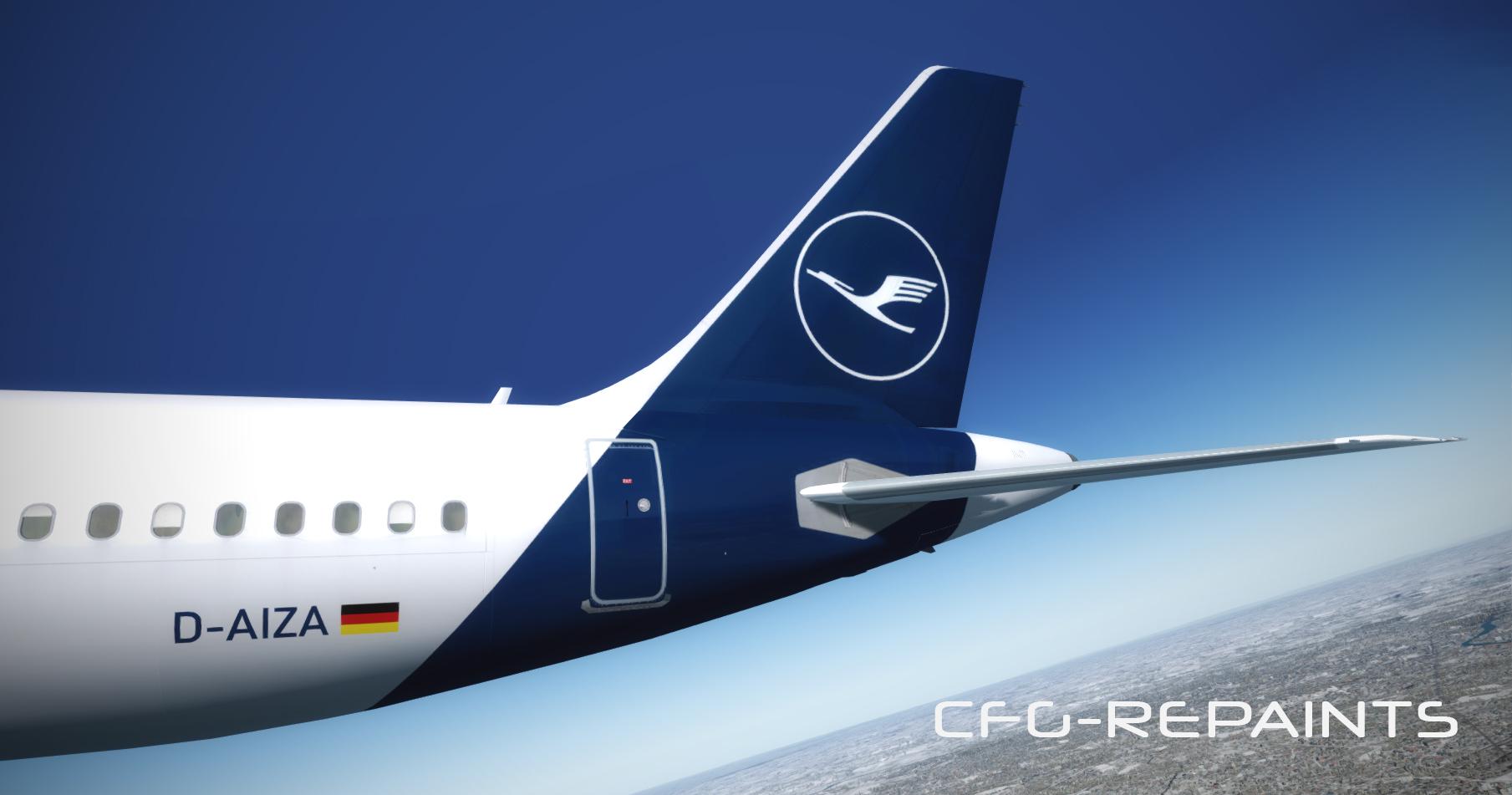
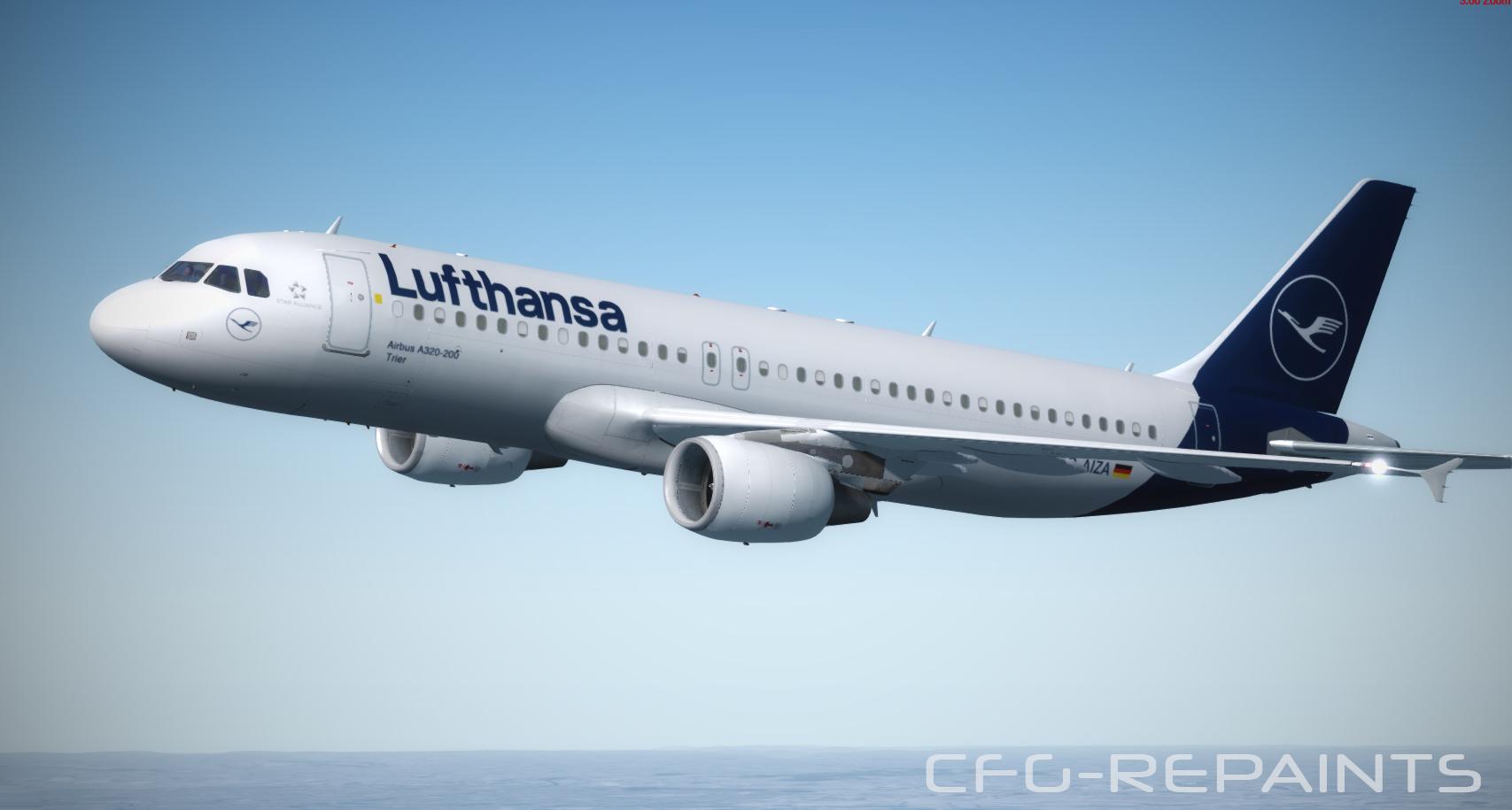
Lufthansa A320 D-AIZA called "Trier" in the new 2018 presented Lufthansa livery.

NOTE: The real D-AIZA is still in the old colours, if the first A320 will receive the new livery i will update the paint and make it more accurate.

Thanks to @John Tavendale for using some parts of his textures and thanks to @Hugo Bicho for using his Engine textures.

A Readme with instructions is included.


What's New in Version 1.0.1

Released

- fixed an mip maps issue

- added details to the Lufthansa decal (close to door 1L)

User Feedback

Florian Venus

Florian Venus

   2 of 2 members found this review helpful 2 / 2 members

If you want to update your livery, DAIZC flew to ESB today, will be the first A320 wearing the new livery and fonts

Marco-Antonio Avallone

Marco-Antonio Avallone

   0 of 1 member found this review helpful 0 / 1 member

Great work, thanks!

Malcolm Rouse

Malcolm Rouse

   0 of 13 members found this review helpful 0 / 13 members

The Main gear is not visible when aircraft is loaded .

bernard hauck

bernard hauck

   1 of 4 members found this review helpful 1 / 4 members

bonjour,

très belle réalisation - merci de nous en faire profiter 

bonne journée

Bernard

Account

Navigation

Search

Search

Configure browser push notifications

Chrome (Android)
  1. Tap the lock icon next to the address bar.
  2. Tap Permissions → Notifications.
  3. Adjust your preference.
Chrome (Desktop)
  1. Click the padlock icon in the address bar.
  2. Select Site settings.
  3. Find Notifications and adjust your preference.