
Skip to content
View in the app

A better way to browse. Learn more.

Flight Sim Labs Forums

A full-screen app on your home screen with push notifications, badges and more.

To install this app on iOS and iPadOS
  1. Tap the Share icon in Safari
  2. Scroll the menu and tap Add to Home Screen.
  3. Tap Add in the top-right corner.
To install this app on Android
  1. Tap the 3-dot menu (⋮) in the top-right corner of the browser.
  2. Tap Add to Home screen or Install app.
  3. Confirm by tapping Install.

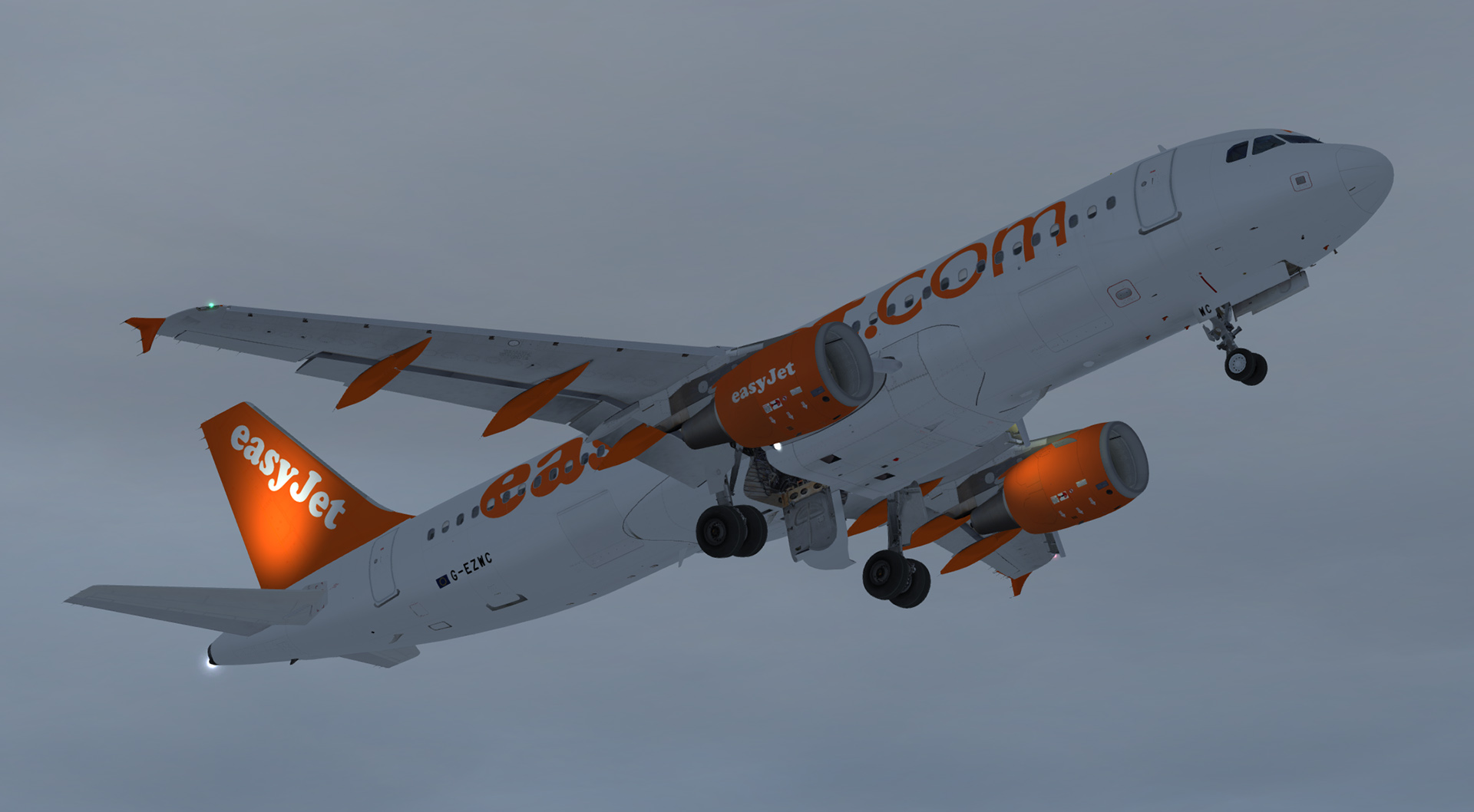
easyJet A320-214 G-EZWC 1.0.0

(7 reviews)

1 Screenshot

 Repaint of easyJet A320-214 G-EZWC in the old livery

  • Highly detailed repaint created using a custom paint kit with matching bump maps.
  • Updated Fresnel light maps meaning lower sun glare and accurate colour reproduction.
  • New fuselage, tail and engine specular maps (Thanks to Daniel Du Preez for these)
  • New wing textures (Thanks to Christian Mohr for these)
  • New engine intake details (Thanks to Hugo Bicho for these)

Works in P3D v4, v3 and FSX

G-EZWC.jpg

What's New in Version 1.0.0

Released

No changelog available for this version.

User Feedback

Gavin Cook

Gavin Cook


Amazing work.  Thanks for taking the time to do this!

Florian Niklas

Florian Niklas


Just beautiful!

Kian Andrews

Kian Andrews

   1 of 1 member found this review helpful 1 / 1 member

Another stunning orange bus! Thanks for your hard work!

Ross Fothergill

Ross Fothergill

   3 of 3 members found this review helpful 3 / 3 members

Really amazing work!! I have all your EZY repaints :) 

Christoph Sebek

Christoph Sebek

   2 of 2 members found this review helpful 2 / 2 members

Your repaints keep getting better and better, great stuff. :wub:

Christian Urban

Christian Urban

   2 of 2 members found this review helpful 2 / 2 members

Thanks Mate ! Realy awesome repaint good work 6stars .....******

Jonathon Vaughan

Jonathon Vaughan

   5 of 5 members found this review helpful 5 / 5 members

Tavers keeping me very happy :D

As usual great attention to detail and another good addition to my EZY hangar

Account

Navigation

Search

Search

Configure browser push notifications

Chrome (Android)
  1. Tap the lock icon next to the address bar.
  2. Tap Permissions → Notifications.
  3. Adjust your preference.
Chrome (Desktop)
  1. Click the padlock icon in the address bar.
  2. Select Site settings.
  3. Find Notifications and adjust your preference.

