
Skip to content
View in the app

A better way to browse. Learn more.

Flight Sim Labs Forums

A full-screen app on your home screen with push notifications, badges and more.

To install this app on iOS and iPadOS
  1. Tap the Share icon in Safari
  2. Scroll the menu and tap Add to Home Screen.
  3. Tap Add in the top-right corner.
To install this app on Android
  1. Tap the 3-dot menu (⋮) in the top-right corner of the browser.
  2. Tap Add to Home screen or Install app.
  3. Confirm by tapping Install.

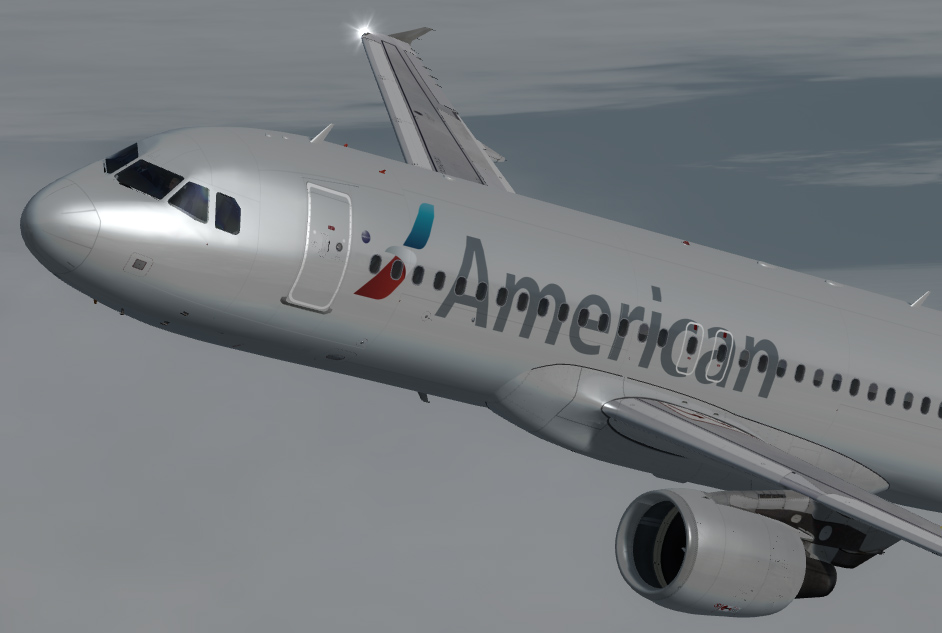
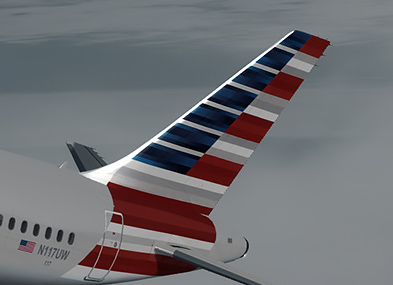
American Airlines N117UW CFM 1.0.1

(4 reviews)

2 Screenshots

American Airlines A320

CFM engines

N117UW

Painting using a kit by the amazing John Tavendale

What's New in Version 1.0.1

Released

American Airlines N117UA

CFM engines

Update 1.0.1 American_CFM_GDH.zip

-Updated the bump maps

-added mip maps to decals to reduce flicker

-updated various parts

User Feedback

Chris Allen

Chris Allen

   1 of 1 member found this review helpful 1 / 1 member

Causes at CTD

Shane_McLeod

Shane_McLeod

   2 of 2 members found this review helpful 2 / 2 members

This aircraft causes a CTD when you choose it from the aircraft menu.

Holden Riley

Holden Riley

   2 of 2 members found this review helpful 2 / 2 members

It will cause a CTD in your sim when you select the plane in your aircraft menu. Go for the IAE repaint. 

cmcmynne

cmcmynne

   1 of 1 member found this review helpful 1 / 1 member

Do not download!  This paint would crash my sim everytime I even view the plane in the panel where you select your aircraft.  (P3D)

Account

Navigation

Search

Search

Configure browser push notifications

Chrome (Android)
  1. Tap the lock icon next to the address bar.
  2. Tap Permissions → Notifications.
  3. Adjust your preference.
Chrome (Desktop)
  1. Click the padlock icon in the address bar.
  2. Select Site settings.
  3. Find Notifications and adjust your preference.
