


Skip to content
View in the app

A better way to browse. Learn more.

Flight Sim Labs Forums

A full-screen app on your home screen with push notifications, badges and more.

To install this app on iOS and iPadOS
  1. Tap the Share icon in Safari
  2. Scroll the menu and tap Add to Home Screen.
  3. Tap Add in the top-right corner.
To install this app on Android
  1. Tap the 3-dot menu (⋮) in the top-right corner of the browser.
  2. Tap Add to Home screen or Install app.
  3. Confirm by tapping Install.

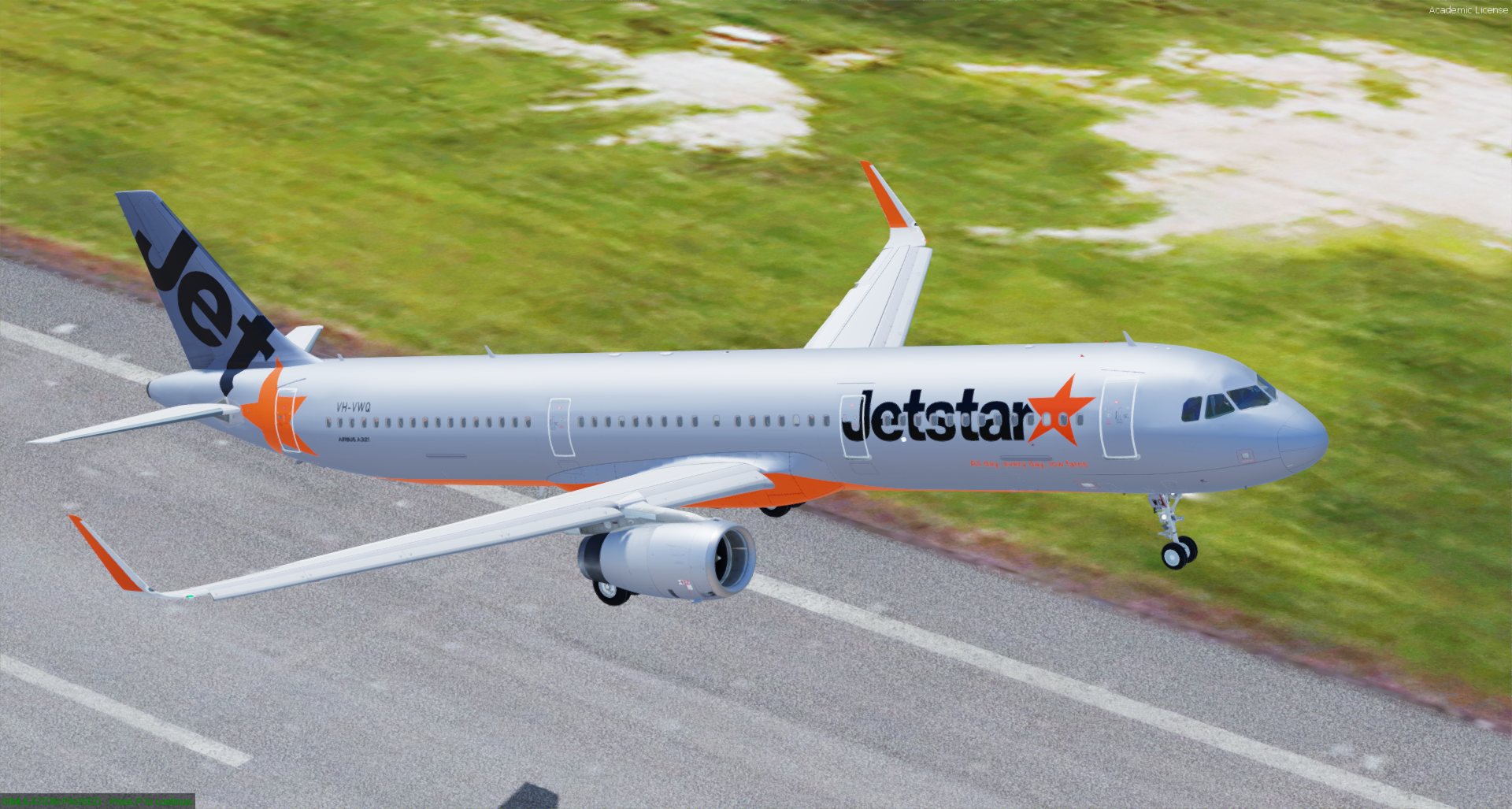
Jetstar A321-231 (SL) VH-VWQ (Standard Livery) 1.1.0

(2 reviews)

1 Screenshot

Updated for v5.0.1.160+ model

Jetstar's A321-231SL VH-VWQ in the standard livery

What's New in Version 1.0.0

Released

No changelog available for this version.

User Feedback

Stirling Day

Stirling Day

   1 of 1 member found this review helpful 1 / 1 member

Just a little thing, the new 321s don’t have the red limit lines for the now to. They have the little red rectangles with NO TOW written on them. 
other than that great job mate.

Response from the author:

Fixed.

Darren Howie

Darren Howie

   1 of 1 member found this review helpful 1 / 1 member

Superb!

Account

Navigation

Search

Search

Configure browser push notifications

Chrome (Android)
  1. Tap the lock icon next to the address bar.
  2. Tap Permissions → Notifications.
  3. Adjust your preference.
Chrome (Desktop)
  1. Click the padlock icon in the address bar.
  2. Select Site settings.
  3. Find Notifications and adjust your preference.