
Skip to content
View in the app

A better way to browse. Learn more.

Flight Sim Labs Forums

A full-screen app on your home screen with push notifications, badges and more.

To install this app on iOS and iPadOS
  1. Tap the Share icon in Safari
  2. Scroll the menu and tap Add to Home Screen.
  3. Tap Add in the top-right corner.
To install this app on Android
  1. Tap the 3-dot menu (⋮) in the top-right corner of the browser.
  2. Tap Add to Home screen or Install app.
  3. Confirm by tapping Install.

Air Berlin A320SL D-ABNO 1.0.2

(2 reviews)

1 Screenshot

ONLY FOR A320SL v5.0.1.100+

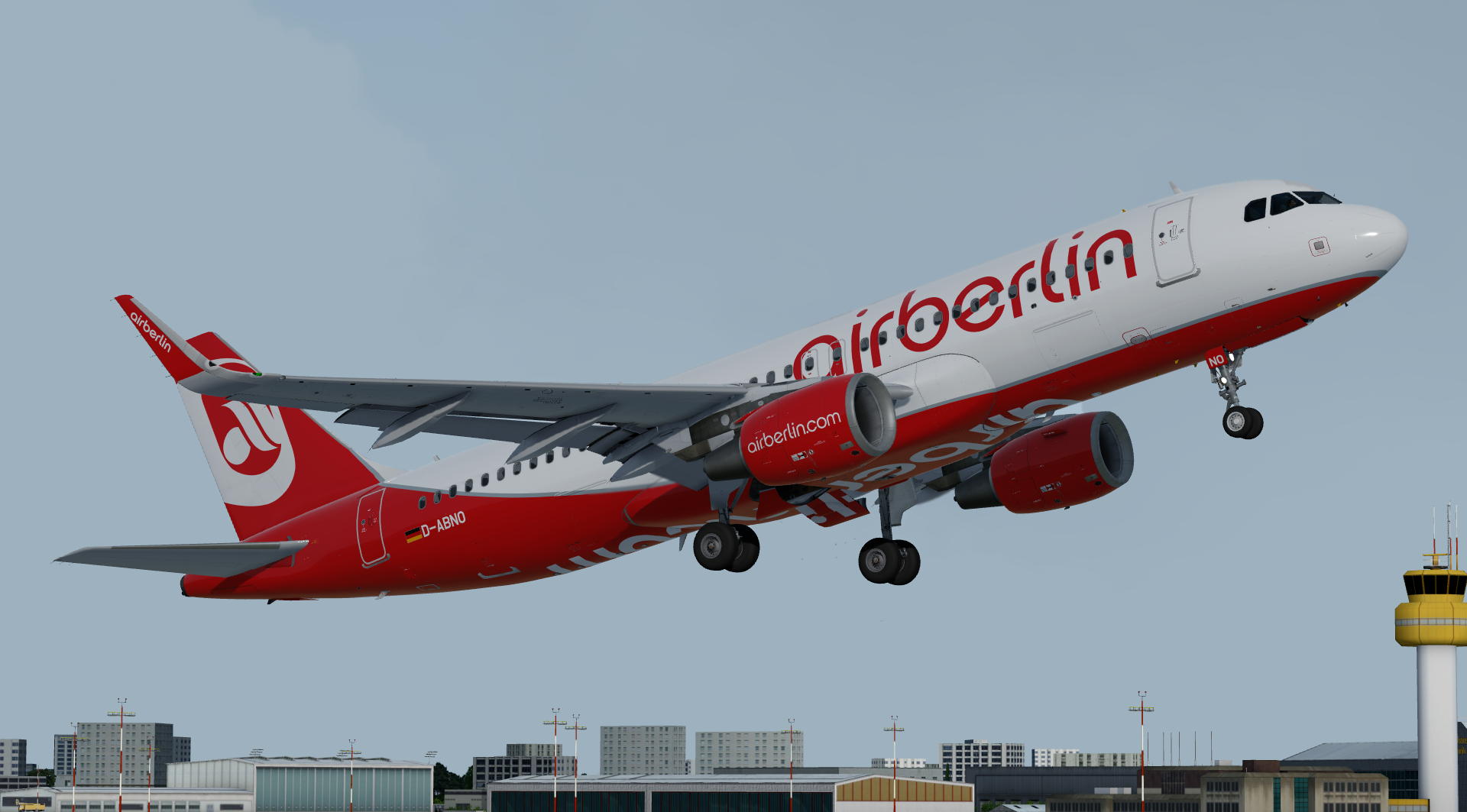
Air Berlin A320-214(SL) D-ABNO

Installation instructions:

  • Simply drag both the 'Texture.BER D-ABNO' AND 'Airframe Configs' folders into your FSLabs A320SL CFM simobjects folder (usually found at 'Documents\Prepar3D v4/5 Add-ons\FSLabs\SimObjects\Airplanes\FSLabs A320-SL CFM').

Features a complete overhaul of the default FSL A320 paint kit including:

  • Custom 4K textures with accurate seam panelling, fuselage section joins and rivets.
  • Custom 4K metallic maps (PBR) with baked ambient occlusion (AO) effects.
  • Custom 4K normal maps for fuselage, engines, wings and tail.
  • Reworked landing gear including tyres and struts with custom PBR effects.
  • Enhancements to aircraft overlay textures, including PBR effects.
  • Custom dirt effects.

Special thanks to @Hugo Bicho @Daniel Du Preez and @John Tavendale for the custom 4K A320 Paintkit.

by outwithnade
ABNO.thumb.png.161ff2b5f41a0970f2e36c815c0e3379.png

What's New in Version 1.0.1

Released

  • Removed stripes on radome.

User Feedback

Oliver Brandt

Oliver Brandt

   1 of 1 member found this review helpful 1 / 1 member

I can only support Norman Blackburn's review. Amazing work!

Norman Blackburn

Norman Blackburn

   3 of 3 members found this review helpful 3 / 3 members

Stunning work Elliot!  Even though I never worked for AB I have a huge soft spot for them and saddened when I see their old aircraft half painted around Europe.

Account

Navigation

Search

Search

Configure browser push notifications

Chrome (Android)
  1. Tap the lock icon next to the address bar.
  2. Tap Permissions → Notifications.
  3. Adjust your preference.
Chrome (Desktop)
  1. Click the padlock icon in the address bar.
  2. Select Site settings.
  3. Find Notifications and adjust your preference.

