
Skip to content
View in the app

A better way to browse. Learn more.

Flight Sim Labs Forums

A full-screen app on your home screen with push notifications, badges and more.

To install this app on iOS and iPadOS
  1. Tap the Share icon in Safari
  2. Scroll the menu and tap Add to Home Screen.
  3. Tap Add in the top-right corner.
To install this app on Android
  1. Tap the 3-dot menu (⋮) in the top-right corner of the browser.
  2. Tap Add to Home screen or Install app.
  3. Confirm by tapping Install.

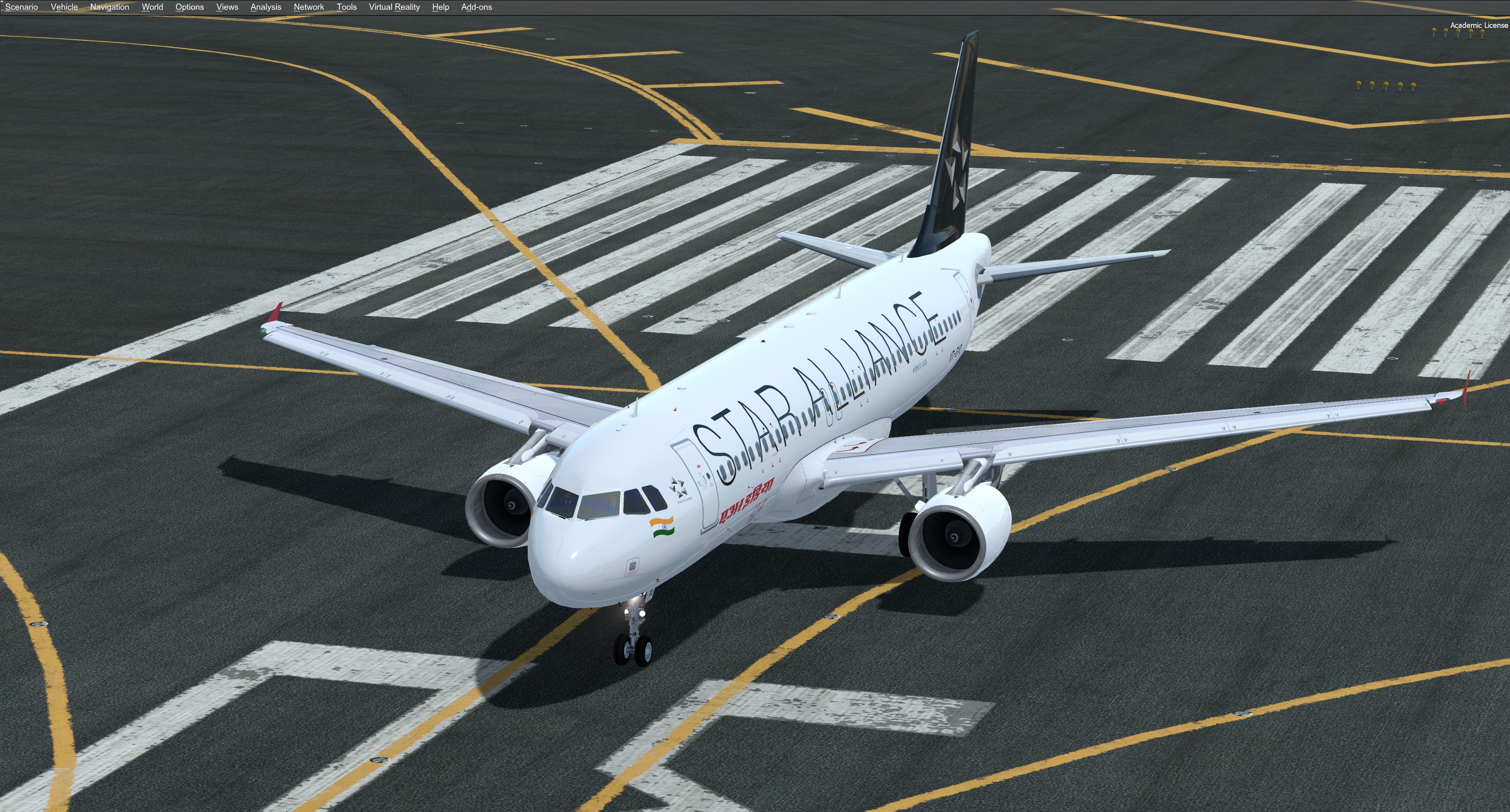
Ai India A320 VT-EXO 1.0.1

(1 review)

1 Screenshot

Hello Captains and First officers :)

his is a Air India A320, VT-EXO painted in Star Alliance livery.
Original aircraft is A320 neo.
Unfortunately we don't have neo version yet but I hope that in the near feature we will :)
I had a few requests to make this livery, so this for all my friends from India and other pilots from other parts of the world.


Installation:

Simply drag "Texture.AIC VT-EXO" into your FSLabs A320 CFM folder.


Enjoy your flights and stay safe!
For question or remarks, please contact me via the FSLabs forums.

Copyright and legal:
This work is protected by international intellectual property and copyright laws.  
Any unauthorized use, dissemination and/or distribution of the content of this download is prohibited without the prior written consent of the author.  

If you like my work, why not show your appreciation with a small PayPal donation?  Any donations are highly appreciated but never required. 

What's New in Version 1.0.0

Released

No changelog available for this version.

User Feedback

Manish

Manish


Splendid work! *Cheers* @Gregory Verba

Account

Navigation

Search

Search

Configure browser push notifications

Chrome (Android)
  1. Tap the lock icon next to the address bar.
  2. Tap Permissions → Notifications.
  3. Adjust your preference.
Chrome (Desktop)
  1. Click the padlock icon in the address bar.
  2. Select Site settings.
  3. Find Notifications and adjust your preference.