
Skip to content
View in the app

A better way to browse. Learn more.

Flight Sim Labs Forums

A full-screen app on your home screen with push notifications, badges and more.

To install this app on iOS and iPadOS
  1. Tap the Share icon in Safari
  2. Scroll the menu and tap Add to Home Screen.
  3. Tap Add in the top-right corner.
To install this app on Android
  1. Tap the 3-dot menu (⋮) in the top-right corner of the browser.
  2. Tap Add to Home screen or Install app.
  3. Confirm by tapping Install.

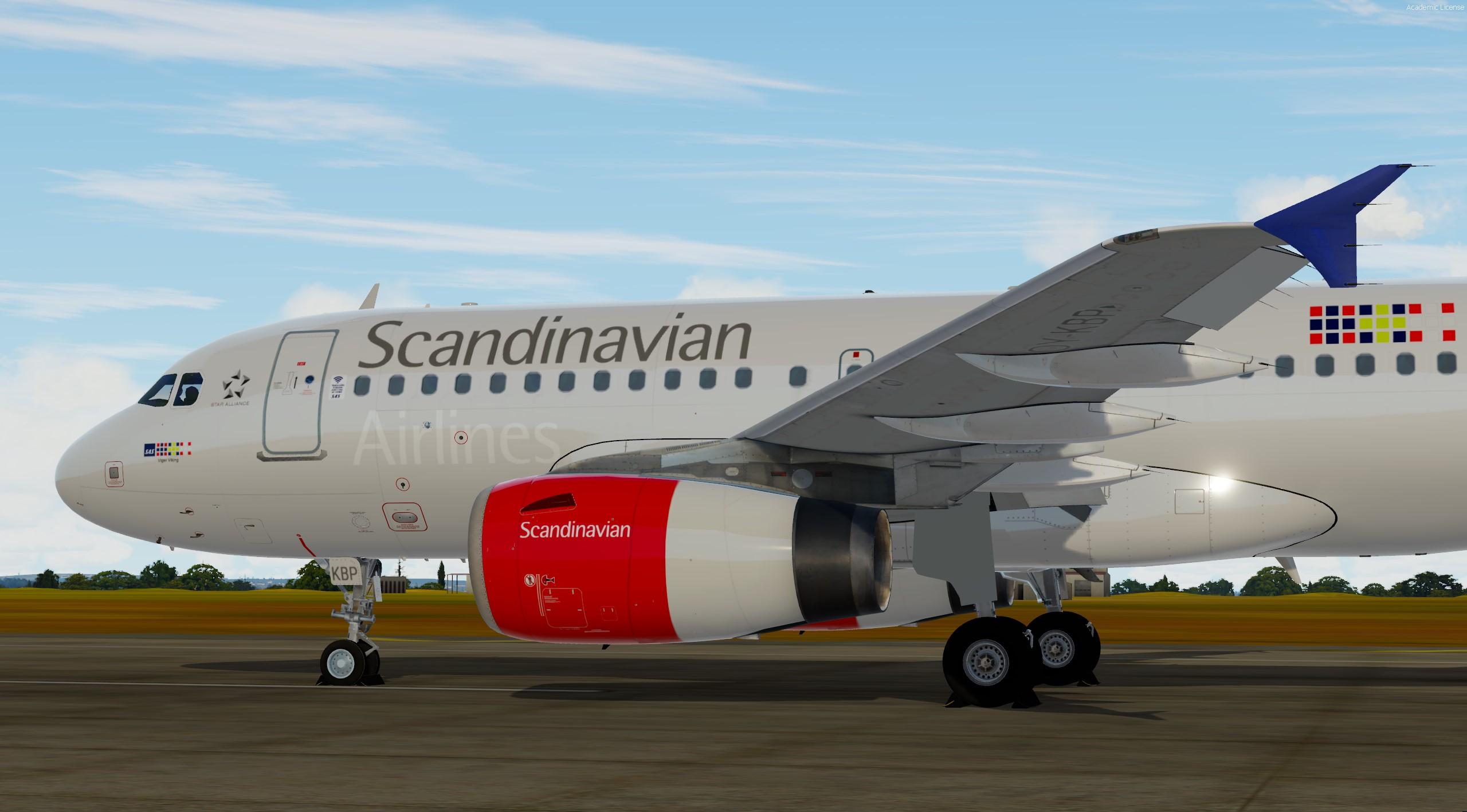
SAS A319 OY-KBP 2.1.0

(0 reviews)

5 Screenshots

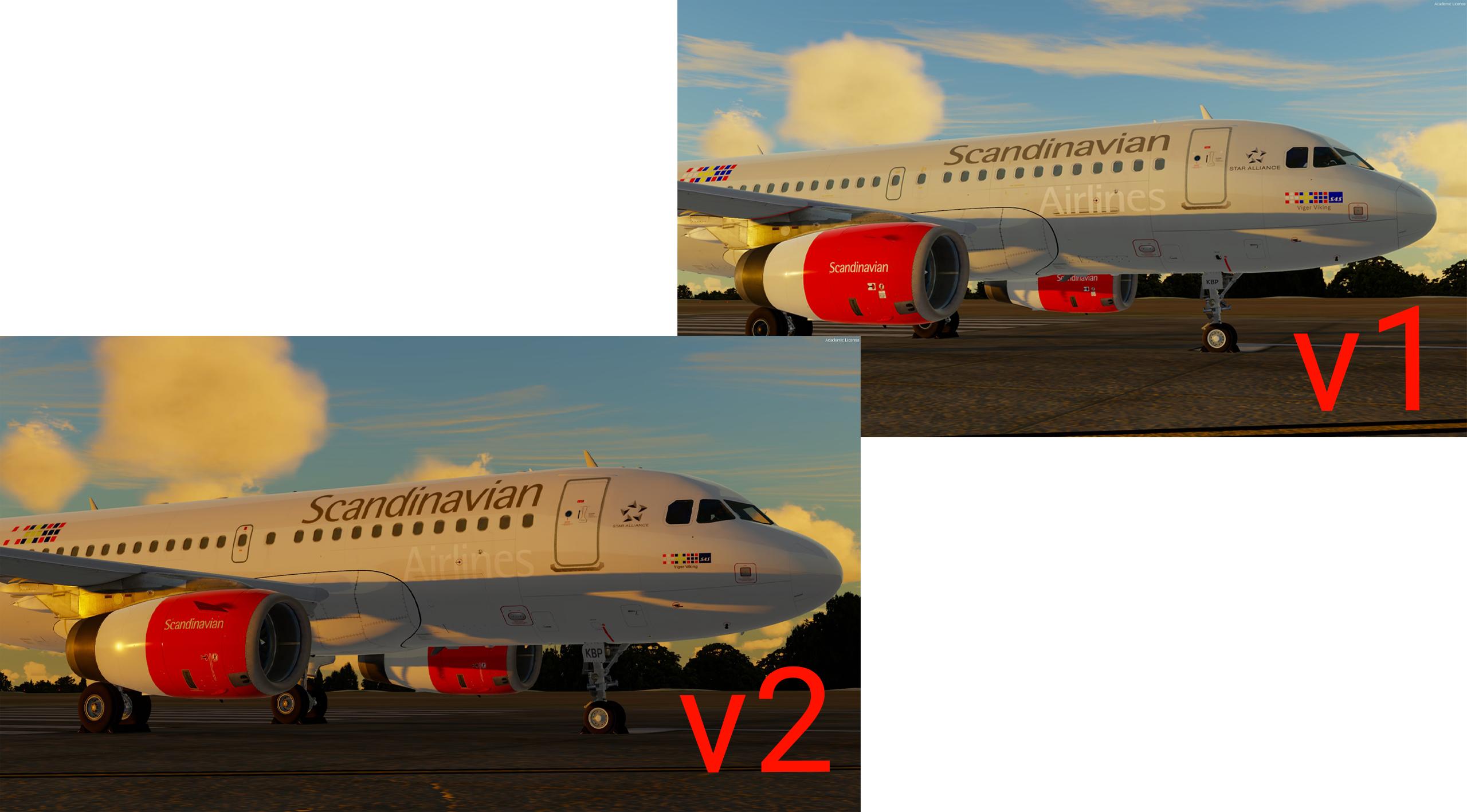
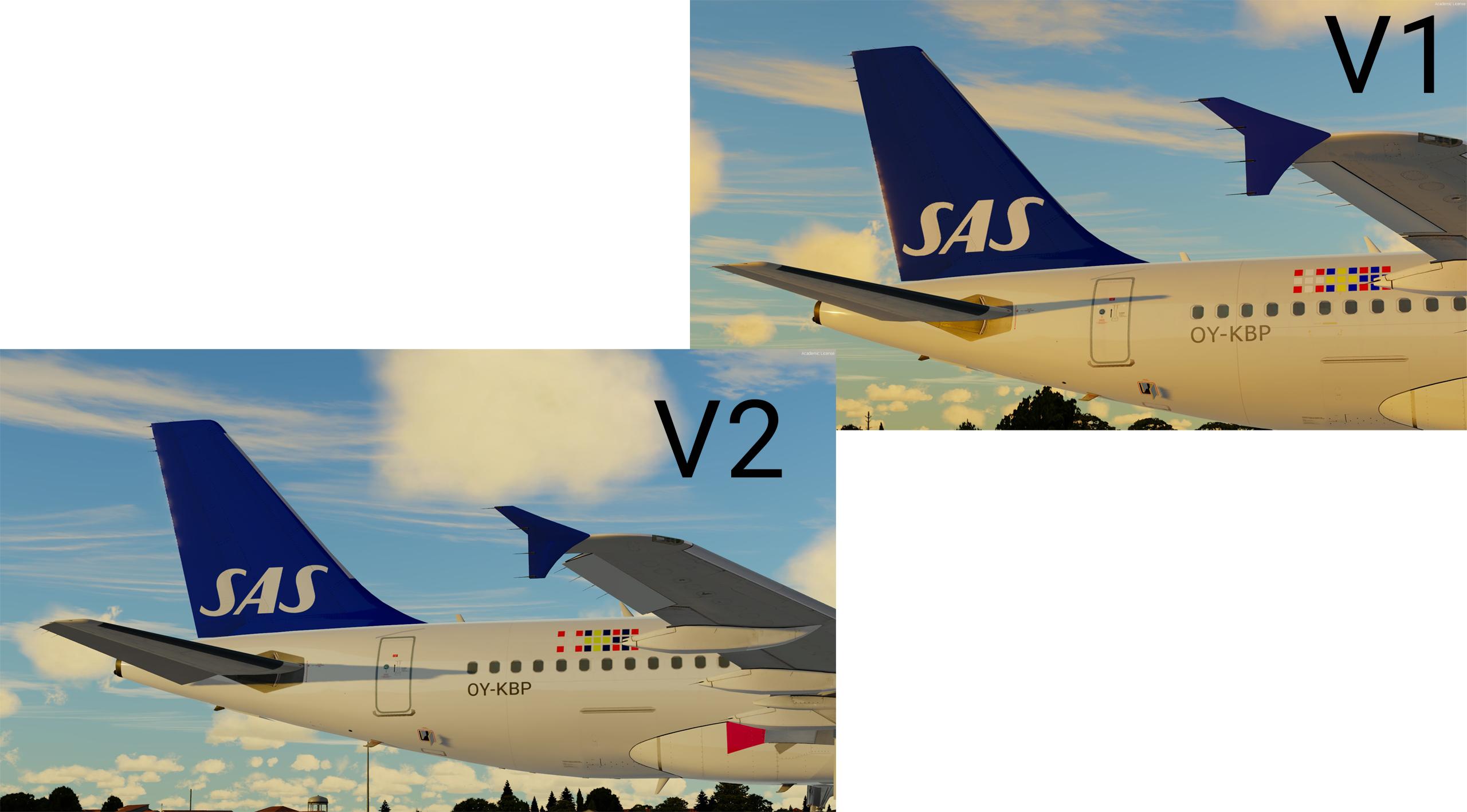
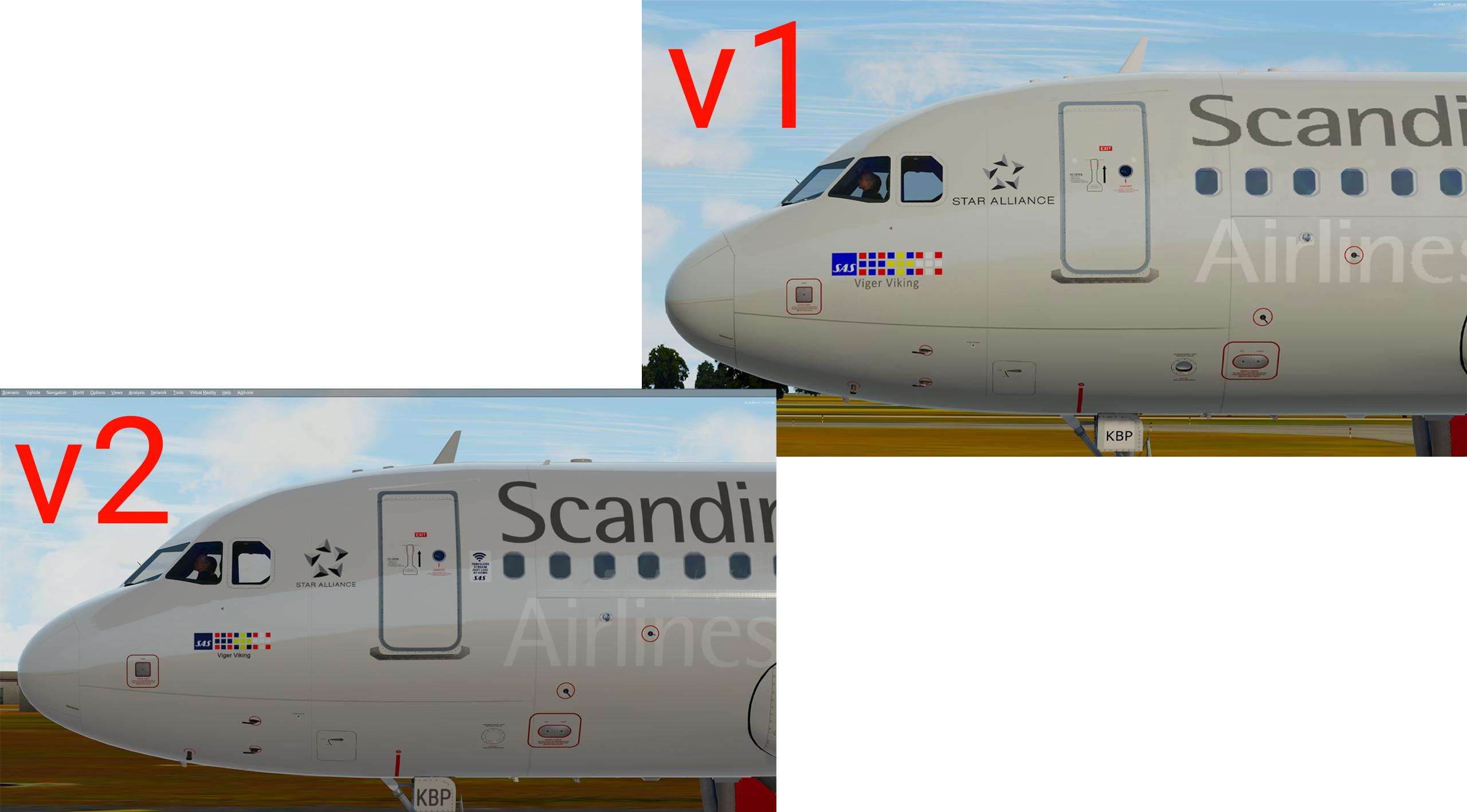
                            V2 released for FSlabs A319-X for Prepar3Dv4/5

-When you install this i highly recommend to remove my old OY-KBP version. Name of old version is Texture.OY_KBP

-Changelog" is in (Changelog section).

What's New in Version 2.0.0

Released

                                    V2 is here!

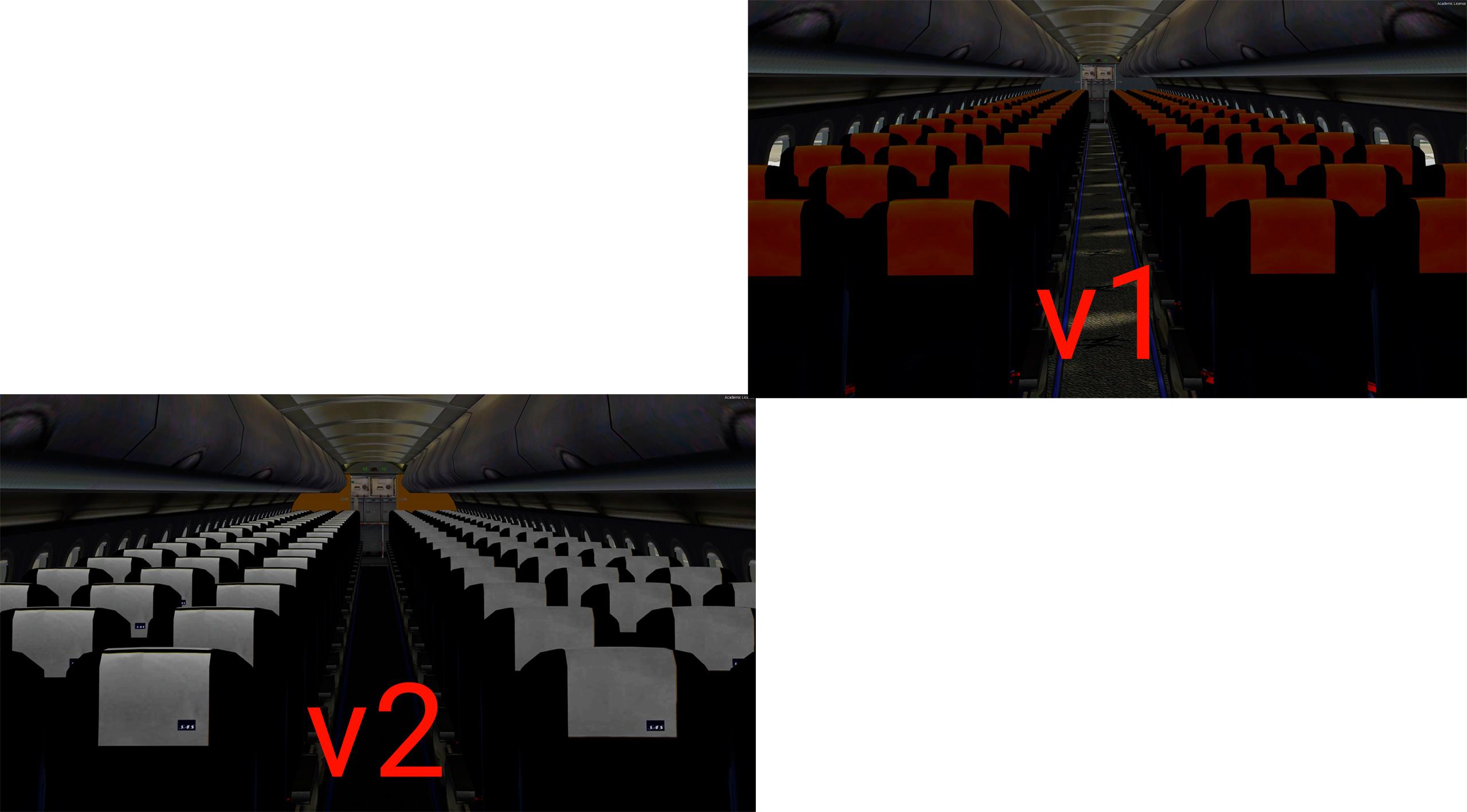
-Brand new update, which brings brand new logos, textures and quality.

-v2.0 is created from scratch from the A319 paintkit with brand new logos and colors.

Install instructions is in the readme file and also future stuff.

Changelog:

  • New logos made from vector images to get more sharp images
  • New cabin textures + carpet 
  • New colors on engine and tail
  • More accurate to real one as today.

User Feedback

There are no reviews to display.

Account

Navigation

Search

Search

Configure browser push notifications

Chrome (Android)
  1. Tap the lock icon next to the address bar.
  2. Tap Permissions → Notifications.
  3. Adjust your preference.
Chrome (Desktop)
  1. Click the padlock icon in the address bar.
  2. Select Site settings.
  3. Find Notifications and adjust your preference.

