

Skip to content
View in the app

A better way to browse. Learn more.

Flight Sim Labs Forums

A full-screen app on your home screen with push notifications, badges and more.

To install this app on iOS and iPadOS
  1. Tap the Share icon in Safari
  2. Scroll the menu and tap Add to Home Screen.
  3. Tap Add in the top-right corner.
To install this app on Android
  1. Tap the 3-dot menu (⋮) in the top-right corner of the browser.
  2. Tap Add to Home screen or Install app.
  3. Confirm by tapping Install.

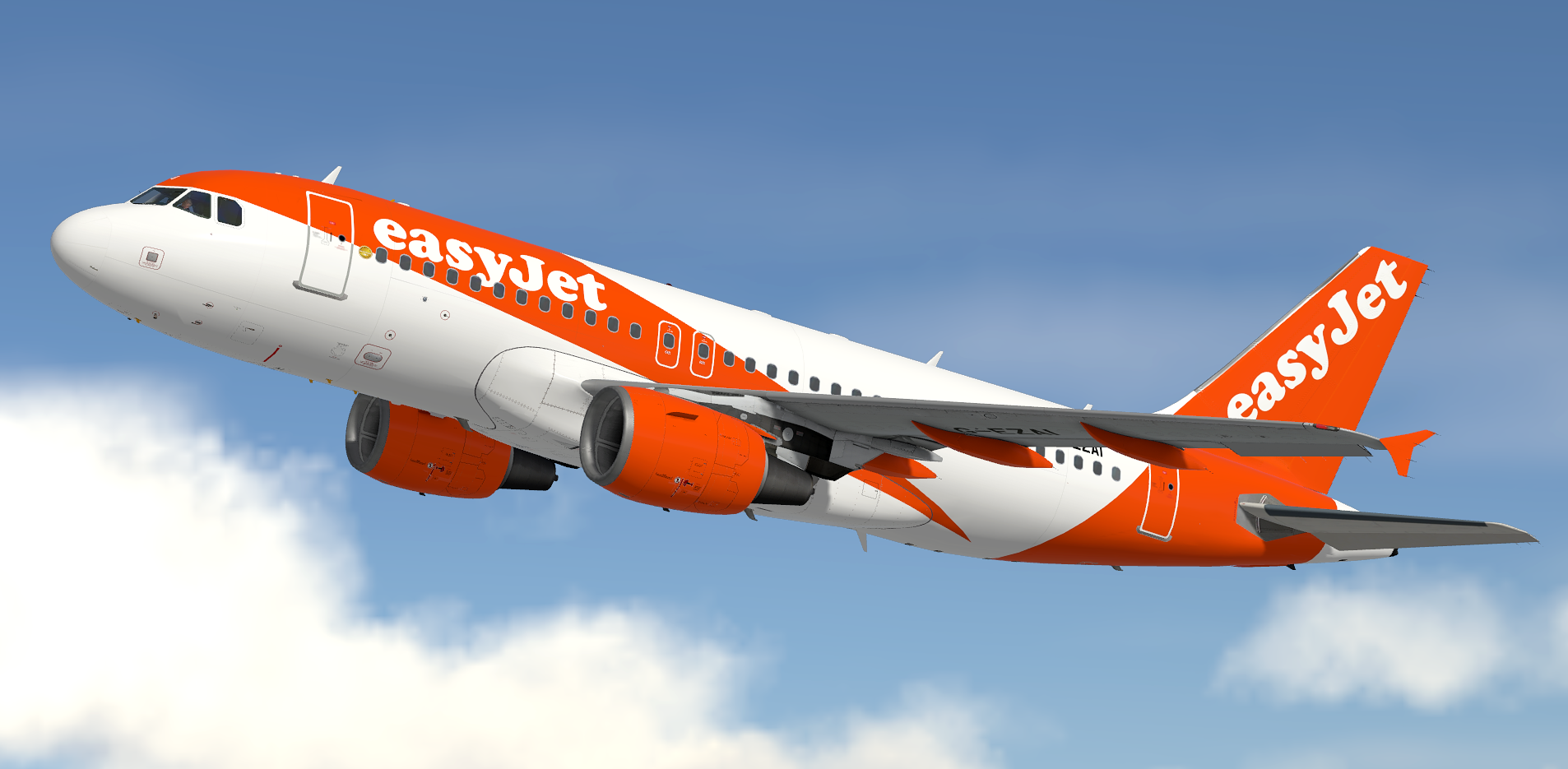
easyJet UK G-EZAI 1.0.4

(1 review)

1 Screenshot

easyJet UK  (U2/EZY) G-EZAI.

READ THESE INSTRUCTIONS CAREFULLY

*** FOR FSL A319 v5.0.100+ ONLY ***

This is an easyJet UK, registration G-EZAI for the FSLabs A319-X CFM.

IMPORTANT: This livery requires the following download to be installed to appear as intended. 

To Install: 

  • Ensure that you have the ProfHBJT common files installed (can be found using the link above).
  • Drag the 'Texture.EZY G-EZAI' AND 'Airframe Configs' folder into your FSLabs A319 CFM simobjects folder.


Credit goes to Hugo Bicho, John Tavendale and Daniel Du Preez for use of some textures in this repaint.

If you like these liveries why not buy me a coffee.  All donations are heavily appreciated.


https://paypal.me/MatthewAshman

https://facebook.com/airformliveries

https://www.airformliveries.com
nwj7qkjAWO.thumb.png.33bda87cceff597c8fc284a62395c348.png

What's New in Version 1.0.0

Released

No changelog available for this version.

User Feedback

Timm Rehberg

Timm Rehberg

   1 of 1 member found this review helpful 1 / 1 member

5/5 as always! Paint on fleek! :D :wub:

Account

Navigation

Search

Search

Configure browser push notifications

Chrome (Android)
  1. Tap the lock icon next to the address bar.
  2. Tap Permissions → Notifications.
  3. Adjust your preference.
Chrome (Desktop)
  1. Click the padlock icon in the address bar.
  2. Select Site settings.
  3. Find Notifications and adjust your preference.
