
Skip to content
View in the app

A better way to browse. Learn more.

Flight Sim Labs Forums

A full-screen app on your home screen with push notifications, badges and more.

To install this app on iOS and iPadOS
  1. Tap the Share icon in Safari
  2. Scroll the menu and tap Add to Home Screen.
  3. Tap Add in the top-right corner.
To install this app on Android
  1. Tap the 3-dot menu (⋮) in the top-right corner of the browser.
  2. Tap Add to Home screen or Install app.
  3. Confirm by tapping Install.

Lufthansa A321 Fleet Pack NC 3.0.0

(4 reviews)

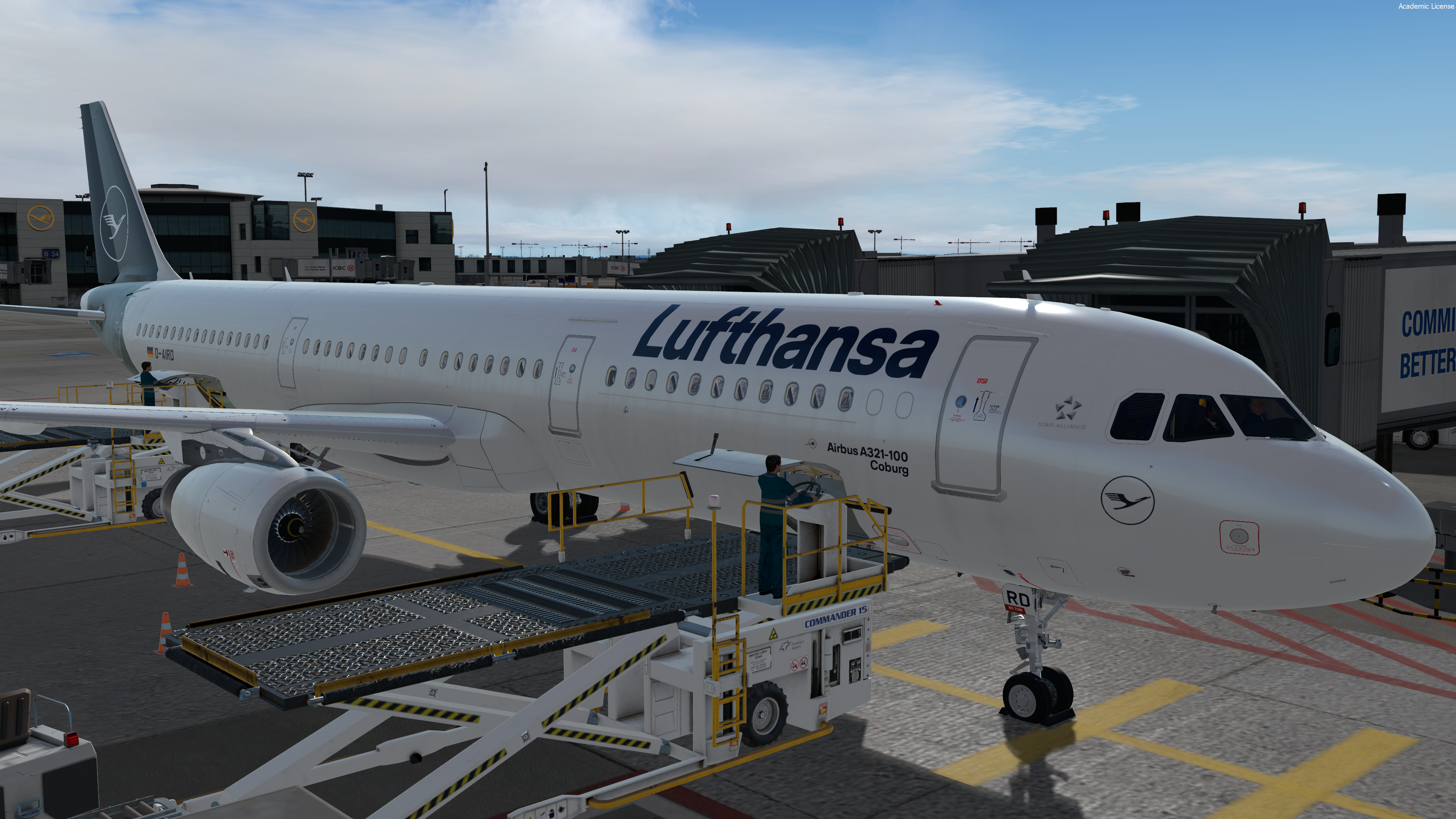
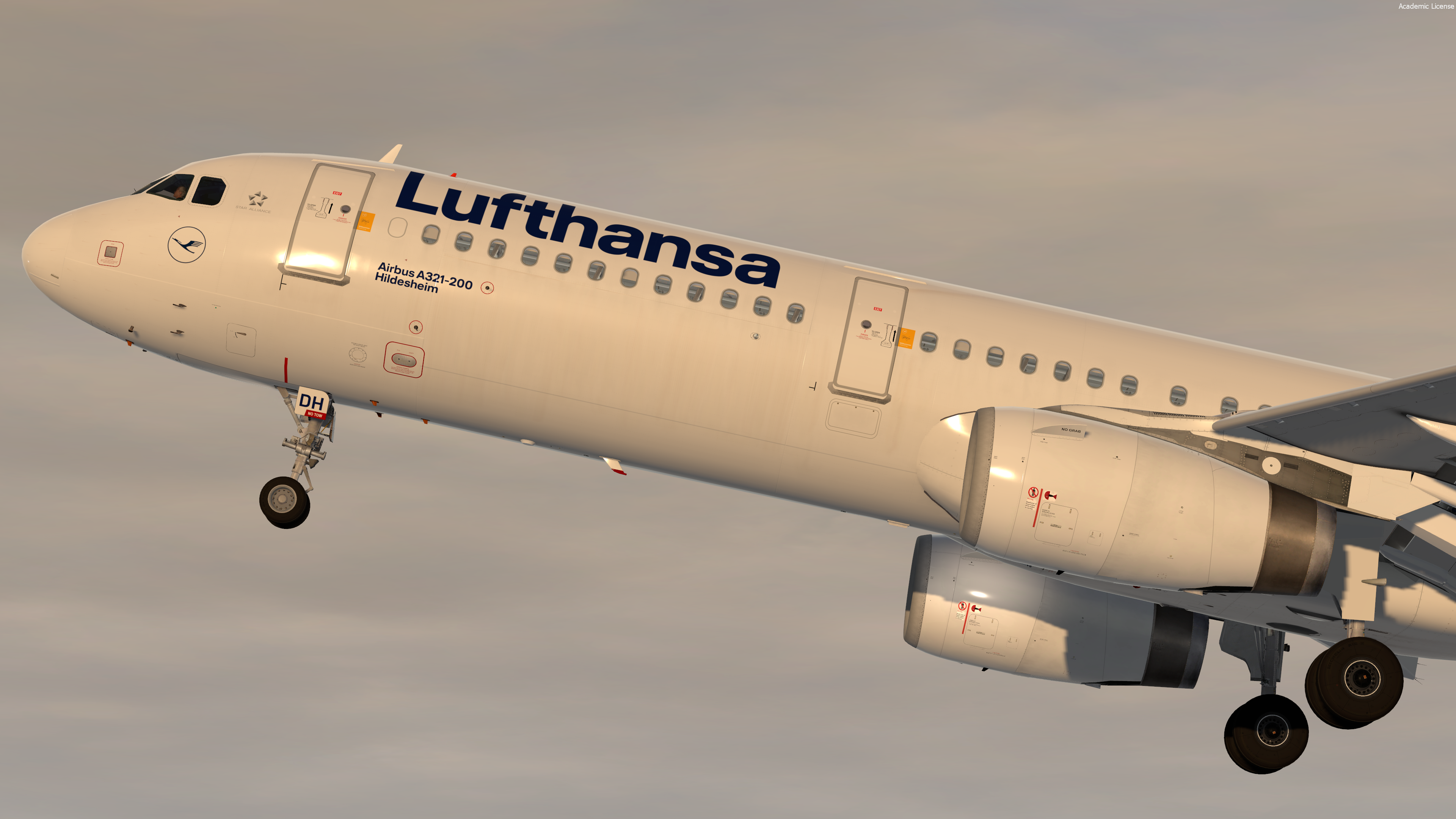
3 Screenshots

Lufthansa A321 Fleet Pack

This Fleet Pack includes all currently active A321s of Lufthansa in the new colour scheme. Once more A321s get out of storage I'll update this Pack accordingly.

The liveries feature a realistic replica of the real livery including the correct Lufthansa wingtextures.

As of v1.0.0 included are:

D-AIDB, D-AIDC, D-AIDE, D-AIDF, D-AIDG, D-AIDK, D-AIDL, D-AIDM, D-AIDN, D-AISF, D-AISJ (check changelog for new liveries)


Note this livery is only for v.5.0.1.103+

To install extract the livery inside : 

Users\<name>\Documents\Prepar3d v4 Add-ons\FSLabs\SimObjects\Airplanes\FSLabs A321 IAE\


What's New in Version 1.0.0

Released

No changelog available for this version.

User Feedback

Matei Cojocaru

Matei Cojocaru

   1 of 1 member found this review helpful 1 / 1 member

*Chef kiss*

Response from the author:

:o;):D

Luca Ansems

Luca Ansems

   3 of 3 members found this review helpful 3 / 3 members

very good work! you just need to correct lufthansa logo at the right nose because it is mirrored.

Response from the author:

Updated and fixed in the last update:)

Alexander Polcher

Alexander Polcher

   1 of 1 member found this review helpful 1 / 1 member

Great Package, obviously a bunch of work! Thank you mate, great work!

Marc Tanner

Marc Tanner

   3 of 3 members found this review helpful 3 / 3 members

Wie bei der anderen Lackierung kann ich wieder nur sagen top ! Einfach eine 100/10 :wub:

Account

Navigation

Search

Search

Configure browser push notifications

Chrome (Android)
  1. Tap the lock icon next to the address bar.
  2. Tap Permissions → Notifications.
  3. Adjust your preference.
Chrome (Desktop)
  1. Click the padlock icon in the address bar.
  2. Select Site settings.
  3. Find Notifications and adjust your preference.

