
Skip to content
View in the app

A better way to browse. Learn more.

Flight Sim Labs Forums

A full-screen app on your home screen with push notifications, badges and more.

To install this app on iOS and iPadOS
  1. Tap the Share icon in Safari
  2. Scroll the menu and tap Add to Home Screen.
  3. Tap Add in the top-right corner.
To install this app on Android
  1. Tap the 3-dot menu (⋮) in the top-right corner of the browser.
  2. Tap Add to Home screen or Install app.
  3. Confirm by tapping Install.

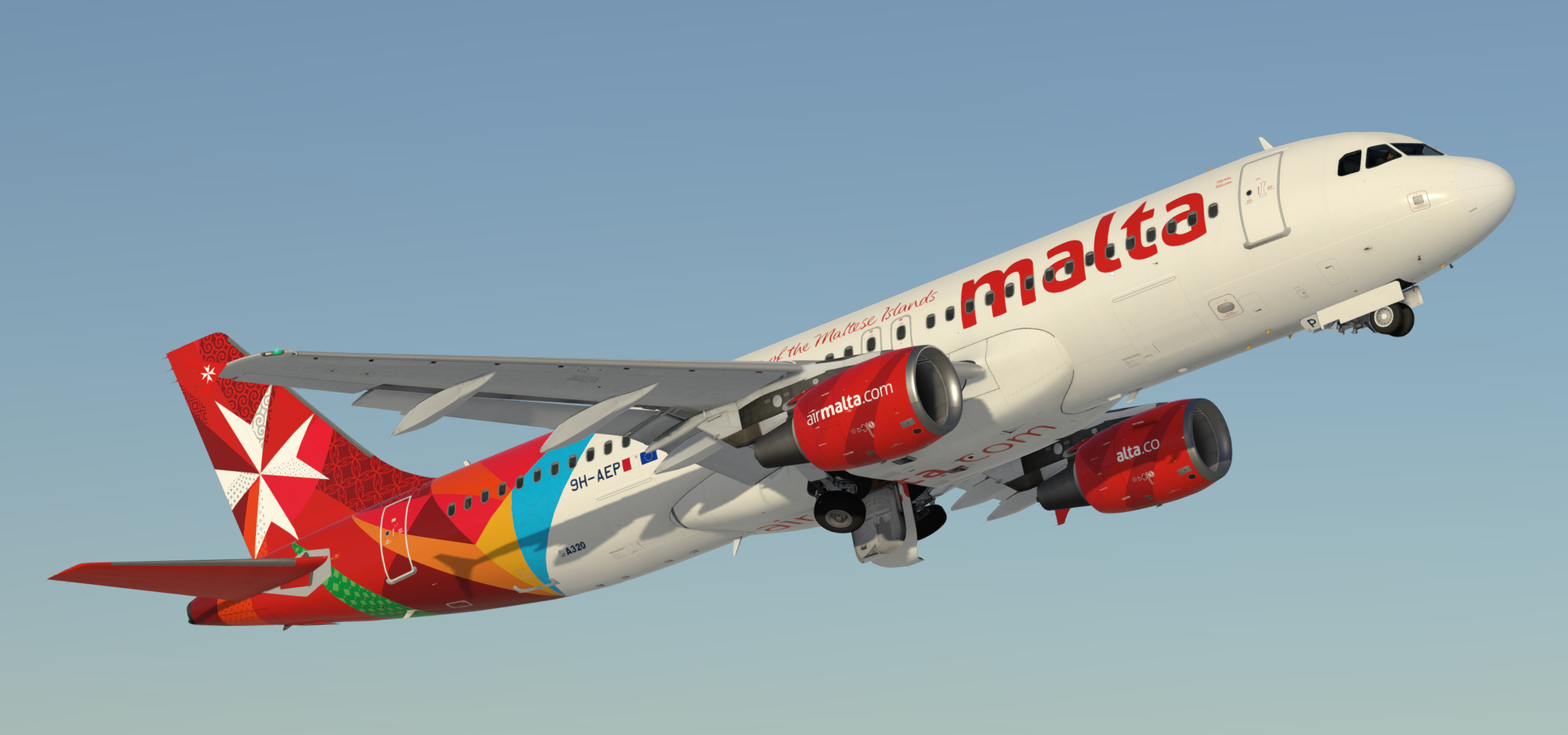
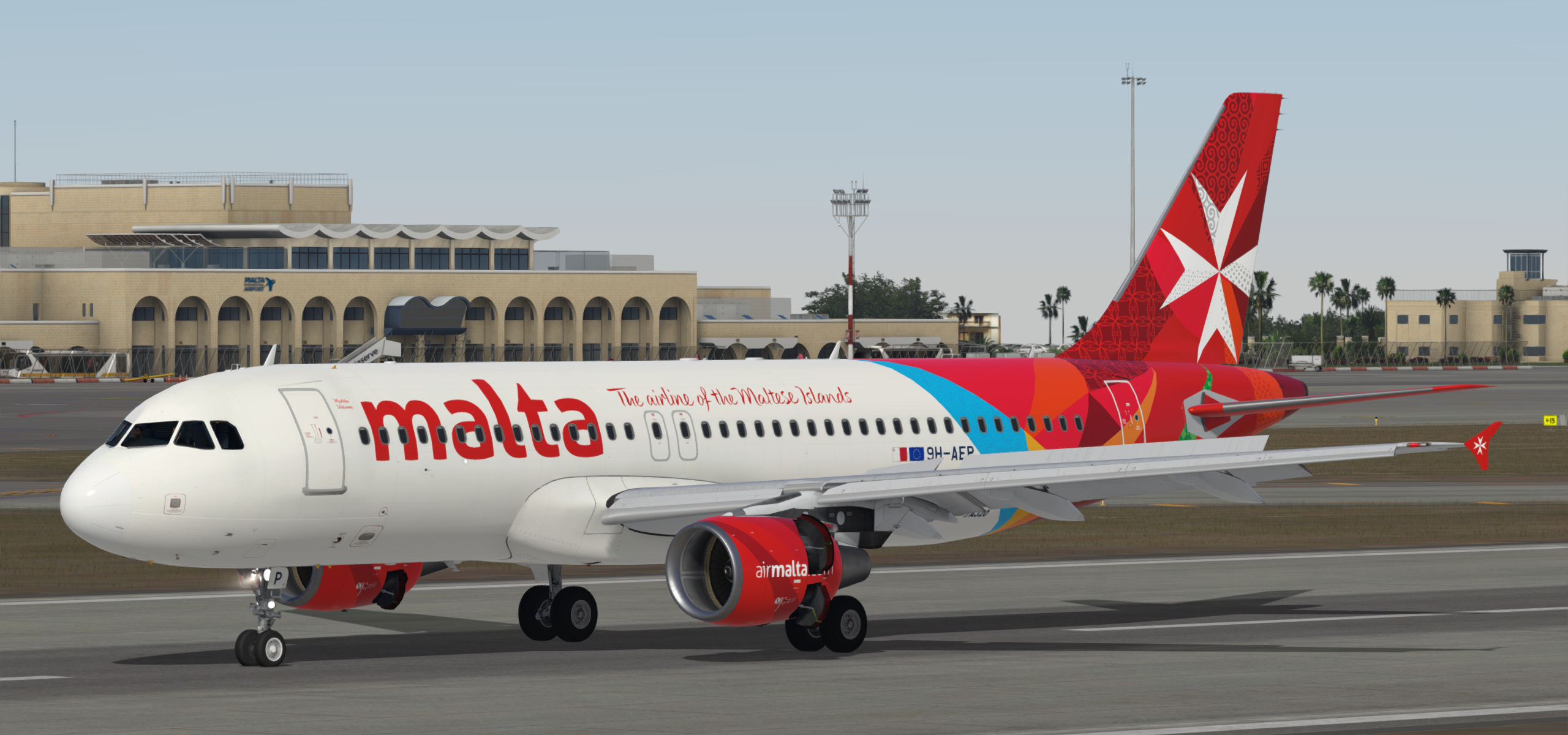
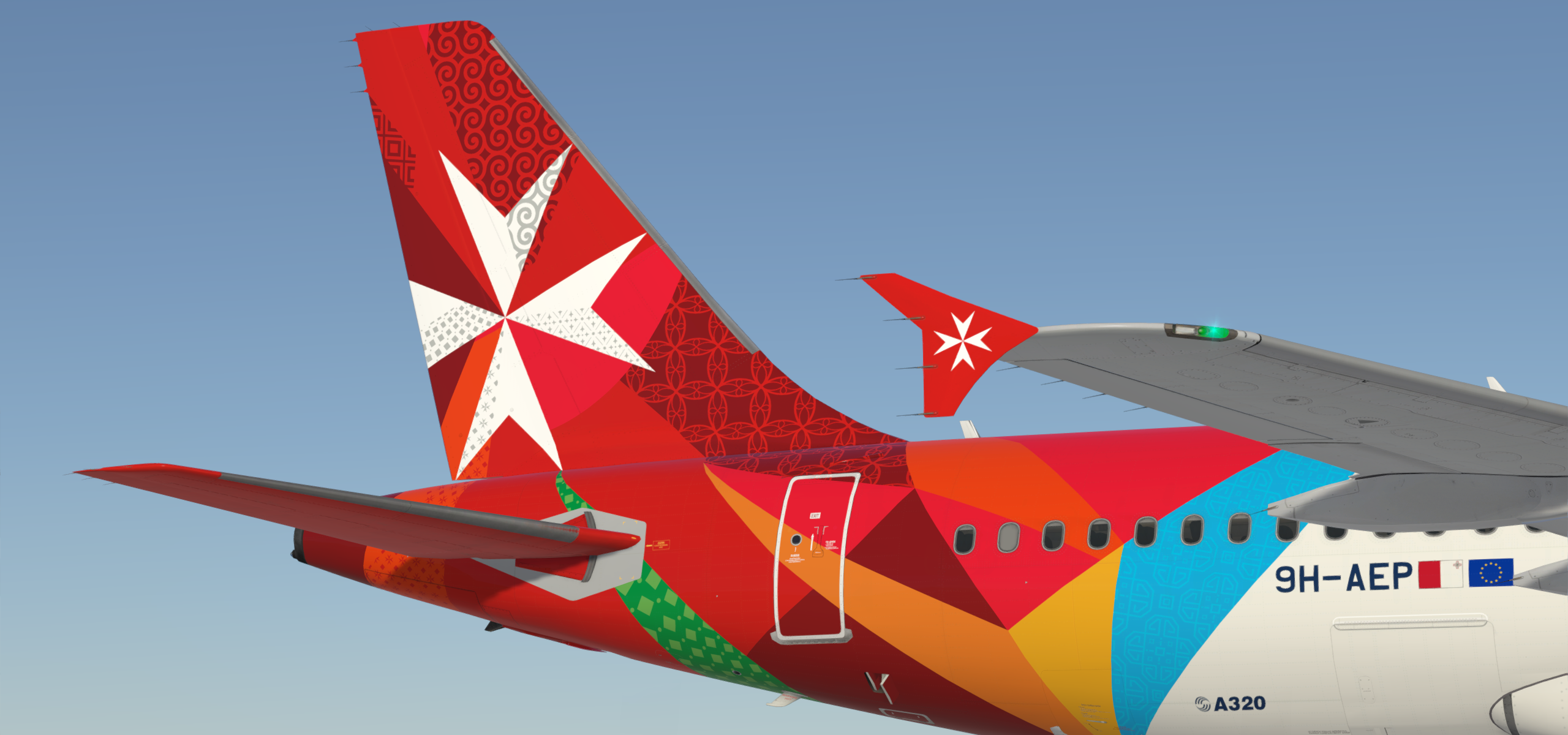
Airbus A320-214 CFM Air Malta 9H-AEP 1.0.1

(10 reviews)

3 Screenshots

!!! NOTE: READ THESE INSTRUCTIONS CAREFULLY !!!

*** FOR FSL A320 v5.0.100+ ONLY ***

IMPORTANT: This livery requires the following download to be installed to appear as intended https://forums.flightsimlabs.com/index.php?/files/file/2460-common-files-for-fsl-a320-v501100-custom-4k-pbr-paint-kit/.  Please ensure that you have installed this required package before attempting to install this livery.

Airbus A320-214 CFM Air Malta 9H-AEP created using a custom 4K PBR paint kit developed by @Hugo Bicho @Daniel Du Preez and @John Tavendale.

Features a complete overhaul of the default FSL A320 paint kit including:

  • Custom 4K textures with accurate seam panelling, fuselage section joins and rivets
  • Custom 4K metallic maps (PBR) with baked ambient occlusion (AO) effects
  • Custom 4K normal maps for fuselage, engines, wings and tail
  • Reworked landing gear including tyres and struts with custom PBR effects
  • Enhancements to aircraft overlay textures, including PBR effects
  • Custom dirt effects

Installation instructions:

  1. Install the contents of the Common Files download located at https://forums.flightsimlabs.com/index.php?/files/file/2460-common-files-for-fsl-a320-v501100-custom-4k-pbr-paint-kit/ using the provided instructions
  2. Drag the Texture.AMC 9H-AEP and Airframe Configs (if present) folders contained in this download to your {Prepar3D v5 Add-ons}\FlightSimLabs\FSLabs\SimObjects\Airplanes\FSLabs A320 CFM folder
  3. Installation is complete!  Start P3D and search for 9H-AEP to load the aircraft

Copyright and legal:

This work is protected by international intellectual property and copyright laws.  Any unauthorised use, dissemination and/or distribution of the content of this download is prohibited without the prior written consent of the author.  A lot of time and effort was spent creating this repaint.  Please respect our work.

Daniel Du Preez (professormadman@gmail.com) - https://goo.gl/Ji9kH5


Creating these liveries takes a lot of time and effort.  If you like my work, why not show your appreciation with a small PayPal donation?  Any donations are highly appreciated but never required.

What's New in Version 1.0.0

Released

No changelog available for this version.

User Feedback

Trevor Hannant

Trevor Hannant


Fantastic work Daniel.   What are the chances of you adding the retro 9H-AEI to your collection?  ;)

Joseph Saliba

Joseph Saliba

   1 of 1 member found this review helpful 1 / 1 member

This is an intricate work of art. Great work

Christoph Sebek

Christoph Sebek

   1 of 1 member found this review helpful 1 / 1 member

Absolutely gorgeous! :wub:

Samuel Leonard

Samuel Leonard

   1 of 1 member found this review helpful 1 / 1 member

Beautiful, really nice job

Nuno M Pinto

Nuno M Pinto

   2 of 2 members found this review helpful 2 / 2 members

The most amazing repaint i've seen for the new 320 up until now. I will be using this one a lot for my European flights, thank you for such an outstanding work.

Norman Blackburn

Norman Blackburn

   2 of 2 members found this review helpful 2 / 2 members

Probably the most intricate work I’ve seen.  Fantastic work Daniel

Ralf Goertz

Ralf Goertz

   3 of 3 members found this review helpful 3 / 3 members

Wonderful repaint.  Great work. THX

PS: A small hint: On the inner side of the left turbine there is still a word residue "alta.co".

Response from the author:

Hi Ralf,

Thank you! Just FYI, the most recent photos of 9H-AEP have the titles like that on the inboard side of the left engine. See here:

https://www.jetphotos.com/photo/9736915 - May 2020 left hand side CFM

https://www.jetphotos.com/photo/9713532 - Mar 2020 right hand side CFM


duartevieira

duartevieira

   1 of 1 member found this review helpful 1 / 1 member

Another masterpiece thank you 

Rafal Haczek

Rafal Haczek

   2 of 2 members found this review helpful 2 / 2 members

You simply rock, Daniel! It is one of the most amazing repaints I've seen so far.
I could look at it for hours before I even decide to fly it. Thank you so much, sir! :)

Jake Timandi

Jake Timandi

   2 of 2 members found this review helpful 2 / 2 members

Great Work!

Account

Navigation

Search

Search

Configure browser push notifications

Chrome (Android)
  1. Tap the lock icon next to the address bar.
  2. Tap Permissions → Notifications.
  3. Adjust your preference.
Chrome (Desktop)
  1. Click the padlock icon in the address bar.
  2. Select Site settings.
  3. Find Notifications and adjust your preference.

