


Skip to content
View in the app

A better way to browse. Learn more.

Flight Sim Labs Forums

A full-screen app on your home screen with push notifications, badges and more.

To install this app on iOS and iPadOS
  1. Tap the Share icon in Safari
  2. Scroll the menu and tap Add to Home Screen.
  3. Tap Add in the top-right corner.
To install this app on Android
  1. Tap the 3-dot menu (⋮) in the top-right corner of the browser.
  2. Tap Add to Home screen or Install app.
  3. Confirm by tapping Install.

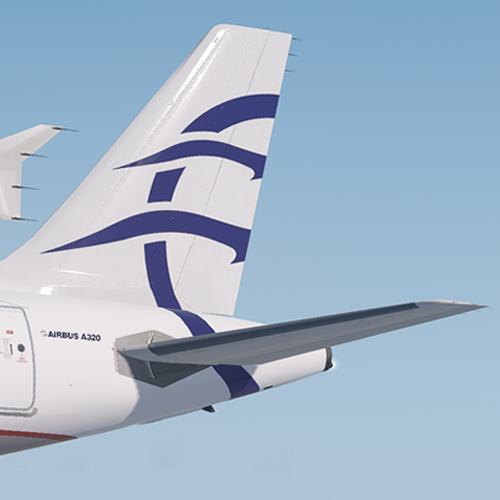
Aegean A320 - SX-DGN 1.1.0

(5 reviews)

1 Screenshot

User Feedback

Thomas Roskell

Thomas Roskell

   1 of 1 member found this review helpful 1 / 1 member

Great stuff, keep it up

Dan Slater

Dan Slater


Excellent livery. Will be keeping an eye out on future liveries. 

mcfc 2017

mcfc 2017

   1 of 1 member found this review helpful 1 / 1 member

Really nice livery nice one!!!

Markos Papoutsidakis

Markos Papoutsidakis

   3 of 3 members found this review helpful 3 / 3 members

You may try #0C2464

This is the official livery color.

Response from the author:

Thanks for the heads up :) I'm working on an update now to update the colours & other fixes.

Morgan Western

Morgan Western

   2 of 2 members found this review helpful 2 / 2 members

Very good job! Hope to see more liveries as well done as this :D

Account

Navigation

Search

Search

Configure browser push notifications

Chrome (Android)
  1. Tap the lock icon next to the address bar.
  2. Tap Permissions → Notifications.
  3. Adjust your preference.
Chrome (Desktop)
  1. Click the padlock icon in the address bar.
  2. Select Site settings.
  3. Find Notifications and adjust your preference.