
Skip to content
View in the app

A better way to browse. Learn more.

Flight Sim Labs Forums

A full-screen app on your home screen with push notifications, badges and more.

To install this app on iOS and iPadOS
  1. Tap the Share icon in Safari
  2. Scroll the menu and tap Add to Home Screen.
  3. Tap Add in the top-right corner.
To install this app on Android
  1. Tap the 3-dot menu (⋮) in the top-right corner of the browser.
  2. Tap Add to Home screen or Install app.
  3. Confirm by tapping Install.

Lufthansa A320-214 - D-AIZD 1.1.1

(6 reviews)

4 Screenshots

Lufthansa Airbus A320-214 repaint made for the new update v5.0.1.100+
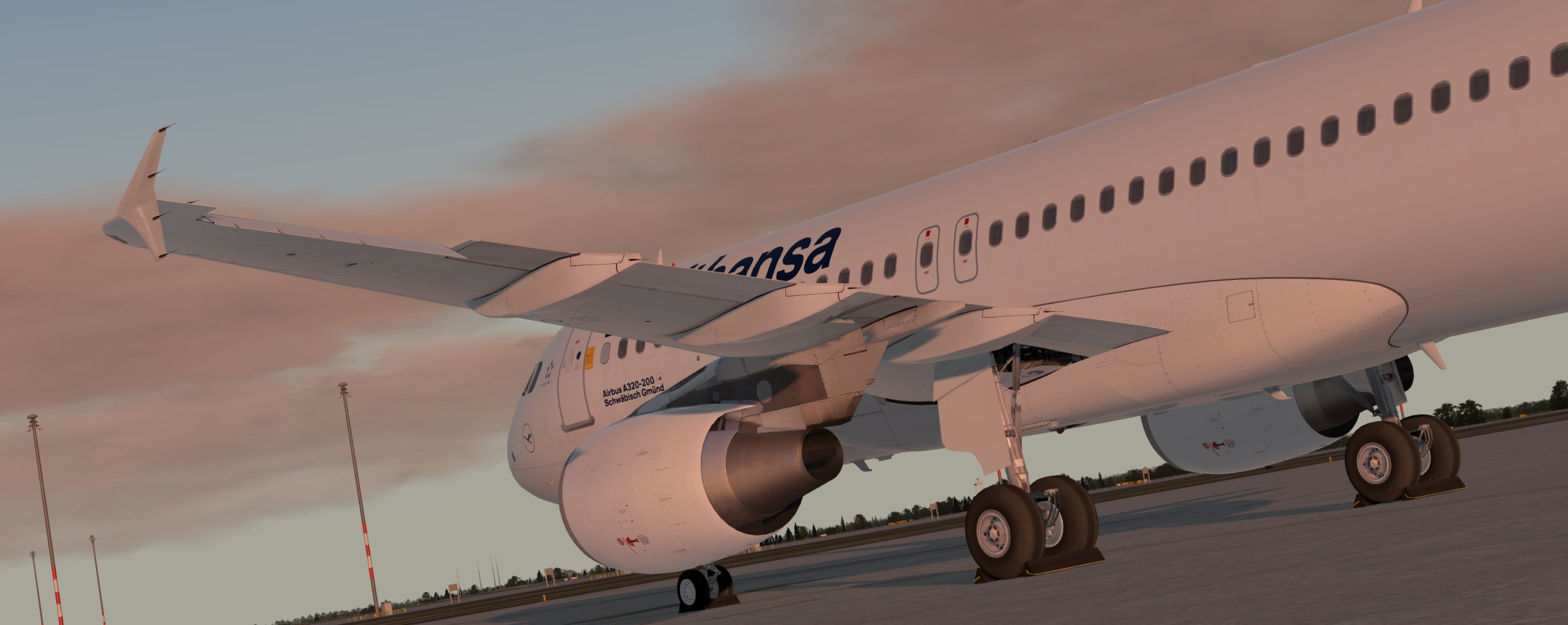
tlrllkaj.png

Based on the paintkit by FlightSimLabs with custom made tweaks
Read the readme file included in the package for more information.


Check out my facebook page for more: https://www.facebook.com/V1Simulations


I recommand to check @Hugo Bicho's cabin package to use for great cabin textures!
Also check out this Lufthansa airline package: 


If you find any bugs or missing details, just write me a PM and I'll have a look! :)

What's New in Version 1.0.2

Released

Version 1.0.1:
- Fixed a small problem with the alpha channel not matching perfect to the normal texture on the fuselage_master_003_t_metallic texture!

Version 1.0.2:
- Changed the fltsim.cfg according to the airplane

User Feedback

Pascal Blau

Pascal Blau

   3 of 3 members found this review helpful 3 / 3 members

Very nice job but doesn´t LH have white wings?

TH0R5T€N KlRCHH€lM

TH0R5T€N KlRCHH€lM


Great work, Timm, and thank you for sharing your work with the community ... :-)

Christian Gessl

Christian Gessl


Great job! :)

Holger Teutsch

Holger Teutsch


Looks wonderful.

Alexander Mattheis

Alexander Mattheis

   1 of 3 members found this review helpful 1 / 3 members

Registration inside is D-AIPD, outside D-AIZD and the selcal is "LA-BS" which is in fact ".-." (none) in the realworld.

Response from the author:

Hi, thanks for the info!
I just uploaded Version 1.0.2 to change that

Artur Araripe

Artur Araripe

   5 of 5 members found this review helpful 5 / 5 members

Beautiful

Account

Navigation

Search

Search

Configure browser push notifications

Chrome (Android)
  1. Tap the lock icon next to the address bar.
  2. Tap Permissions → Notifications.
  3. Adjust your preference.
Chrome (Desktop)
  1. Click the padlock icon in the address bar.
  2. Select Site settings.
  3. Find Notifications and adjust your preference.

