
Skip to content
View in the app

A better way to browse. Learn more.

Flight Sim Labs Forums

A full-screen app on your home screen with push notifications, badges and more.

To install this app on iOS and iPadOS
  1. Tap the Share icon in Safari
  2. Scroll the menu and tap Add to Home Screen.
  3. Tap Add in the top-right corner.
To install this app on Android
  1. Tap the 3-dot menu (⋮) in the top-right corner of the browser.
  2. Tap Add to Home screen or Install app.
  3. Confirm by tapping Install.

Vueling A320 'Luke-SkyVueling' EC-LLJ 1.0.0

(11 reviews)

1 Screenshot

Vueling (VY/VLG) A320 'Luke-SkyVueling' EC-LLJ

P3Dv4 v2.0.2.300+ ONLY.

 This is a custom repaint of the Vueling A320 'Luke-SkyVueling' reg EC-LLJ.

If you like this livery, why not buy me a coffee.  All donations are heavily appreciated.
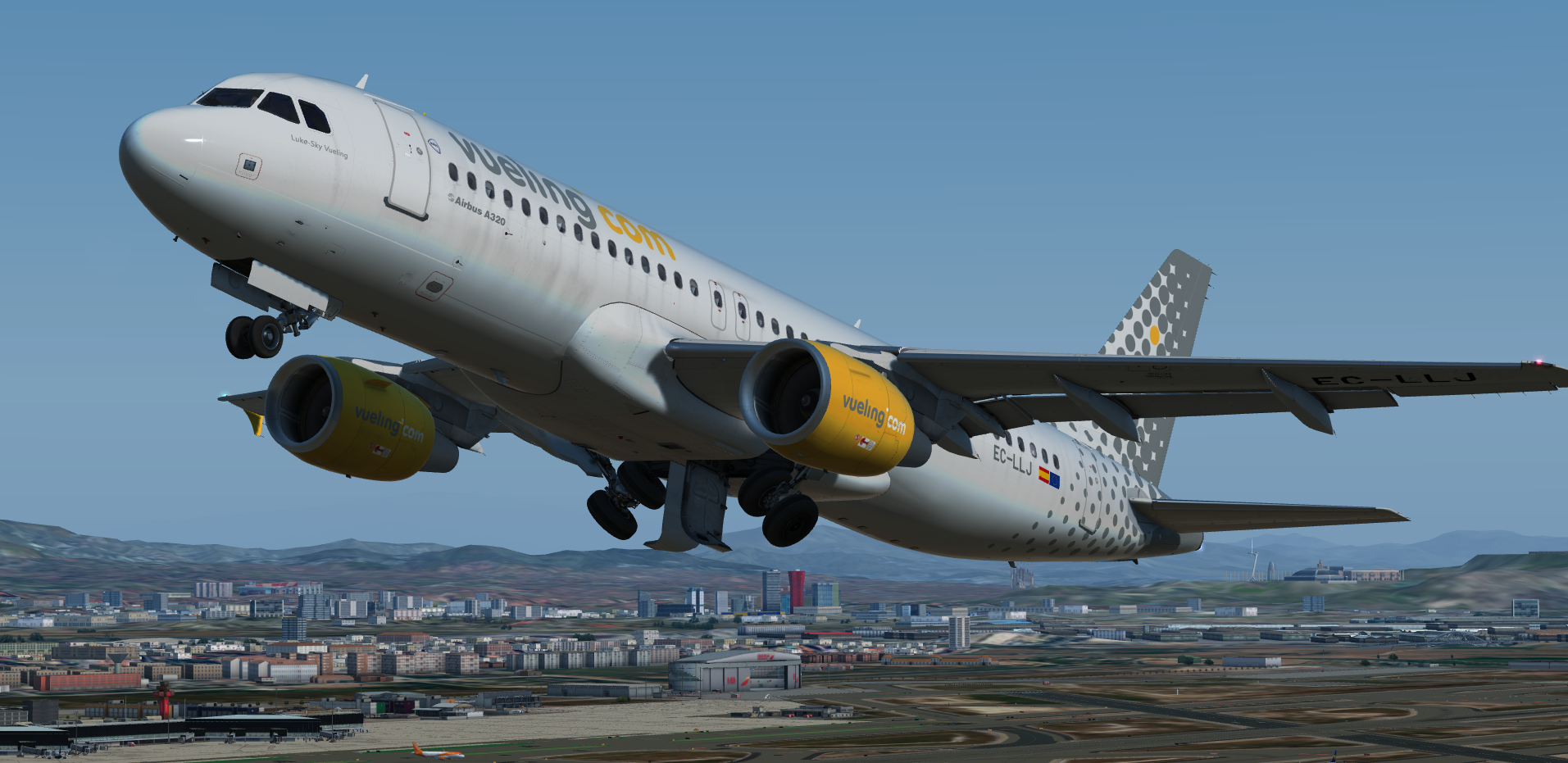
https://paypal.me/MatthewAshman1146789505_EC-LLJMain.thumb.png.4d4115b4b20043bdc33002e32c60c2ca.png

What's New in Version 1.0.0

Released

No changelog available for this version.

User Feedback

Luis Landa

Luis Landa

   0 of 1 member found this review helpful 0 / 1 member

Fantastic!! An Iberia livery would be much appreciated.

Jarred Evans

Jarred Evans

   1 of 2 members found this review helpful 1 / 2 members

Great work again, nice addition to the sim! Also love the weathering detail :))

Christian Urban

Christian Urban

   1 of 2 members found this review helpful 1 / 2 members

Thank you soo much :wub:


best regards

Christoph Sebek

Christoph Sebek

   1 of 1 member found this review helpful 1 / 1 member

Love the dirt. Very nice.

Samuel Leonard

Samuel Leonard

   1 of 2 members found this review helpful 1 / 2 members

Top Job once again Matthew!

Sveinung Kaurstad

Sveinung Kaurstad

   1 of 2 members found this review helpful 1 / 2 members

You can't go wrong with this! 10/10 :D

Elliot Wright

Elliot Wright

   1 of 1 member found this review helpful 1 / 1 member

Nice! Love the weathering. :wub:

Artur Araripe

Artur Araripe

   2 of 3 members found this review helpful 2 / 3 members

Sublime!

Ciaran Henderson

Ciaran Henderson

   1 of 2 members found this review helpful 1 / 2 members

10 out of 10 as always! :)

Morgan Western

Morgan Western

   1 of 2 members found this review helpful 1 / 2 members

10/10 Will use again

Lovely work once again!

Wych!

Harry Twine

Harry Twine

   1 of 2 members found this review helpful 1 / 2 members

Great Livery as Usual Mate :)

Keep up the Great Work!

Account

Navigation

Search

Search

Configure browser push notifications

Chrome (Android)
  1. Tap the lock icon next to the address bar.
  2. Tap Permissions → Notifications.
  3. Adjust your preference.
Chrome (Desktop)
  1. Click the padlock icon in the address bar.
  2. Select Site settings.
  3. Find Notifications and adjust your preference.

