Skip to content
View in the app

A better way to browse. Learn more.

Flight Sim Labs Forums

A full-screen app on your home screen with push notifications, badges and more.

To install this app on iOS and iPadOS
  1. Tap the Share icon in Safari
  2. Scroll the menu and tap Add to Home Screen.
  3. Tap Add in the top-right corner.
To install this app on Android
  1. Tap the 3-dot menu (⋮) in the top-right corner of the browser.
  2. Tap Add to Home screen or Install app.
  3. Confirm by tapping Install.

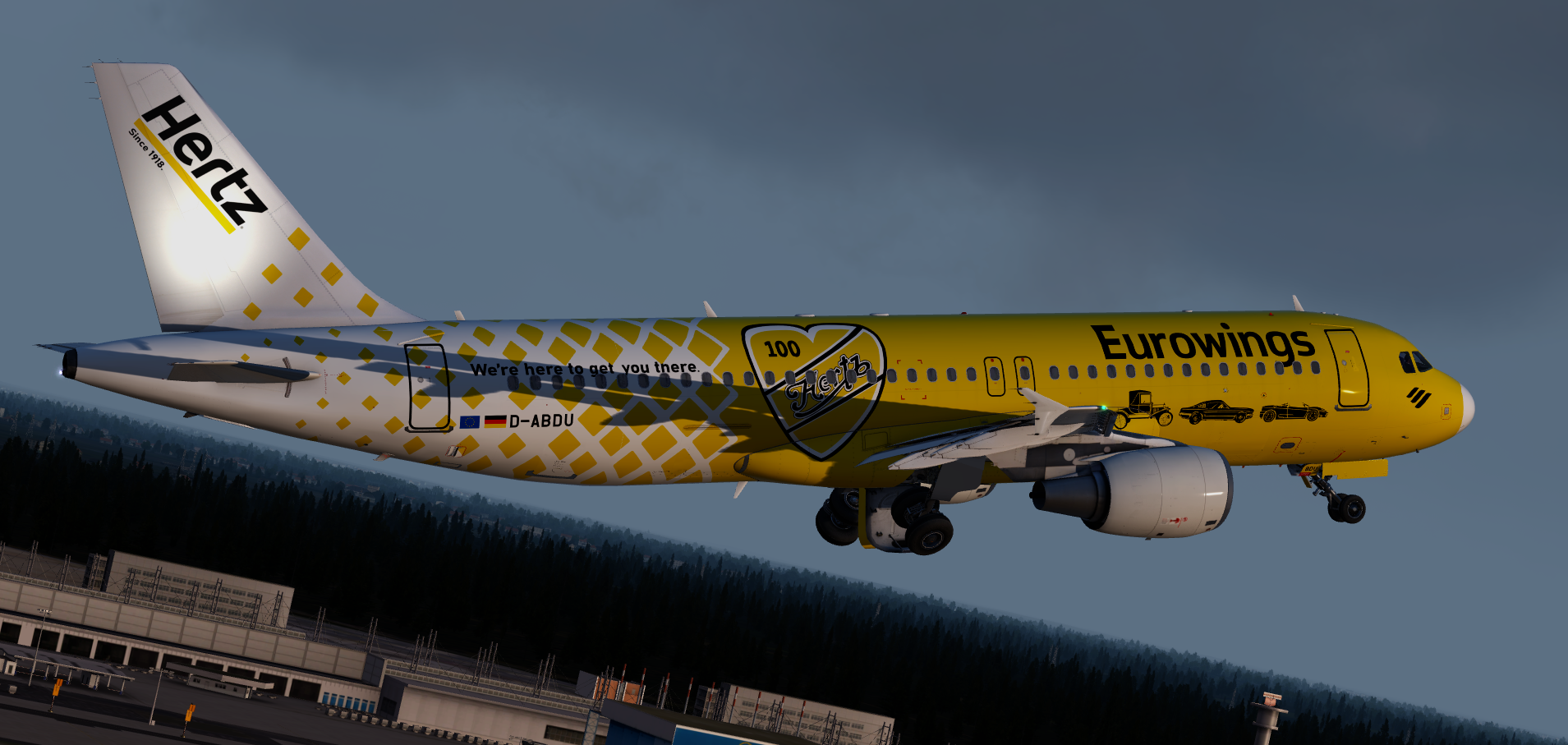
Eurowings Hertz 100 Years D-ABDU 1.0.0

(17 reviews)

1 Screenshot

User Feedback

Nuno M Pinto

Nuno M Pinto

   2 of 2 members found this review helpful 2 / 2 members

Five-star repaint, thank you.

I noticed a small issue (unless it's the picture) in the "we're here to get you there" text. The "there" word seems to be below the yellow paint, causing the top part of the "h" to be hidden. I tried checking if this is the case with the real aircraft but it's clearly above the paint.

If i am mistaken my apologies :)

Response from the author:

Hey, thanks for the feedback, I'll definitely fix this if I decide to update it for the most recent version. :D

Torsten Kuenne

Torsten Kuenne

   4 of 4 members found this review helpful 4 / 4 members

Hello this is by far the most beautiful paint from Eurowings.
Would it be possible to adapt this paint to the latest Airbus that would be really fantastic.

Björn Brouns

Björn Brouns

   1 of 2 members found this review helpful 1 / 2 members

Looking great, but any update?

Jon Ferry

Jon Ferry

   1 of 2 members found this review helpful 1 / 2 members

:)

Patrick Muehlmann

Patrick Muehlmann

   4 of 4 members found this review helpful 4 / 4 members

Thank you so much for the great repaint.
a small update !!
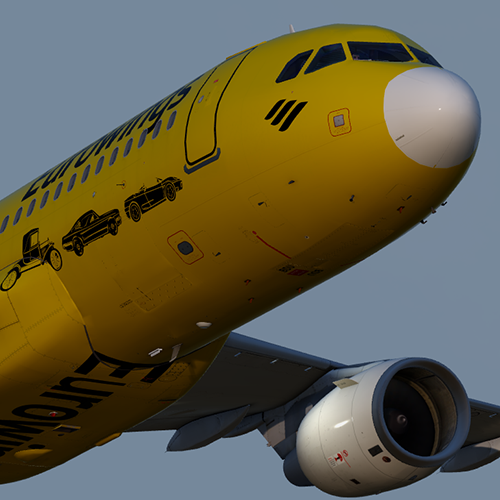
The radar nose of the plane is now completely yellow again.
The white nose was paired again.

Greetings, Pat:wub:

Danny Krautwurst

Danny Krautwurst

   1 of 2 members found this review helpful 1 / 2 members

Best Ever ! Big THX

Ciaran Henderson

Ciaran Henderson

   2 of 5 members found this review helpful 2 / 5 members

Loving this livery! Amazing job as always! :)

Alexander Sigg

Alexander Sigg

   3 of 5 members found this review helpful 3 / 5 members

It must have been such hard work to creat this paint! Its amazing but I feel the yellow is too bright. I think it should be a bit more orange/darker yellow. it could aslo just be my shaders or something. Never the less GOOD work!

Response from the author:

Thanks! I should of an update coming soon™ correcting the colours and fixing some other things. ^_^

Christoph Sebek

Christoph Sebek

   2 of 4 members found this review helpful 2 / 4 members

Love colorful repaints.

bernard hauck

bernard hauck

   2 of 4 members found this review helpful 2 / 4 members

hello

bravo et merci pour cette magnifique livrée

Response from the author:

Merci! :lol:

Samuel Leonard

Samuel Leonard

   2 of 5 members found this review helpful 2 / 5 members

Once again, another amazing livery. Been waiting a while for this aswell, which makes it even better . Looking forward to the next one.

Response from the author:

Thanks, Samuel! :D

Artur Araripe

Artur Araripe

   2 of 4 members found this review helpful 2 / 4 members

hot

Nikolaj Immel

Nikolaj Immel

   1 of 3 members found this review helpful 1 / 3 members

Looks amazing in the Sim. Great Work!

Response from the author:

Thanks!

Sveinung Kaurstad

Sveinung Kaurstad

   1 of 3 members found this review helpful 1 / 3 members

Great job Elliot!

Love the livery! :D

Harry Twine

Harry Twine

   4 of 6 members found this review helpful 4 / 6 members

Such a beautiful Paint. 

Great Job as always mate :)

x

Thomas Roskell

Thomas Roskell

   4 of 6 members found this review helpful 4 / 6 members

I love this

Morgan Western

Morgan Western

   3 of 5 members found this review helpful 3 / 5 members

Amazing work Elliot, i will use more again :)

Account

Navigation

Search

Search

Configure browser push notifications

Chrome (Android)
  1. Tap the lock icon next to the address bar.
  2. Tap Permissions → Notifications.
  3. Adjust your preference.
Chrome (Desktop)
  1. Click the padlock icon in the address bar.
  2. Select Site settings.
  3. Find Notifications and adjust your preference.