

Skip to content
View in the app

A better way to browse. Learn more.

Flight Sim Labs Forums

A full-screen app on your home screen with push notifications, badges and more.

To install this app on iOS and iPadOS
  1. Tap the Share icon in Safari
  2. Scroll the menu and tap Add to Home Screen.
  3. Tap Add in the top-right corner.
To install this app on Android
  1. Tap the 3-dot menu (⋮) in the top-right corner of the browser.
  2. Tap Add to Home screen or Install app.
  3. Confirm by tapping Install.

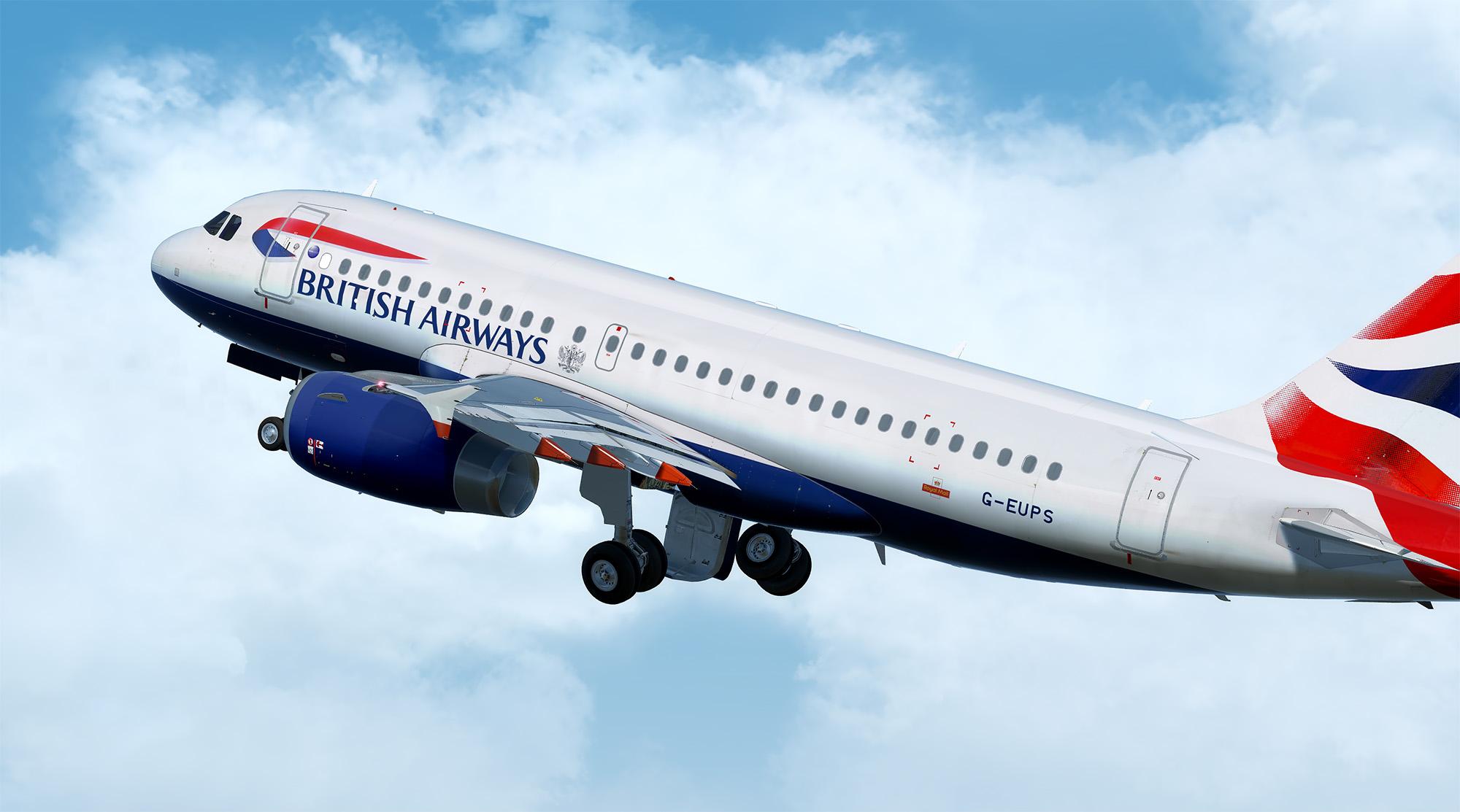
British Airways | G-EUPS | A319-131 1.0.0

(3 reviews)

1 Screenshot

Repainted almost entirely by scratch. Custom made photo-realistic wing, fuse, engine, tail and wing textures. Tiny details such as nose cone varieties and actual aircraft marks have been added to create the ultimate realism.

What's New in Version 1.0.0

Released

No changelog available for this version.

User Feedback

David Murden

David Murden

   1 of 1 member found this review helpful 1 / 1 member

I love your work Ben, imo it's the best, thank you.

Request

EZY

VUELINGS

Juan Ramos

Juan Ramos

   2 of 3 members found this review helpful 2 / 3 members

You wont believe how bad i wish an ACJ made by you :wub:

Dean Johnston

Dean Johnston

   2 of 2 members found this review helpful 2 / 2 members

Amazing!

Account

Navigation

Search

Search

Configure browser push notifications

Chrome (Android)
  1. Tap the lock icon next to the address bar.
  2. Tap Permissions → Notifications.
  3. Adjust your preference.
Chrome (Desktop)
  1. Click the padlock icon in the address bar.
  2. Select Site settings.
  3. Find Notifications and adjust your preference.

