

RD FSL A32X VC Mod'™
README:
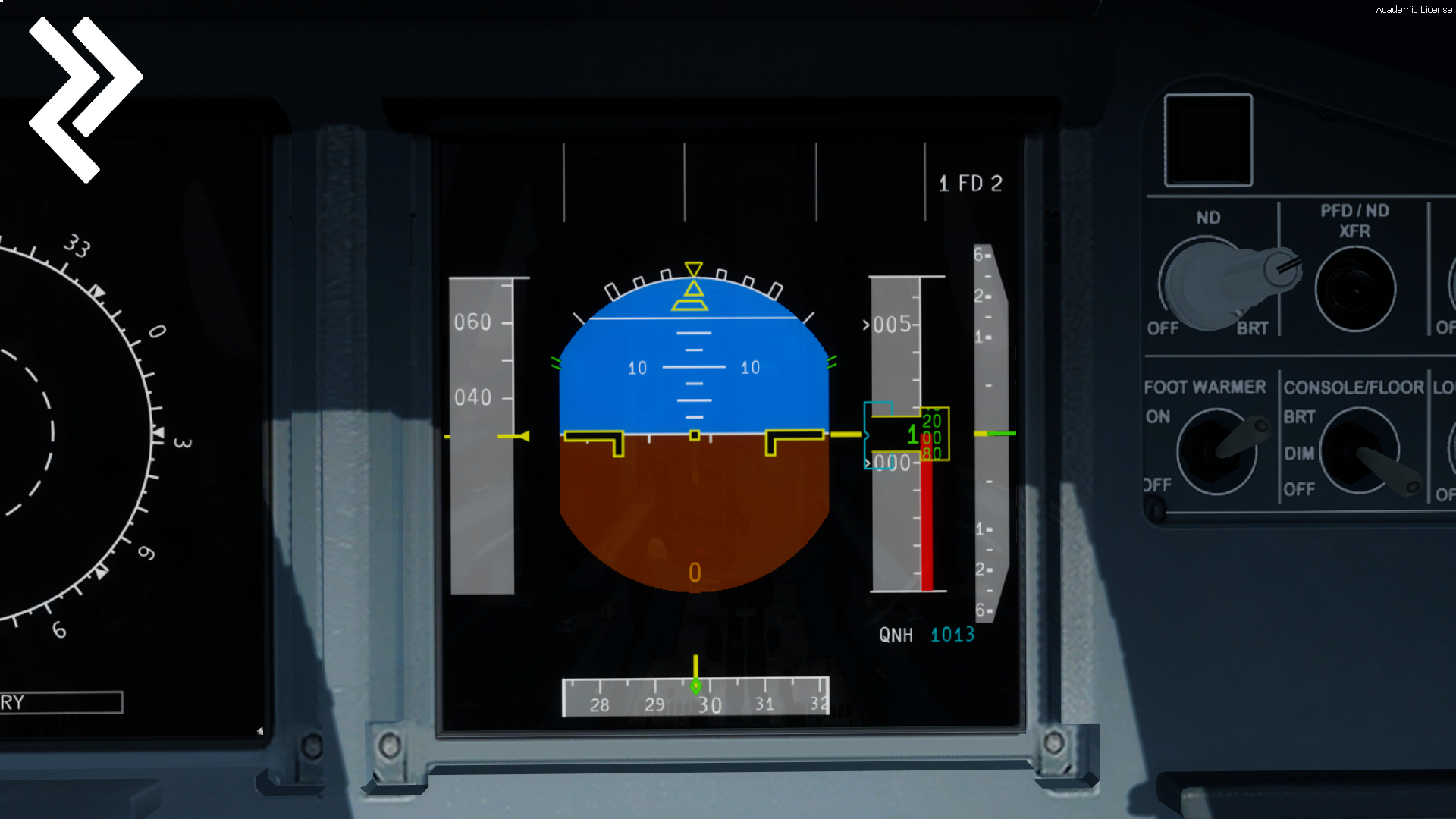
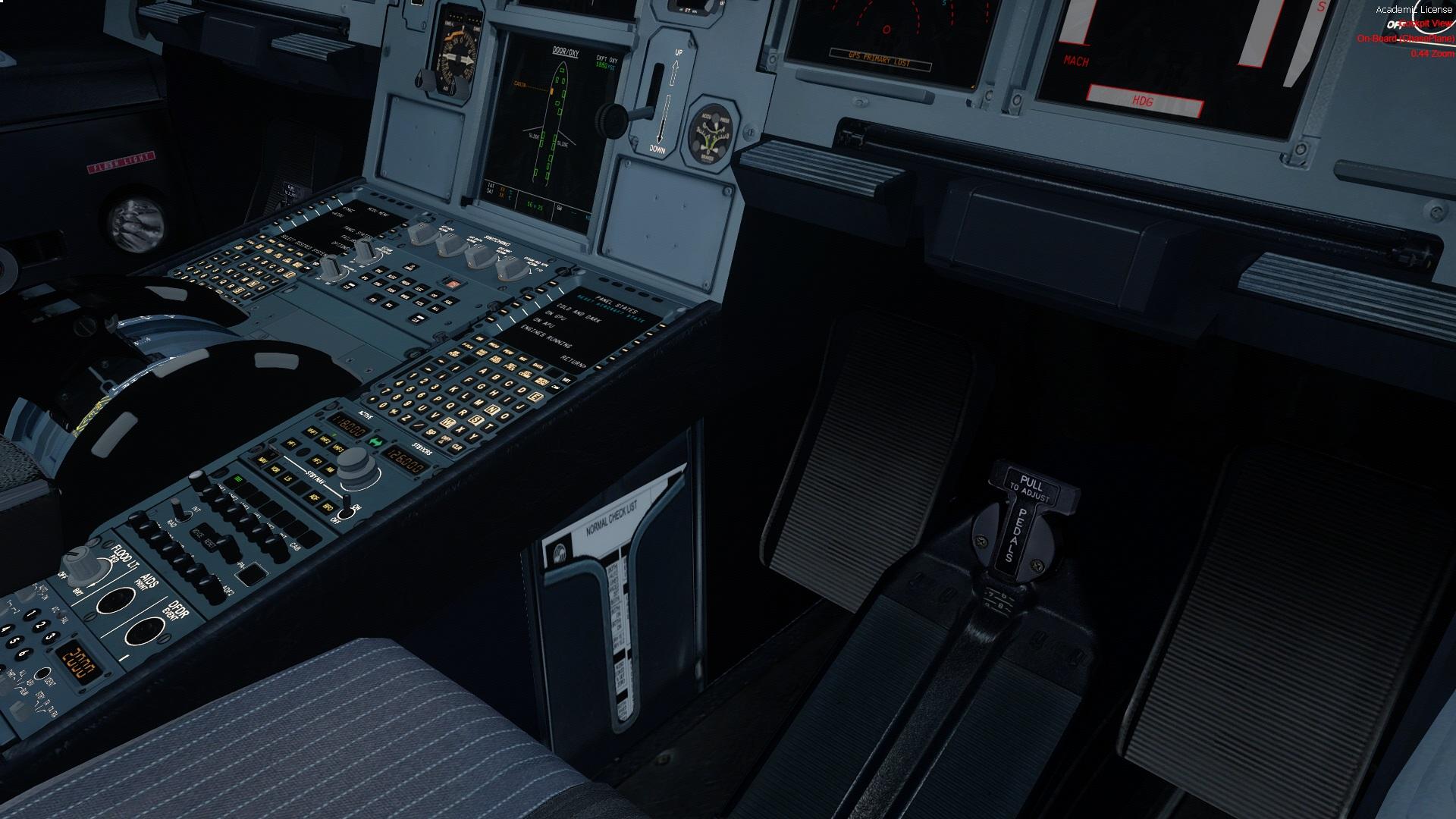
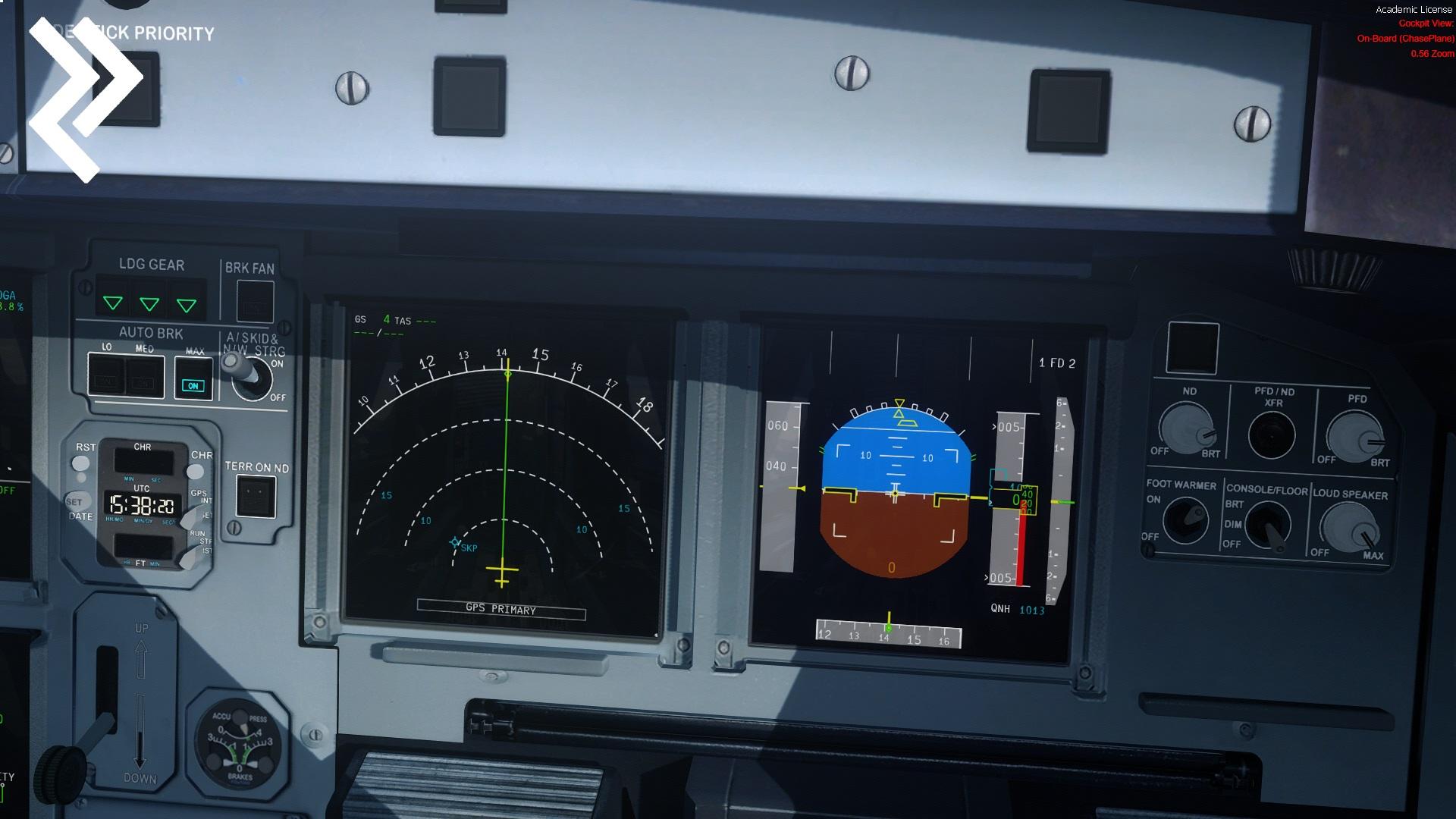
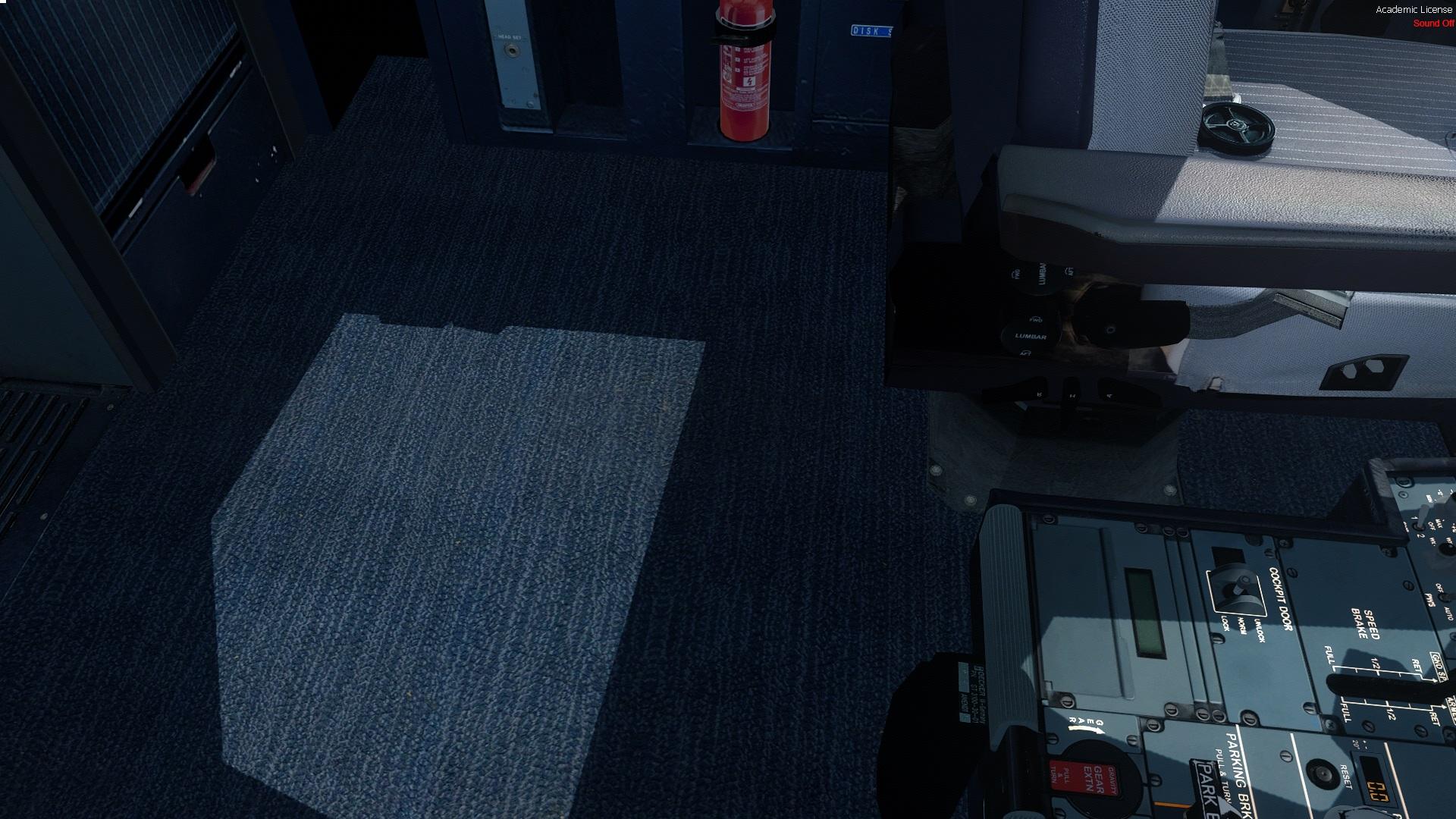
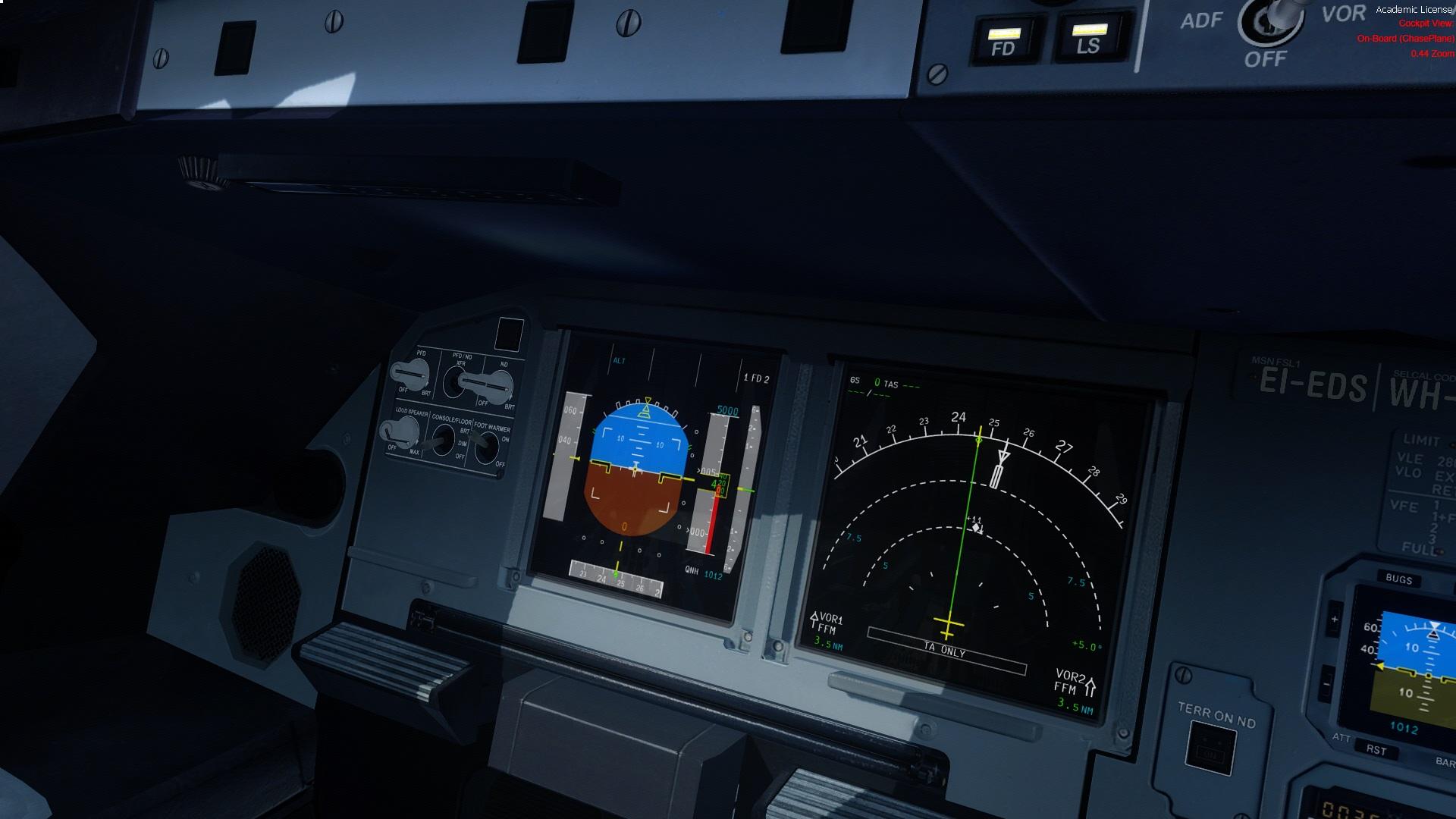
This is a High quality Screen Reflection texture,Carpet replacement,Checklist placement,Logo replacement and ND/PFD Display colour correction profile for the FSL A32X.
This Includes:
-VC Screen Reflection Texture
-PFD Colour profile
-Carpet realistic without the FSL logo
-Checklist on sides of the pestal in Checklist Holder
-Airbus Logo on Manuals
-------------------------------------------------------------------------------
1.ND/PFD Reflection Mod Installation: C:\Users\YourName\Documents\Prepar3D v4 Add-ons\FSLabs\SimObjects\Airplanes\FSLabs A32X\Texture_VC
ND/PFD Reflection Mod: Files: VCDisplay.dds
-------------------------------------------------------------------------------
2.ND/PFD Display colour profile Installation: C:\Users\YourName\Documents\Prepar3D v4 Add-ons\FSLabs\A320\Data
ND/PFD Display colour profile Files: LCDColours.ini + LCDPens.ini
-------------------------------------------------------------------------------
3.Carpet & Carpet VC without FSL Logo's Installation:: C:\Users\YourName\Documents\Prepar3D v4 Add-ons\FSLabs\SimObjects\Airplanes\FSLabs A32X\Texture_VC
Carpet & Carpet VC: Files: Carpet.dds + CarpetVC.dds
-------------------------------------------------------------------------------
4.Checklist in Checklist Holder + Airbus Logo on Manuals Installation:: C:\Users\YourName\Documents\Prepar3D v4 Add-ons\FSLabs\SimObjects\Airplanes\FSLabs A32X\Texture_VC
Checklist in Checklist Holder + Airbus Logo on Manuals: Files: VC-3_t.dds + VC-1_t.dds
*If you fly from CPT side use the VC-3_t.dds from the CPT Side folder
and if you fly from FO side use the VC-3_t.dds from the FO Side folder*
-------------------------------------------------------------------------------
Credit to Daniel welsh and Thomas Klein helping to suppyling some of these files!
+Do not upload / share this file without permission from Robin C and/or Dean Or FSL
Feel to visit our website.
https://www.rdpresets.com
----------------------------------------------------------------------------------
Thank you for choosing the RD FSL A32X Mod!
- Dean J & Robin C



What's New in Version 1.0.1
Released
RD FSL A32X VC Mod'™
README:
This is a High quality Screen Reflection texture,Carpet replacement,Checklist placement,Logo replacement and ND/PFD Display colour correction profile for the FSL A32X.
This Includes:
-VC Screen Reflection Texture
-PFD Colour profile
-Carpet realistic without the FSL logo
-Checklist on sides of the pestal in Checklist Holder
-------------------------------------------------------------------------------
1.ND/PFD Reflection Mod Installation: C:\Users\YourName\Documents\Prepar3D v4 Add-ons\FSLabs\SimObjects\Airplanes\FSLabs A32X\Texture_VC
ND/PFD Reflection Mod: Files: VCDisplay.dds
-------------------------------------------------------------------------------
2.ND/PFD Display colour profile Installation: C:\Users\YourName\Documents\Prepar3D v4 Add-ons\FSLabs\A320\Data
ND/PFD Display colour profile Files: LCDColours.ini + LCDPens.ini
-------------------------------------------------------------------------------
3.Carpet & Carpet VC without FSL Logo's Installation:: C:\Users\YourName\Documents\Prepar3D v4 Add-ons\FSLabs\SimObjects\Airplanes\FSLabs A32X\Texture_VC
Carpet & Carpet VC: Files: Carpet.dds + CarpetVC.dds
-------------------------------------------------------------------------------
4.Checklist in Checklist Holder + Airbus Logo on Manuals Installation:: C:\Users\YourName\Documents\Prepar3D v4 Add-ons\FSLabs\SimObjects\Airplanes\FSLabs A32X\Texture_VC
Checklist in Checklist Holder + Airbus Logo on Manuals: Files: VC-3_t.dds + VC-1_t.dds
*If you fly from CPT side use the VC-3_t.dds from the CPT Side folder
and if you fly from FO side use the VC-3_t.dds from the FO Side folder*
-------------------------------------------------------------------------------
Credit to Daniel welsh and Thomas Klein helping to suppyling some of these files!
+Do not upload / share this file without permission from Robin C and/or Dean Or FSL
Feel to visit our website.
https://www.rdpresets.com
----------------------------------------------------------------------------------
Thank you for choosing the RD FSL A32X Mod!
- Dean J & Robin C
-
 26
26
-
 4
4