Skip to content
View in the app

A better way to browse. Learn more.

Flight Sim Labs Forums

A full-screen app on your home screen with push notifications, badges and more.

To install this app on iOS and iPadOS
  1. Tap the Share icon in Safari
  2. Scroll the menu and tap Add to Home Screen.
  3. Tap Add in the top-right corner.
To install this app on Android
  1. Tap the 3-dot menu (⋮) in the top-right corner of the browser.
  2. Tap Add to Home screen or Install app.
  3. Confirm by tapping Install.

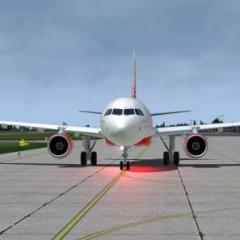
First flight wit a21N FSL

Featured Replies

And after many times (from P3D ) , i'm back with fslabs aircraft ;) (from P3D )

FlightSimulator2024_pbjOrjWUsS.jpg

FlightSimulator2024_LAHqMpfUyp.jpg

FlightSimulator2024_JwsHPROSJg.jpg

FlightSimulator2024_YGHc1fbwVd.jpg

FlightSimulator2024_IE1H4hBxBg.jpg

FlightSimulator2024_GYGoK4xC3D.jpg

FlightSimulator2024_BtBpAL1Sv6.jpg

FlightSimulator2024_2gHWaeMdWf.jpg

FlightSimulator2024_lDBEdVVIE7.jpg

Hey Rob! Good to see you!

  • 1 month later...
  • Author

nice to see you again my friend ;)

Account

Navigation

Search

Search

Configure browser push notifications

Chrome (Android)
  1. Tap the lock icon next to the address bar.
  2. Tap Permissions → Notifications.
  3. Adjust your preference.
Chrome (Desktop)
  1. Click the padlock icon in the address bar.
  2. Select Site settings.
  3. Find Notifications and adjust your preference.