Skip to content
View in the app

A better way to browse. Learn more.

Flight Sim Labs Forums

A full-screen app on your home screen with push notifications, badges and more.

To install this app on iOS and iPadOS
  1. Tap the Share icon in Safari
  2. Scroll the menu and tap Add to Home Screen.
  3. Tap Add in the top-right corner.
To install this app on Android
  1. Tap the 3-dot menu (⋮) in the top-right corner of the browser.
  2. Tap Add to Home screen or Install app.
  3. Confirm by tapping Install.

Singapore to Hong Kong

Featured Replies

Nice little trip to do and makes it more immersive having two really high quality sceneries. I also messed around and after a lot of trial and error added some wing vapour, contrails and engine smoke which really does bring it to life. A very lightly loaded G-BOAD got up to Mach 2 in 11 minutes from brakes off and spent 20 minutes at 60,000ft. Astonishing machine.

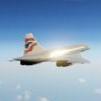
2025-2-23_17-37-10-570.png

2025-2-23_18-18-36-618.png

2025-2-23_19-19-35-486.png

2025-2-23_19-26-3-385.png

2025-2-23_19-30-26-48.png

2025-2-23_19-31-22-576.png

2025-2-23_19-39-56-122.png

2025-2-23_19-52-16-977.png

  • 3 weeks later...

3-2-1-Accel :

G6w4u4W.jpeg

Account

Navigation

Search

Search

Configure browser push notifications

Chrome (Android)
  1. Tap the lock icon next to the address bar.
  2. Tap Permissions → Notifications.
  3. Adjust your preference.
Chrome (Desktop)
  1. Click the padlock icon in the address bar.
  2. Select Site settings.
  3. Find Notifications and adjust your preference.