September 9, 20215 yr Hello, I bought a Skalarki FCU 2016 PRO yesterday and I received the Skalarki profiler license today but I have a doubt…..together with the Skalarki Profiler, Fslabs License for FCU , the P3D and Fslabs will I need any more program ? if someone can’t help me with doubt I’ll be very thankfull :). Happy Flights Diogo Ferreira
September 9, 20215 yr You need the fslabs hardware interface from where you can unlock the fcu license. This connects the fslabs with the skalarki software and hardware.
September 9, 20215 yr 1 hour ago, Diogo S Ferreira said: together with the Skalarki Profiler, Fslabs License for FCU , the P3D and Fslabs will I need any more program ? Just our freely available Hardware Interface.https://forums.flightsimlabs.com/index.php?/files/category/57-hardware-interface-for-prepar3d-v4-v5/
September 9, 20215 yr Author 8 minutes ago, Norman Blackburn said: Just our freely available Hardware Interface.https://forums.flightsimlabs.com/index.php?/files/category/57-hardware-interface-for-prepar3d-v4-v5/ By The way i sent you a PM the other day with one question regarding a sidestick ;). My Best Regards
September 9, 20215 yr 8 minutes ago, Diogo S Ferreira said: By The way i sent you a PM the other day with one question regarding a sidestick ;). Sorry Diogo, I tend to ignore the PM notification and simply delete the inbox every few days. What was your query please?
September 9, 20215 yr Author 26 minutes ago, Norman Blackburn said: Sorry Diogo, I tend to ignore the PM notification and simply delete the inbox every few days. What was your query please? Hello i' ve sent you the PM again ;). Thank you My Best Regards
December 1, 20214 yr On 9/9/2021 at 7:44 PM, Norman Blackburn said: Just our freely available Hardware Interface.https://forums.flightsimlabs.com/index.php?/files/category/57-hardware-interface-for-prepar3d-v4-v5/ Hi Norman, I didn't understand one thing: is your hardware-interface software free or do I have to pay for the licence use? Thanks, Paolo
December 1, 20214 yr 1 hour ago, Paolo Pretto said: Hi Norman, I didn't understand one thing: is your hardware-interface software free or do I have to pay for the licence use? Thanks, Paolo The interface software itself is free however licenses are required to use it. The cost of licenses can be found here.
December 1, 20214 yr 4 hours ago, Norman Blackburn said: The interface software itself is free however licenses are required to use it. The cost of licenses can be found here. Ah, I thought the licence was included in Skalarki Profiler sofware. I bought the FCU and the MCDU and now I'm testing them with all the sims I have (FSLabs, Toliss, JeeHell, FlightFactor) in order to understand which is the best for me. I'm even testing ProSim, which is awsome but it needs a full cockpit in order to work properly. Spending 200 Euros more in licences without knowing if it's worth it... I don't know... Do you have a 30 days trial option? Thanks, Paolo
December 1, 20214 yr 14 minutes ago, Paolo Pretto said: Ah, I thought the licence was included in Skalarki Profiler sofware. I bought the FCU and the MCDU and now I'm testing them with all the sims I have (FSLabs, Toliss, JeeHell, FlightFactor) in order to understand which is the best for me. I'm even testing ProSim, which is awsome but it needs a full cockpit in order to work properly. Spending 200 Euros more in licences without knowing if it's worth it... I don't know... Do you have a 30 days trial option? Thanks, Paolo We don't have a trial however you would expect to see things working as they do in the real deal. HWI is very actively developed with changes made very quickly should a need exist. We have quite a few A320 type rated pilots who use it very successfully who have offered feedback during its development.
December 1, 20214 yr 15 minutes ago, Norman Blackburn said: We don't have a trial however you would expect to see things working as they do in the real deal. HWI is very actively developed with changes made very quickly should a need exist. We have quite a few A320 type rated pilots who use it very successfully who have offered feedback during its development. Ok I think I'm gonna try it. First I have another question for you: I'm not familiar with FSLabs yet and I need to know if it has the function that keeps only the scenery in the front screen and the PFD/ND/ECAM panels in other screens (like ProSim or FlightFactor, I'm not sure Toliss does...). Thanks
December 1, 20214 yr Yes and is what I have running at the moment (that feature requires the MIP license). Currently the public version defaults to showing the VC panel however this can be changed by the user quickly by a few keystrokes.
December 1, 20214 yr 40 minutes ago, Norman Blackburn said: Yes and is what I have running at the moment (that feature requires the MIP license). Currently the public version defaults to showing the VC panel however this can be changed by the user quickly by a few keystrokes. Ok, I think I understood. Just a couple of questions to be sure and I'm done: I got that with my Skalarki FCU and MCDU I have to buy the two licences. Then, if I want to move the PFD/ND/ECAM panels on other monitors, I have to buy also the MIP licence. But do you confirm that, in order to move the instruments, the MIP licence will be enaugh? I mean, unfortunately I have no room for a real cockpit so I'm gonna fly just with some Desktop Line stuff. But I absolutely want to move the screens. And, very important, confirm that with your licenses the connection with Skalarki Desktop will be very easy and functional? Because with Toliss, for example, it's not so easy, especially about the MCDU screen connection. Thanks again for your understanding, Paolo
December 1, 20214 yr Hi Paolo Go ahead and download the HWI software. It wont allow you connection without licenses but you will see how simple the options are. To use the MCDU its one click at setup to activate and enter in the screen number and you are done. Never need to touch it again. For your FCU and MCDU you need the two licences. The MIP license will allow the various DU to be displayed. If you have further questions please feel free to ask!
December 1, 20214 yr Thanks Norman you're very kind. Actually... I forgot one more thing... Reading the forum's topics I found something but not the final answer... Probably in the future I'm gonna buy the TQ Box desktop line but right now I'm using the Thrustmaster Airbus sidestick and thrust quadrant with add-on (flaps, speedbrakes ecc...). Are they fully compatible and functional? Thanks
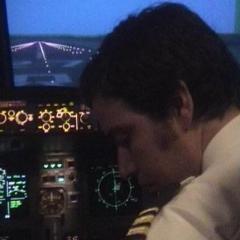
December 1, 20214 yr The Airbus TQ and sidestick work fine. In fact here is a picture of one of our users who has both in place along with some Skalarki stuff.

Join the conversation
You can post now and register later. If you have an account, sign in now to post with your account.