Skip to content
View in the app

A better way to browse. Learn more.

Flight Sim Labs Forums

A full-screen app on your home screen with push notifications, badges and more.

To install this app on iOS and iPadOS
  1. Tap the Share icon in Safari
  2. Scroll the menu and tap Add to Home Screen.
  3. Tap Add in the top-right corner.
To install this app on Android
  1. Tap the 3-dot menu (⋮) in the top-right corner of the browser.
  2. Tap Add to Home screen or Install app.
  3. Confirm by tapping Install.

jetBlue Flight # 3080 Tango India

Featured Replies

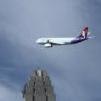
Test driving the Bus at the most demanding spot there is in P3D V5-LVFR KFLL/KMIA, with Orbx TE Florida & Night Environment NG Florida for good measure.  
 

The results were amazing! 

4A918CA5-2B53-4DFB-A0CC-FBBE37E1C6F1.jpeg

D01B752D-EBE6-4A1A-866F-9E67E013E31D.jpeg

59E73149-9E55-494A-8013-87E1150C78BD.jpeg

1C675654-EBBC-4B04-B9D5-B73457B0C079.jpeg

1BEC8A20-659A-499F-A9E2-348C364A2C6C.jpeg

Account

Navigation

Search

Search

Configure browser push notifications

Chrome (Android)
  1. Tap the lock icon next to the address bar.
  2. Tap Permissions → Notifications.
  3. Adjust your preference.
Chrome (Desktop)
  1. Click the padlock icon in the address bar.
  2. Select Site settings.
  3. Find Notifications and adjust your preference.