
Skip to content
View in the app

A better way to browse. Learn more.

Flight Sim Labs Forums

A full-screen app on your home screen with push notifications, badges and more.

To install this app on iOS and iPadOS
  1. Tap the Share icon in Safari
  2. Scroll the menu and tap Add to Home Screen.
  3. Tap Add in the top-right corner.
To install this app on Android
  1. Tap the 3-dot menu (⋮) in the top-right corner of the browser.
  2. Tap Add to Home screen or Install app.
  3. Confirm by tapping Install.

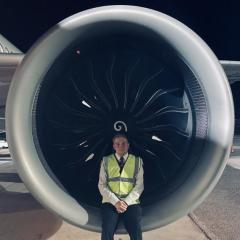
Woah... look what we have here then :)
Featured Replies

9A46BF43-CD8E-4DD6-B6D2-FB4BE8B37F11.thumb.png.40785dff31f7482f249a6e0788a09893.png

more to be posted :) 

ooooh. Cant wait to add A320SL to my hangar 

Can we expect Fleetpacks for Easyjet, Easyjet Europe and Topswiss for vEZY?:wub:

  • Author
4 hours ago, Ben-Luca Koerber said:

Can we expect Fleetpacks for Easyjet, Easyjet Europe and Topswiss for vEZY?:wub:

The fleet packs for all SL regs of EZY / EZS / EJU have been completed and uploaded ready :D 

1 hour ago, Matthew Ashman said:

The fleet packs for all SL regs of EZY / EZS / EJU have been completed and uploaded ready :D 

Thank you very very much for your hard work:wub:

1 hour ago, Matthew Ashman said:

The fleet packs for all SL regs of EZY / EZS / EJU have been completed and uploaded ready :D 

Awesome man, thanks!!!!! 

Account

Navigation

Search

Search

Configure browser push notifications

Chrome (Android)
  1. Tap the lock icon next to the address bar.
  2. Tap Permissions → Notifications.
  3. Adjust your preference.
Chrome (Desktop)
  1. Click the padlock icon in the address bar.
  2. Select Site settings.
  3. Find Notifications and adjust your preference.