Skip to content
View in the app

A better way to browse. Learn more.

Flight Sim Labs Forums

A full-screen app on your home screen with push notifications, badges and more.

To install this app on iOS and iPadOS
  1. Tap the Share icon in Safari
  2. Scroll the menu and tap Add to Home Screen.
  3. Tap Add in the top-right corner.
To install this app on Android
  1. Tap the 3-dot menu (⋮) in the top-right corner of the browser.
  2. Tap Add to Home screen or Install app.
  3. Confirm by tapping Install.

Some JetBlue flying

Featured Replies

Random shots of my journeys with JetBlue 

321DF863-CF6F-4152-9A8E-DE48CB217103.jpeg

8D70D73F-D270-477C-8D60-49BE8988FEA1.jpeg

F5318AC5-736F-460B-8D43-90C05DA710D8.jpeg

4F6A6E49-62FA-484F-82F8-2EF25D83E0FF.jpeg

ECE0A9A0-3791-4DB1-99F7-7CB9AADDB1BB.jpeg

1E4465BC-5664-476E-916C-C4FBB8D697B9.jpeg

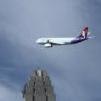
Did i really forget to paint the wingtip fence on highrise?

  • Author
8 hours ago, Brian Swintal said:

Did i really forget to paint the wingtip fence on highrise?

You may have.  That may be another AC too I’ll check tomorrow 

Account

Navigation

Search

Search

Configure browser push notifications

Chrome (Android)
  1. Tap the lock icon next to the address bar.
  2. Tap Permissions → Notifications.
  3. Adjust your preference.
Chrome (Desktop)
  1. Click the padlock icon in the address bar.
  2. Select Site settings.
  3. Find Notifications and adjust your preference.