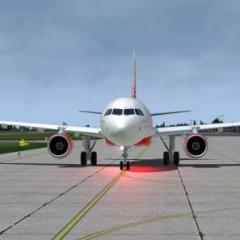
January 6, 20206 yr Finally,i love this aircraft. Now i wait same quality on 319 and 320 Prepar3D 2020-01-06 14-40-59 by Roberto Haddad, su Flickr Prepar3D 2020-01-06 14-42-06 by Roberto Haddad, su Flickr Prepar3D 2020-01-06 14-51-04 by Roberto Haddad, su Flickr Prepar3D 2020-01-06 15-54-03 by Roberto Haddad, su Flickr Prepar3D 2020-01-06 16-44-50 by Roberto Haddad, su Flickr Prepar3D 2020-01-06 16-45-35 by Roberto Haddad, su Flickr Prepar3D 2020-01-06 16-47-17 by Roberto Haddad, su Flickr Prepar3D 2020-01-06 16-50-27 by Roberto Haddad, su Flickr Prepar3D 2020-01-06 17-03-58 by Roberto Haddad, su Flickr Enjoy
February 27, 20206 yr Author Some random screenshoot of my world tour with FSL 321 Prepar3D 2020-02-16 12-51-04 by Roberto Haddad, su Flickr Prepar3D 2020-02-16 13-18-30 by Roberto Haddad, su Flickr Prepar3D 2020-02-19 11-25-11 by Roberto Haddad, su Flickr Prepar3D 2020-02-19 12-05-54 by Roberto Haddad, su Flickr Prepar3D 2020-02-19 11-33-49 by Roberto Haddad, su Flickr Prepar3D 2020-02-20 10-32-16 by Roberto Haddad, su Flickr Prepar3D 2020-02-03 20-08-19 by Roberto Haddad, su Flickr Prepar3D 2020-02-21 15-10-42 by Roberto Haddad, su Flickr
March 22, 20206 yr so beautiful. I love the 321 length vs size ratio..much better than the 320. Some of the 321neos they even painted them similar to 350's cockpit windows!