Skip to content
View in the app

A better way to browse. Learn more.

Flight Sim Labs Forums

A full-screen app on your home screen with push notifications, badges and more.

To install this app on iOS and iPadOS
  1. Tap the Share icon in Safari
  2. Scroll the menu and tap Add to Home Screen.
  3. Tap Add in the top-right corner.
To install this app on Android
  1. Tap the 3-dot menu (⋮) in the top-right corner of the browser.
  2. Tap Add to Home screen or Install app.
  3. Confirm by tapping Install.

Increase brightness of vc fslabs airbus

Featured Replies

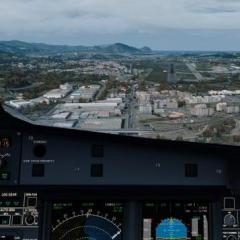
My VC Dome light of fslabs airbus is quite dark, now i would like to edit the brightness but it seems that the max value is 1.00 ? 

I can however change value to get a better brightness, but then I click save it is back to 1.00 

thanks

SL.png

Dear Huy,

we don't support changes to the integrated dome lights in the A320-X - the settings are those found as closest to real by most pilots on our testing team.

  • 3 months later...

Hi Nguyen,

Could you share you FSLspotlight.ini for FSL aircraft, I really loved this colour :)

Join the conversation

You can post now and register later. If you have an account, sign in now to post with your account.

Guest
Reply to this topic...

Account

Navigation

Search

Search

Configure browser push notifications

Chrome (Android)
  1. Tap the lock icon next to the address bar.
  2. Tap Permissions → Notifications.
  3. Adjust your preference.
Chrome (Desktop)
  1. Click the padlock icon in the address bar.
  2. Select Site settings.
  3. Find Notifications and adjust your preference.