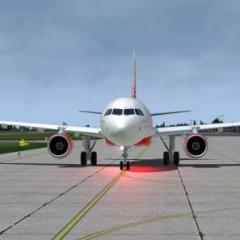
August 6, 20188 yr Some screen of my trip with this jewel,wonderful job fslabs team,waiting for all airbus family Approaching LEMH: 2018-8-6_21-16-36-549 by Roberto Haddad, su Flickr 2018-8-6_21-17-18-438 by Roberto Haddad, su Flickr 2018-8-6_21-18-23-135 by Roberto Haddad, su Flickr 2018-8-6_21-20-54-674 by Roberto Haddad, su Flickr 2018-8-6_21-23-37-151 by Roberto Haddad, su Flickr
August 7, 20188 yr Author Back to EGGW: 2018-8-7_14-6-40-383 by Roberto Haddad, su Flickr 2018-8-7_14-19-48-427 by Roberto Haddad, su Flickr 2018-8-7_16-16-24-187 by Roberto Haddad, su Flickr 2018-8-7_16-18-40-545 by Roberto Haddad, su Flickr 2018-8-7_16-24-48-781 by Roberto Haddad, su Flickr 2018-8-7_16-24-57-121 by Roberto Haddad, su Flickr 2018-8-7_16-31-11-973 by Roberto Haddad, su Flickr
August 13, 20188 yr Author Departing from LSGG: 2018-8-13_10-9-29-975 by Roberto Haddad, su Flickr 2018-8-13_10-20-48-324 by Roberto Haddad, su Flickr 2018-8-13_10-30-54-29 by Roberto Haddad, su Flickr 2018-8-13_10-35-51-920 by Roberto Haddad, su Flickr 2018-8-13_10-37-6-807 by Roberto Haddad, su Flickr 2018-8-13_10-37-45-870 by Roberto Haddad, su Flickr
September 19, 20188 yr Author Approaching Graz : 2018-9-17_22-39-6-823 by Roberto Haddad, su Flickr 2018-9-17_23-37-4-46 by Roberto Haddad, su Flickr 2018-9-17_23-45-44-20 by Roberto Haddad, su Flickr
October 11, 20188 yr Author Arriving in Lisbon LPPT 2018-10-11_12-15-39-244 by Roberto Haddad, su Flickr 2018-10-11_12-16-11-832 by Roberto Haddad, su Flickr 2018-10-11_12-17-27-277 by Roberto Haddad, su Flickr 2018-10-11_12-25-10-622 by Roberto Haddad, su Flickr
October 11, 20188 yr Author just a few click of my last trip: 2018-10-11_18-16-54-669 by Roberto Haddad, su Flickr 2018-10-11_19-13-54-422 by Roberto Haddad, su Flickr 2018-10-11_19-15-3-510 by Roberto Haddad, su Flickr 2018-10-11_20-46-34-690 by Roberto Haddad, su Flickr 2018-10-11_20-50-6-706 by Roberto Haddad, su Flickr 2018-10-11_20-50-49-970 by Roberto Haddad, su Flickr 2018-10-11_20-56-7-758 by Roberto Haddad, su Flickr
December 11, 20187 yr Author Testing new P3D 4.4 version with updated ASP4,TomatoShade and Reflection Profiles <3 2018-12-11_15-59-57-143 by Roberto Haddad, su Flickr 2018-12-11_16-0-8-384 by Roberto Haddad, su Flickr 2018-12-11_16-0-13-252 by Roberto Haddad, su Flickr 2018-12-11_16-19-14-429 by Roberto Haddad, su Flickr 2018-12-11_16-21-19-712 by Roberto Haddad, su Flickr 2018-12-11_16-22-0-984 by Roberto Haddad, su Flickr
December 12, 20187 yr Author 17 hours ago, Dean Johnston said: Nice looking shots Roberto! Tks to you and your amazing tomato preset and reflection profiles Dean
May 5, 20197 yr Tks to you and your amazing tomato preset and reflection profiles Dean [emoji6] Great screenshots!!!!! This tomato profile is so awesome!!!! Where can I get it? [emoji51] Enviado do meu iPhone usando Tapatalk
October 12, 20197 yr Author Bact to"job"after a long period [Prepar3D 2019-10-12 21-06-57 by Roberto Haddad, su Flickr Prepar3D 2019-10-12 21-23-10 by Roberto Haddad, su Flickr Prepar3D 2019-10-12 22-32-33 by Roberto Haddad, su Flickr Prepar3D 2019-10-12 22-23-50 by Roberto Haddad, su Flickr
October 12, 20197 yr Author Prepar3D 2019-10-12 22-57-35 by Roberto Haddad, su Flickr Prepar3D 2019-10-12 23-03-41 by Roberto Haddad, su Flickr Prepar3D 2019-10-12 23-06-32 by Roberto Haddad, su Flickr Prepar3D 2019-10-12 23-18-04 by Roberto Haddad, su Flickr
October 13, 20197 yr Author Another day,another flight LICD-LFMN Prepar3D 2019-10-13 18-32-43 by Roberto Haddad, su Flickr Prepar3D 2019-10-13 18-52-38 by Roberto Haddad, su Flickr Prepar3D 2019-10-13 19-01-12 by Roberto Haddad, su Flickr Prepar3D 2019-10-13 19-07-14 by Roberto Haddad, su Flickr Prepar3D 2019-10-13 19-11-40 by Roberto Haddad, su Flickr Prepar3D 2019-10-13 19-14-01 by Roberto Haddad, su Flickr Prepar3D 2019-10-13 20-33-34 by Roberto Haddad, su Flickr Prepar3D 2019-10-13 20-34-54 by Roberto Haddad, su Flickr Prepar3D 2019-10-13 20-35-00 by Roberto Haddad, su Flickr Prepar3D 2019-10-13 20-37-17 by Roberto Haddad, su Flickr Prepar3D 2019-10-13 20-41-35 by Roberto Haddad, su Flickr Prepar3D 2019-10-13 20-47-20 by Roberto Haddad, su Flickr