Skip to content
View in the app

A better way to browse. Learn more.

Flight Sim Labs Forums

A full-screen app on your home screen with push notifications, badges and more.

To install this app on iOS and iPadOS
  1. Tap the Share icon in Safari
  2. Scroll the menu and tap Add to Home Screen.
  3. Tap Add in the top-right corner.
To install this app on Android
  1. Tap the 3-dot menu (⋮) in the top-right corner of the browser.
  2. Tap Add to Home screen or Install app.
  3. Confirm by tapping Install.

Another Jewel

Featured Replies

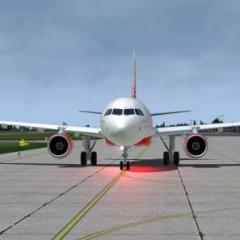
Great Job FSLabs,the 319 is simply beautiful,wating for 321 and many more..... ;)

A319-Tomato Shader-Reflection Profile

2018-7-3_10-23-0-273.jpg

2018-7-3_9-35-55-311.jpg

2018-7-3_10-15-48-594.jpg

2018-7-3_9-36-51-406.jpg

2018-7-3_10-4-37-845.jpg

2018-7-3_10-12-1-979.jpg

2018-7-3_10-21-56-954.jpg

2018-7-3_10-23-11-915.jpg

2018-7-3_10-56-4-802.jpg

2018-7-3_10-57-18-349.jpg

2018-7-3_11-4-38-615.jpg

2018-7-3_11-5-4-573.jpg

2018-7-3_13-4-59-338.jpg

2018-7-3_13-5-19-20.jpg

2018-7-3_13-6-35-178.jpg

2018-7-3_13-6-51-604.jpg

2018-7-3_13-7-2-346.jpg

2018-7-3_13-7-35-172.jpg

2018-7-3_13-8-22-371.jpg

2018-7-3_13-9-32-53.jpg

2018-7-3_13-10-48-427.jpg

2018-7-3_13-11-40-643.jpg

2018-7-3_13-12-31-816.jpg

2018-7-3_13-13-4-782.jpg

2018-7-3_13-16-16-409.jpg

2018-7-3_13-20-21-846.jpg

2018-7-3_13-20-31-846.jpg

2018-7-3_13-20-59-62.jpg

Great screenshots!

May I ask which Sochi scenery are you using?

Yes, it is a nice scenery. Only static jetways unfortunately.

  • Author

I agree Nils,better than nothing...... ;)


Thank you. Let's go to Sochi!

Account

Navigation

Search

Search

Configure browser push notifications

Chrome (Android)
  1. Tap the lock icon next to the address bar.
  2. Tap Permissions → Notifications.
  3. Adjust your preference.
Chrome (Desktop)
  1. Click the padlock icon in the address bar.
  2. Select Site settings.
  3. Find Notifications and adjust your preference.