Skip to content
View in the app

A better way to browse. Learn more.

Flight Sim Labs Forums

A full-screen app on your home screen with push notifications, badges and more.

To install this app on iOS and iPadOS
  1. Tap the Share icon in Safari
  2. Scroll the menu and tap Add to Home Screen.
  3. Tap Add in the top-right corner.
To install this app on Android
  1. Tap the 3-dot menu (⋮) in the top-right corner of the browser.
  2. Tap Add to Home screen or Install app.
  3. Confirm by tapping Install.

Welcome back! :D

Featured Replies

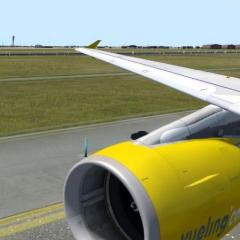
Been away from flying in P3D V4 for over 8 months now, and wauw how good does it feel to step back into the familiar Airbus cockpit, love the sounds that you guys added and changed, you can really hear the gear thump now! Here are some shots I made.

 small question @Lefteris Kalamaras  @Norman Blackburn did you guys change the textures of the window frame? Can't remember it being like that, looks great though :wub:! See the last picture if you are unsure what I mean :ph34r:

333c7519f9.jpg

Somewhere over northern Spain

5a8479ff18.jpg

Avoiding CB to the right

fb30aed40e.jpg

Welcome to Fuerteventura

64bdb91923.jpg

Window frame textures I was referring to

Good to have you back Lars!

Welcome back Lars,

I know that many textures have and continue to be tweaked and reworked.

  • Author
4 hours ago, Norman Blackburn said:

Welcome back Lars,

I know that many textures have and continue to be tweaked and reworked.

You can see that! Looks good! :lol:

Account

Navigation

Search

Search

Configure browser push notifications

Chrome (Android)
  1. Tap the lock icon next to the address bar.
  2. Tap Permissions → Notifications.
  3. Adjust your preference.
Chrome (Desktop)
  1. Click the padlock icon in the address bar.
  2. Select Site settings.
  3. Find Notifications and adjust your preference.