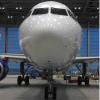
January 22, 20179 yr Are those straight out of the game or altered in Photoshop ? The 2nd and 5th picture almost looks like the real plane to me. If that is straight out of the sim you need to share your specs and settings/add-ons on how you make your sim look like that. Keeping that a secret would be a crime in my opinion
January 23, 20179 yr These shots are beautiful!! Would you mind sharing what you use in your sim as far as visuals go?
January 23, 20179 yr I think he uses PTA ( P3D Tweak Assistant ) which lets you tweak the shaders in P3D
January 23, 20179 yr Author On 22.1.2017 at 1:27 PM, AirbusFlyer said: Are those straight out of the game or altered in Photoshop ? The 2nd and 5th picture almost looks like the real plane to me. If that is straight out of the sim you need to share your specs and settings/add-ons on how you make your sim look like that. Keeping that a secret would be a crime in my opinion Nothing edited here its directly out of the sim 7 hours ago, NGisi said: I think he uses PTA ( P3D Tweak Assistant ) which lets you tweak the shaders in P3D U got me
January 23, 20179 yr Author 8 hours ago, uhntissbaby111 said: These shots are beautiful!! Would you mind sharing what you use in your sim as far as visuals go? PTA tool if u want my preset just PM me
January 23, 20179 yr 9 hours ago, Jonas said: PTA tool if u want my preset just PM me Nice Shots! Just out of curiosity, what cloud textures are you using?