
Skip to content
View in the app

A better way to browse. Learn more.

Flight Sim Labs Forums

A full-screen app on your home screen with push notifications, badges and more.

To install this app on iOS and iPadOS
  1. Tap the Share icon in Safari
  2. Scroll the menu and tap Add to Home Screen.
  3. Tap Add in the top-right corner.
To install this app on Android
  1. Tap the 3-dot menu (⋮) in the top-right corner of the browser.
  2. Tap Add to Home screen or Install app.
  3. Confirm by tapping Install.

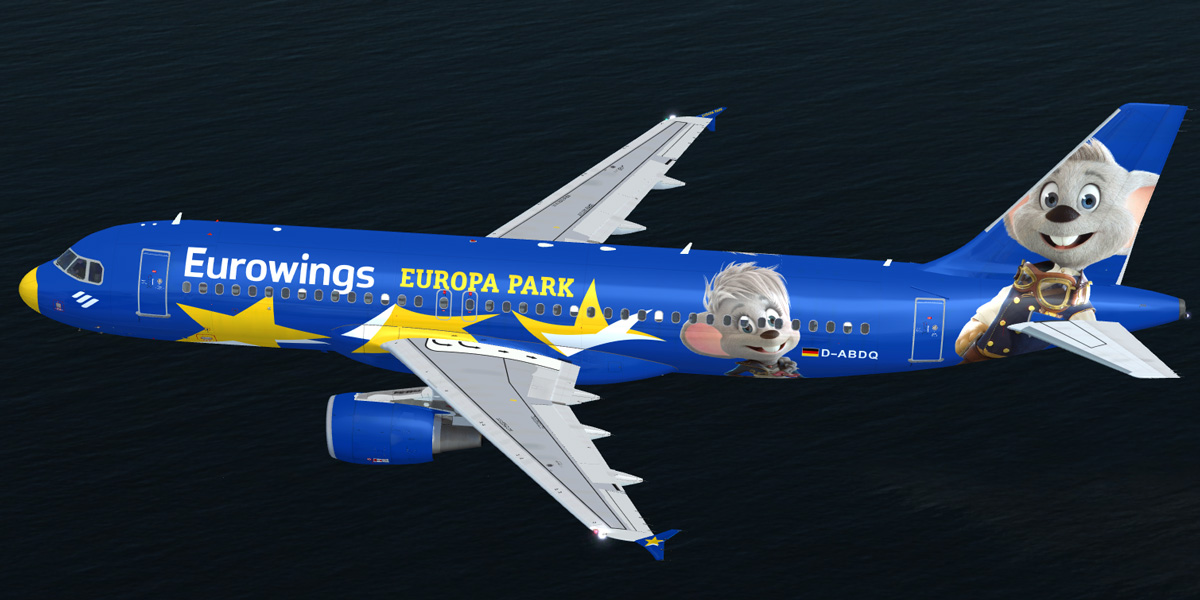
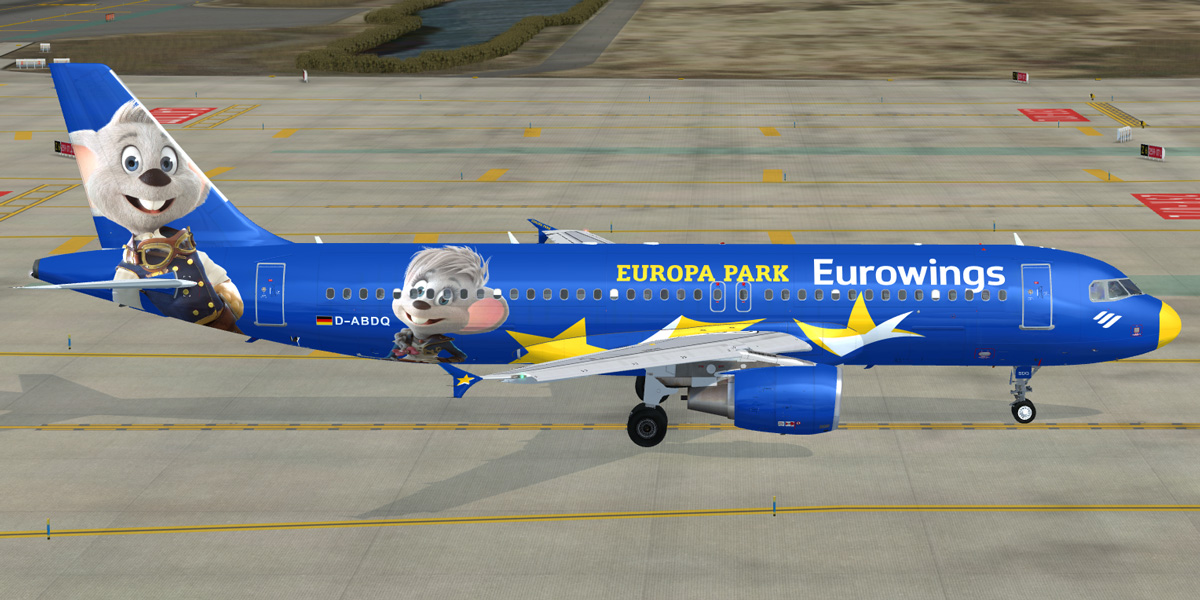
Eurowings Europapark A320-214 [D-ABDQ] 2.3.0

(4 reviews)

2 Screenshots

Eurowings Europapark A320-214 [D-ABDQ]

  • The download contains a repaint of a Eurowings A320-214 [D-ABDQ].
  • Repaint comes with customized fuselage, engine and wing textures.
  • For installation instructions check the included readme.txt.

What's New in Version 2.3.0

Released

  • Improved fresnel ramp which makes the fuselage more reflective.
  • Reworked specular textures.
  • Updated fuselage bump textures.
  • A few changes to the fuselage base texture.
  • Removed 'operated by airberlin' titles from left forward entry door.

User Feedback

Tim Smith

Tim Smith

   2 of 2 members found this review helpful 2 / 2 members

The skill on this one still blows my mind

bernard hauck

bernard hauck

   1 of 1 member found this review helpful 1 / 1 member

bonjour,

un grand merci pour cette superbe réalisation - bravo

cordialement

Bernard

Frank Kunath

Frank Kunath


look´s great, phantastic Job Christian, thx

TH0R5T€N KlRCHH€lM

TH0R5T€N KlRCHH€lM

   3 of 3 members found this review helpful 3 / 3 members

Hello Mate,

good to have you around again .... and thanks for making your liveries available again ... :-) Awesome Job again :-)


Greets

Thorsten

Account

Navigation

Search

Search

Configure browser push notifications

Chrome (Android)
  1. Tap the lock icon next to the address bar.
  2. Tap Permissions → Notifications.
  3. Adjust your preference.
Chrome (Desktop)
  1. Click the padlock icon in the address bar.
  2. Select Site settings.
  3. Find Notifications and adjust your preference.

