Skip to content
View in the app

A better way to browse. Learn more.

Flight Sim Labs Forums

A full-screen app on your home screen with push notifications, badges and more.

To install this app on iOS and iPadOS
  1. Tap the Share icon in Safari
  2. Scroll the menu and tap Add to Home Screen.
  3. Tap Add in the top-right corner.
To install this app on Android
  1. Tap the 3-dot menu (⋮) in the top-right corner of the browser.
  2. Tap Add to Home screen or Install app.
  3. Confirm by tapping Install.

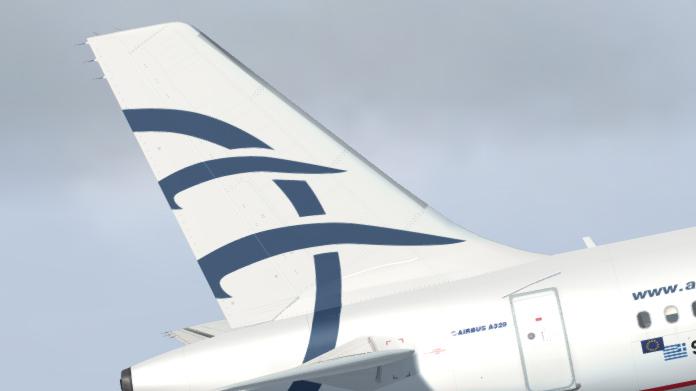
Aegean SX-DVS 1.0.0

(1 review)

1 Screenshot

Repaint of Aegean A320-232 SX-DVS in the regular livery.

SX-DVS.jpg

User Feedback

Tony Hodge

Tony Hodge

   0 of 4 members found this review helpful 0 / 4 members

I have tried to install this livery in P3Dv4.5 but it does not appear in the menu because the flightsim entry gets deleted from amended aircraft config file on loading. Please can you let me know what the issue might be? Many thanks

Response from the author:

The issue is you. This one isn't for the P3D v4.5


Account

Navigation

Search

Search

Configure browser push notifications

Chrome (Android)
  1. Tap the lock icon next to the address bar.
  2. Tap Permissions → Notifications.
  3. Adjust your preference.
Chrome (Desktop)
  1. Click the padlock icon in the address bar.
  2. Select Site settings.
  3. Find Notifications and adjust your preference.