
Skip to content
View in the app

A better way to browse. Learn more.

Flight Sim Labs Forums

A full-screen app on your home screen with push notifications, badges and more.

To install this app on iOS and iPadOS
  1. Tap the Share icon in Safari
  2. Scroll the menu and tap Add to Home Screen.
  3. Tap Add in the top-right corner.
To install this app on Android
  1. Tap the 3-dot menu (⋮) in the top-right corner of the browser.
  2. Tap Add to Home screen or Install app.
  3. Confirm by tapping Install.

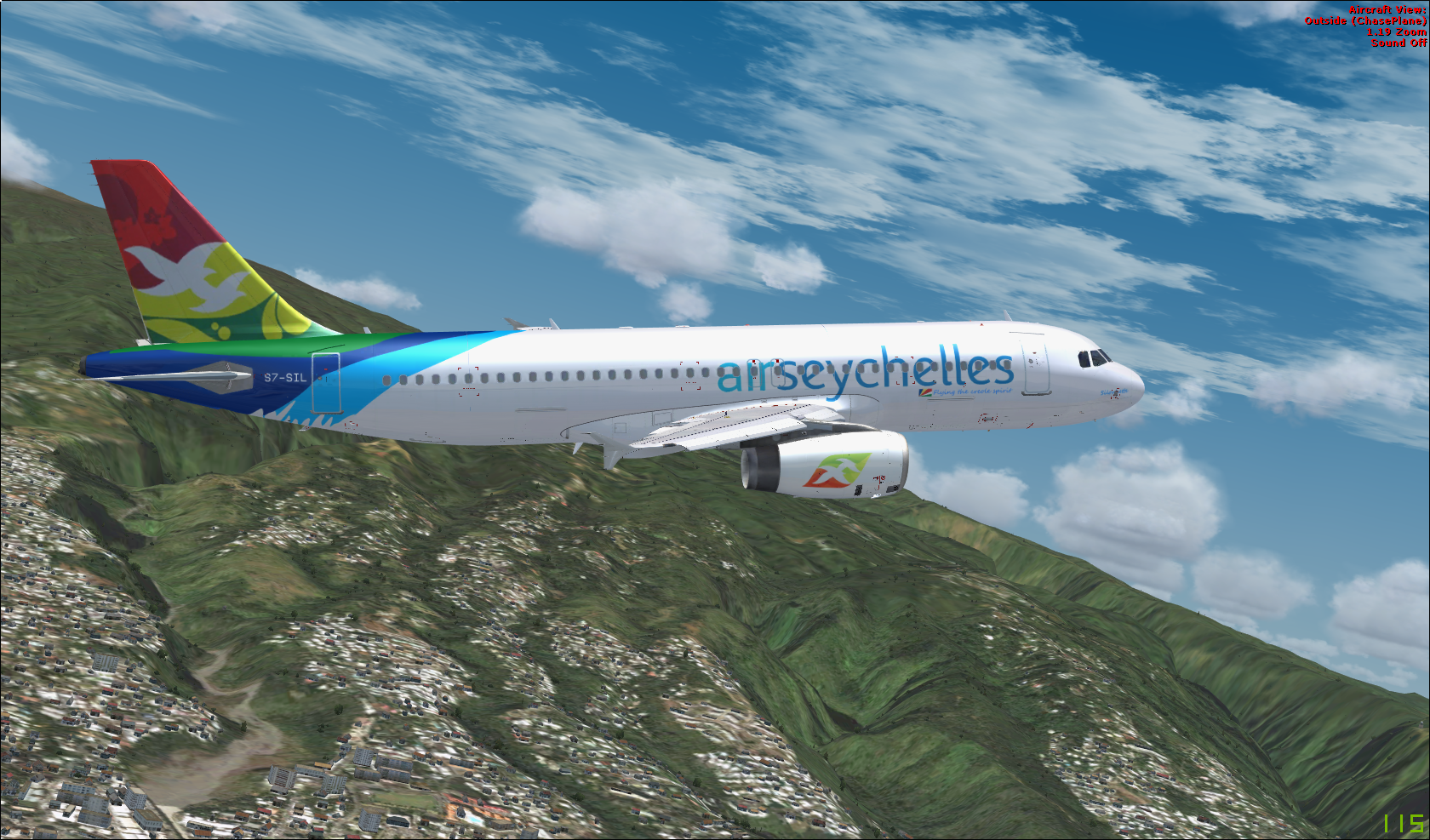
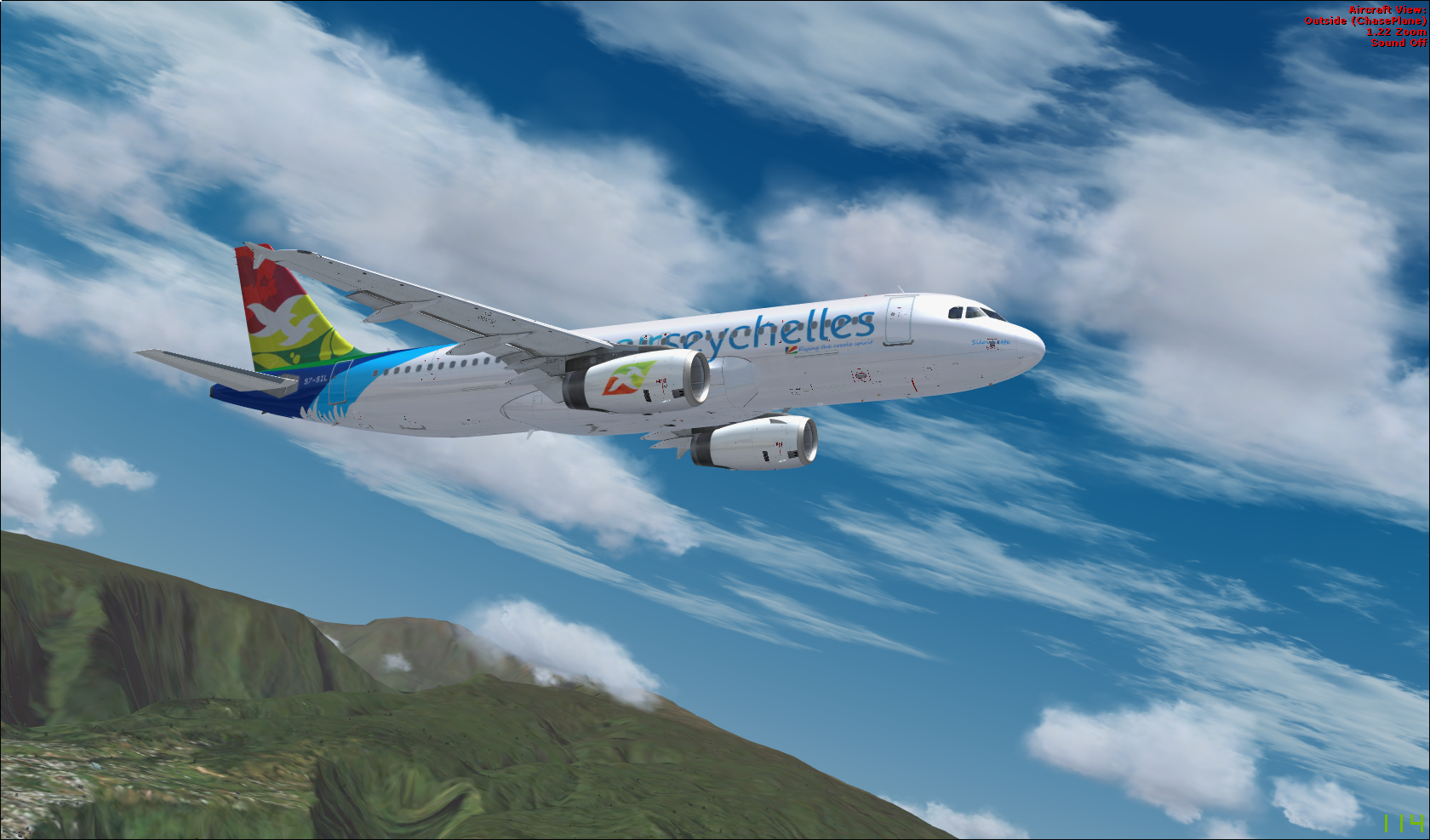
A320 IAE - Air Seychelles (S7-SIL) 1.0.01

(2 reviews)

2 Screenshots

Air Seychelles livery for the A320-X. 

Install instructions in the Readme.txt

Made by Lucky1508

lucaslegros1508@gmail.com

EDIT : I'm working to fix the tail night problem. Probably a layer problem. Update Soon !

User Feedback

Thomas Klein

Thomas Klein

   1 of 1 member found this review helpful 1 / 1 member

Unfortunately a lot of mistakes. :( You will get 5* from me if you fix these issues:
1. The wingtips need to be blue.
2. Logo on engines are wrong.
3. Lettering and name of the aircraft are misaligned.
4. The pattern on the rear is also wrong.
Just compare it with the pictures of the real aircraft:
https://www.planespotters.net/photo/692063/s7-sil-air-seychelles-airbus-a320-232
https://www.planespotters.net/photo/698010/s7-sil-air-seychelles-airbus-a320-232 

Fritz_Essono

Fritz_Essono

   3 of 3 members found this review helpful 3 / 3 members

Hi Lucky

Your repaint needs a fix on the tail at night. To check it out load your livery in night time conditions at turn Nav lights ON. 

Other than that GREAT job. Cheers!

Account

Navigation

Search

Search

Configure browser push notifications

Chrome (Android)
  1. Tap the lock icon next to the address bar.
  2. Tap Permissions → Notifications.
  3. Adjust your preference.
Chrome (Desktop)
  1. Click the padlock icon in the address bar.
  2. Select Site settings.
  3. Find Notifications and adjust your preference.
