

Introduction:
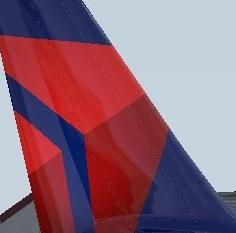
Welcome to Delta Air Lines Pack 2 which contains all of the former Northwest Airlines registrations.This pack also includes the cabin texture which I spent hours working on. This pack contains
each livery which has not been painted before. My overall goal is to repaint the entire Delta Airlines A32X livery with each registration that is currently active.
Registrations: N327NW-N350NA
Future Projects: Registrations N351NW-N378NW. A321 will be next followed by A319.
Installation instructions:
Drag the texture folders to your {Prepar3D v5 Add-ons}\FlightSimLabs\FSLabs\SimObjects\Airplanes\FSLabs A320 CFM folder
You may have to remove the cabin_lit file in the main texture folder for the IFE display screens to show.
Questions:
Feel free to DM me on FSLabs forums.
License:
By downloading and using this pack you as the user agree to not reupload this work on any flght simulation webite without my as the author, Joe Burner express written or verbal permission.
Enjoy!
Joe Burner
-
 1
1
-
 2
2
There are no reviews to display.