
Skip to content
View in the app

A better way to browse. Learn more.

Flight Sim Labs Forums

A full-screen app on your home screen with push notifications, badges and more.

To install this app on iOS and iPadOS
  1. Tap the Share icon in Safari
  2. Scroll the menu and tap Add to Home Screen.
  3. Tap Add in the top-right corner.
To install this app on Android
  1. Tap the 3-dot menu (⋮) in the top-right corner of the browser.
  2. Tap Add to Home screen or Install app.
  3. Confirm by tapping Install.

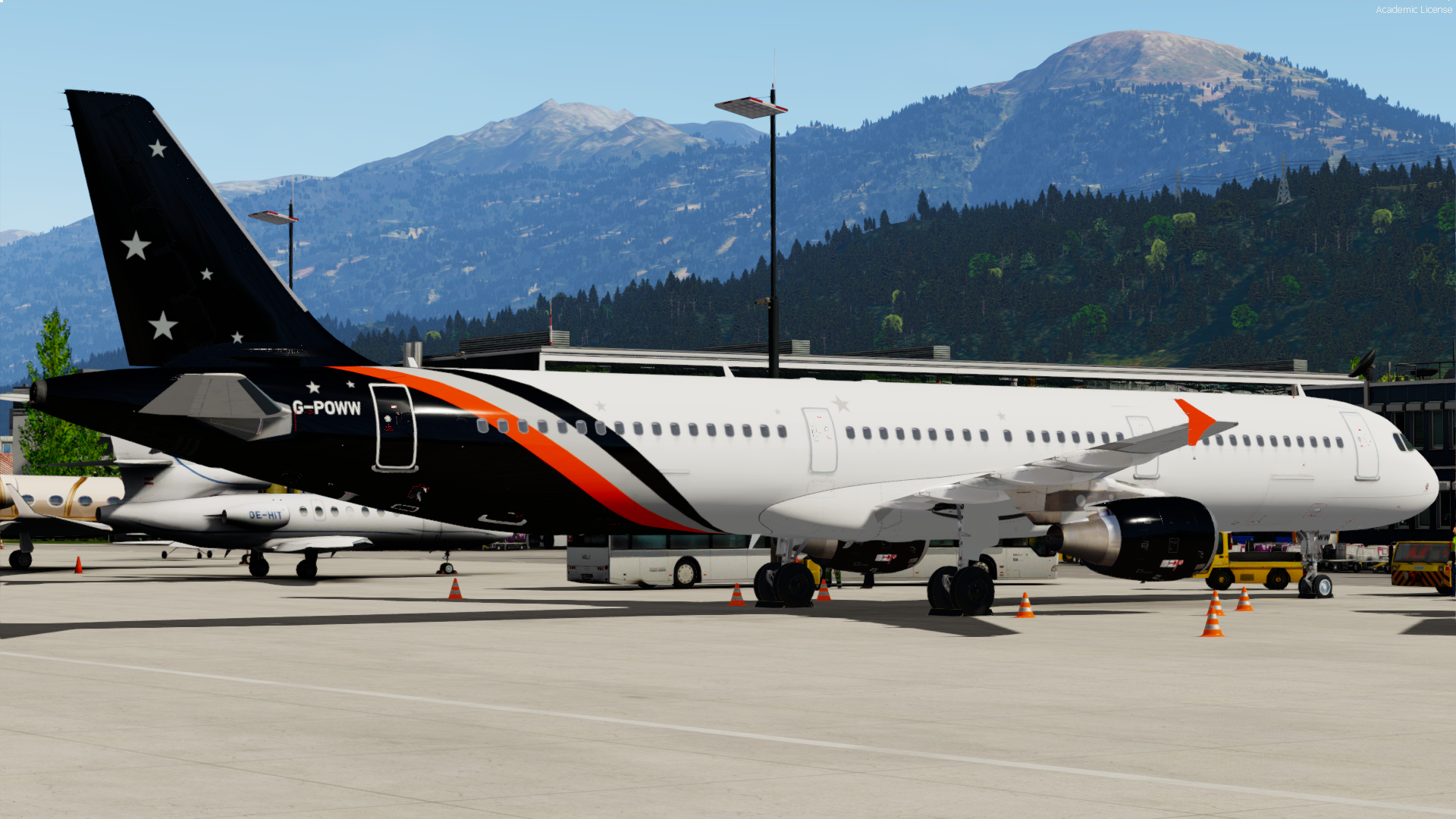
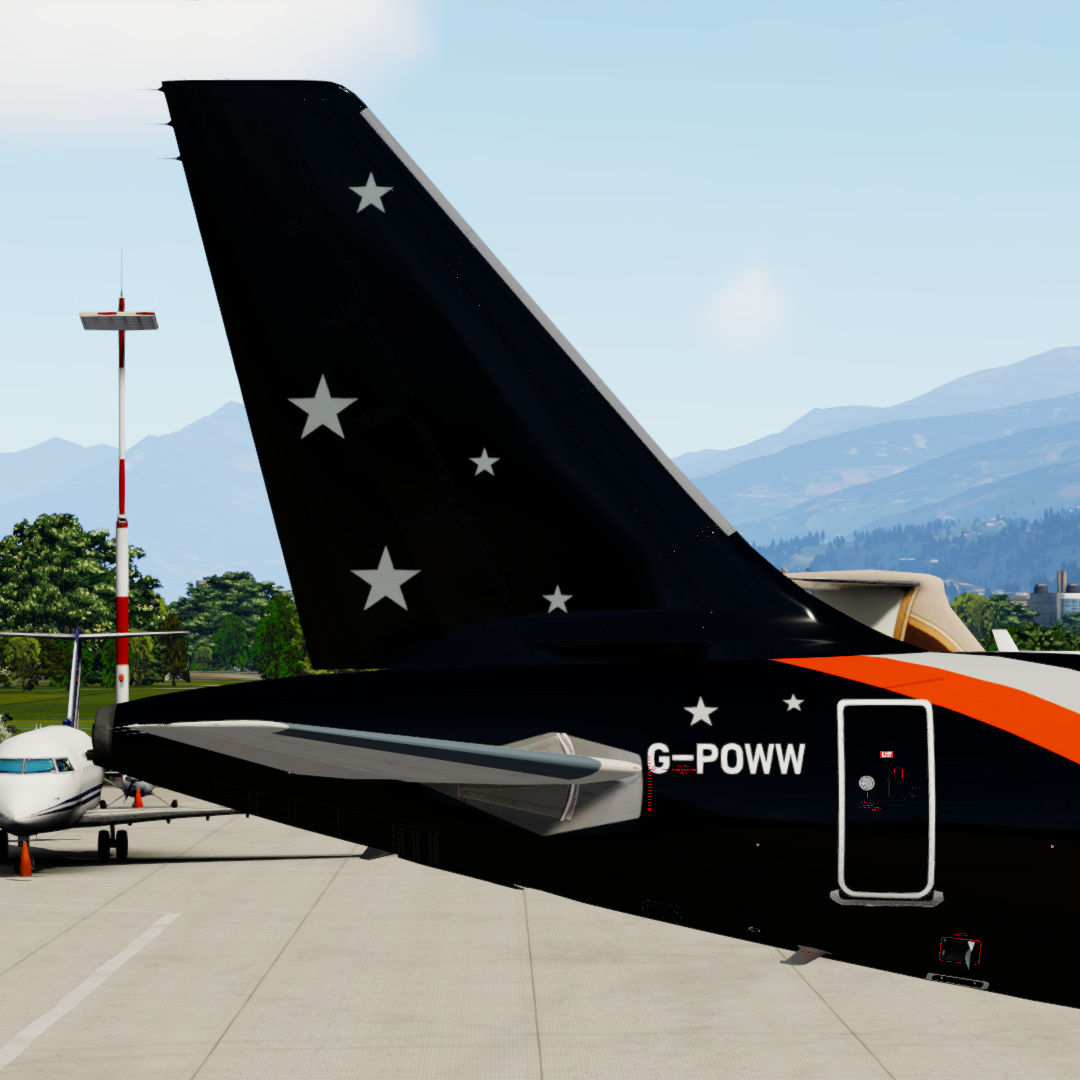
Titan Airways A321 G-POWW 1.0.1

(1 review)

2 Screenshots

Titan Airways A321 G-POWW!

***ONLY FOR A321 v5.0.100+***

This livery features:

  • Accurate rendition of the real aircraft, including metallic PBR.
  • Edited Cabin to try and better reflect the real aircraft.
  • Clean and Dirty (BETA) versions of the repaint are included for you to choose between.

Simply drag and drop into your "FSLabs A321 CFM" folder

Enjoy!

Untitled.png

What's New in Version 1.0.1

Released

Slight Paint Error Corrected

User Feedback

Sam Turner

Sam Turner


Top livery 

Been waiting for this 

Account

Navigation

Search

Search

Configure browser push notifications

Chrome (Android)
  1. Tap the lock icon next to the address bar.
  2. Tap Permissions → Notifications.
  3. Adjust your preference.
Chrome (Desktop)
  1. Click the padlock icon in the address bar.
  2. Select Site settings.
  3. Find Notifications and adjust your preference.

