
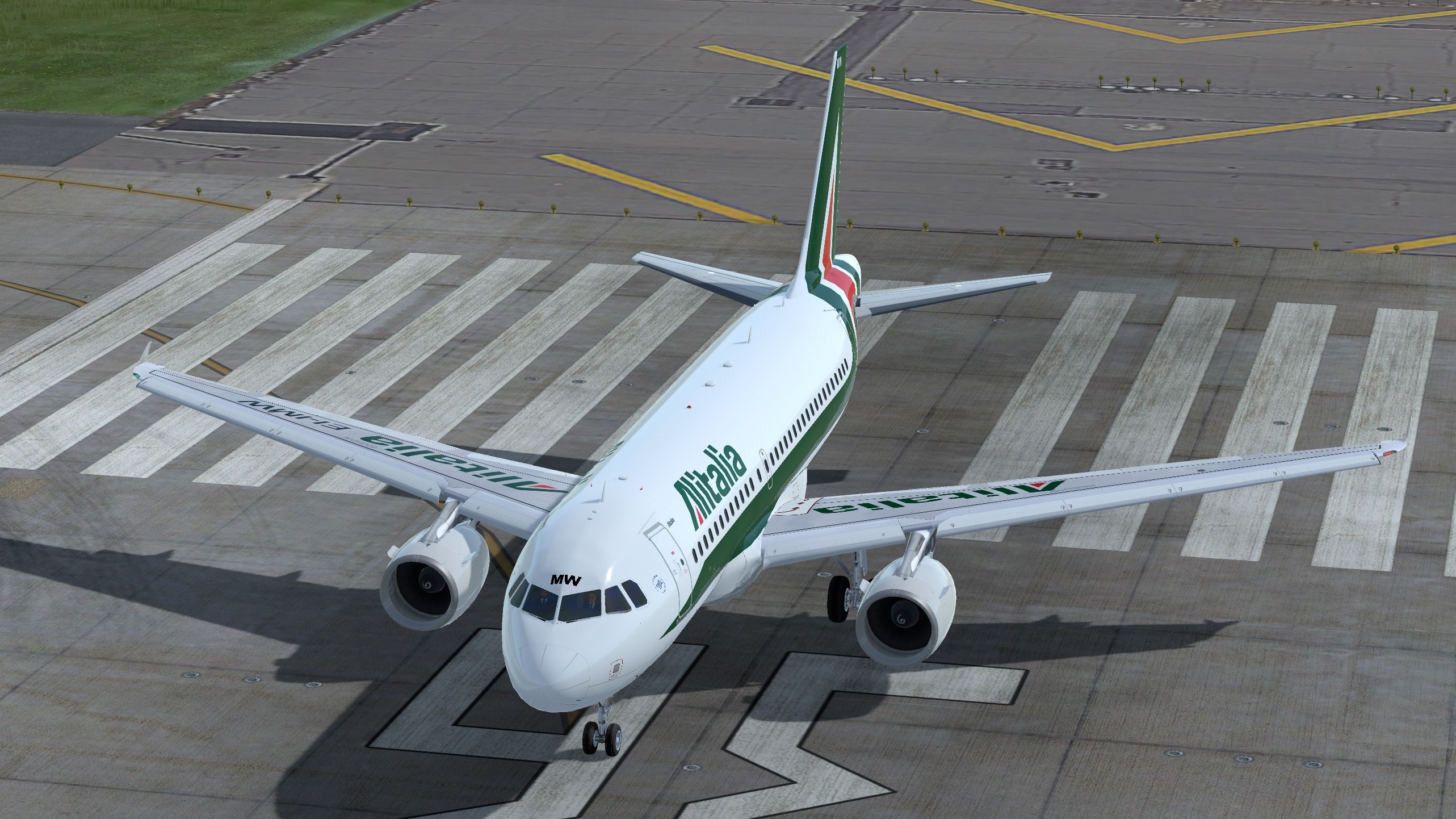
This is a Alitalia A319, EI-IMW.
This livery is compatible with P3D v5.0+ A319-X and P3D v4.5 A319-X.
Known issues:
There is an issue with Fslabs left wing upper overlay.
It may cause wrong reflective colors during late evening / night time
or/ and partially disappear while airborne.
Unfortunately I don't have solution for this now and I hope that FSLabs will solve it in future.
--------------------------------------
Installation:
Simply drag "Texture.AZA EI-IMW" into your FSLabs A319 CFM folder.
--------------------------------------
Enjoy your flights!
For question or remarks, please contact me via the FSLabs forums.
Copyright and legal:
This work is protected by international intellectual property and copyright laws.
Any unauthorized use, dissemination and/or distribution of the content of this download is prohibited without the prior written consent of the author.
If you like my work, why not show your appreciation with a small PayPal donation? Any donations are highly appreciated but never required.
https://streamlabs.com/skyteam78/tip
Thanks,
Greg
What's New in Version 1.0.1
Released
- Textures quality improved
- Horiz. stabilizer color corrected
- Wings logo improved
- Airframe config added
There are no reviews to display.