
Skip to content
View in the app

A better way to browse. Learn more.

Flight Sim Labs Forums

A full-screen app on your home screen with push notifications, badges and more.

To install this app on iOS and iPadOS
  1. Tap the Share icon in Safari
  2. Scroll the menu and tap Add to Home Screen.
  3. Tap Add in the top-right corner.
To install this app on Android
  1. Tap the 3-dot menu (⋮) in the top-right corner of the browser.
  2. Tap Add to Home screen or Install app.
  3. Confirm by tapping Install.

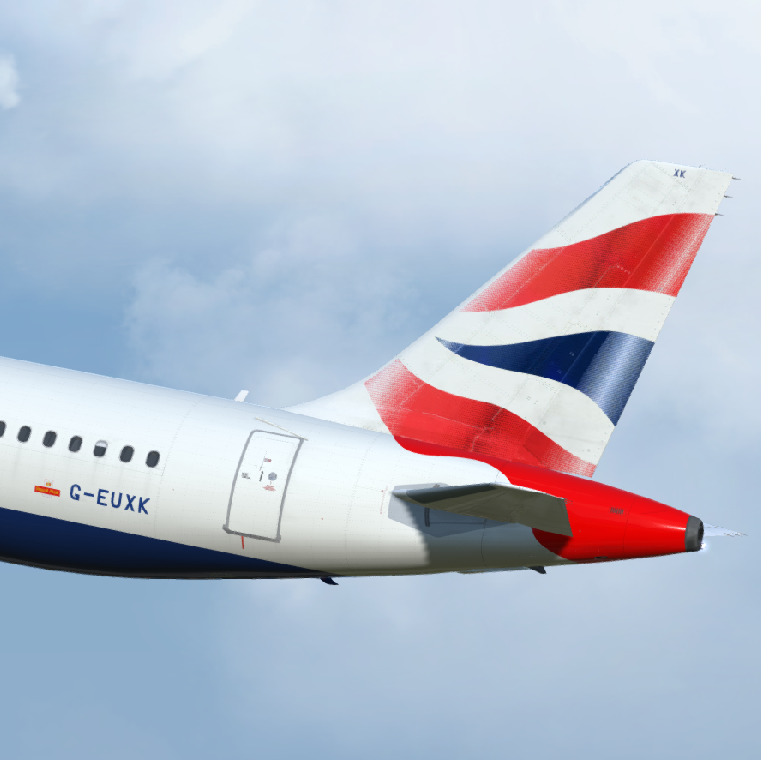
British Airways A321-231 G-EUXK 1.0.0

(2 reviews)

1 Screenshot

Repaint of British Airways A321 G-EUXK Updated for v5 & v4

I have teamed up with @Hugo Bicho to create a highly detailed custom paint kit for the A321 featuring custom base, bump and metallic textures.

If you like this paint and my other work then why not shout me a beer or cup of coffee?
https://www.paypal.me/texturesbytavers

unknown.png

User Feedback

Christoph Sebek

Christoph Sebek

   1 of 1 member found this review helpful 1 / 1 member

Incredible artwork as always, Tavers. ^_^

Frederic Nguyen

Frederic Nguyen


Excellent

Account

Navigation

Search

Search

Configure browser push notifications

Chrome (Android)
  1. Tap the lock icon next to the address bar.
  2. Tap Permissions → Notifications.
  3. Adjust your preference.
Chrome (Desktop)
  1. Click the padlock icon in the address bar.
  2. Select Site settings.
  3. Find Notifications and adjust your preference.

