
Skip to content
View in the app

A better way to browse. Learn more.

Flight Sim Labs Forums

A full-screen app on your home screen with push notifications, badges and more.

To install this app on iOS and iPadOS
  1. Tap the Share icon in Safari
  2. Scroll the menu and tap Add to Home Screen.
  3. Tap Add in the top-right corner.
To install this app on Android
  1. Tap the 3-dot menu (⋮) in the top-right corner of the browser.
  2. Tap Add to Home screen or Install app.
  3. Confirm by tapping Install.

Brussels Airlines A320-214 OO-TCH 1.0.0

(3 reviews)

1 Screenshot

Repaint of Brussels Airlines A320-214 OO-TCH for the new v5.0.1.100+ update.
Based on the FSL paintkit with custom tweaks.

Simply drag and drop the "Texture.BEL OO-TCH" folder to your "FSLabs A320 CFM" folder. 
(...\Documents\Prepar3D v4 Add-ons\FSLabs\SimObjects\Airplanes\FSLabs A320 CFM)

Enjoy your flights!
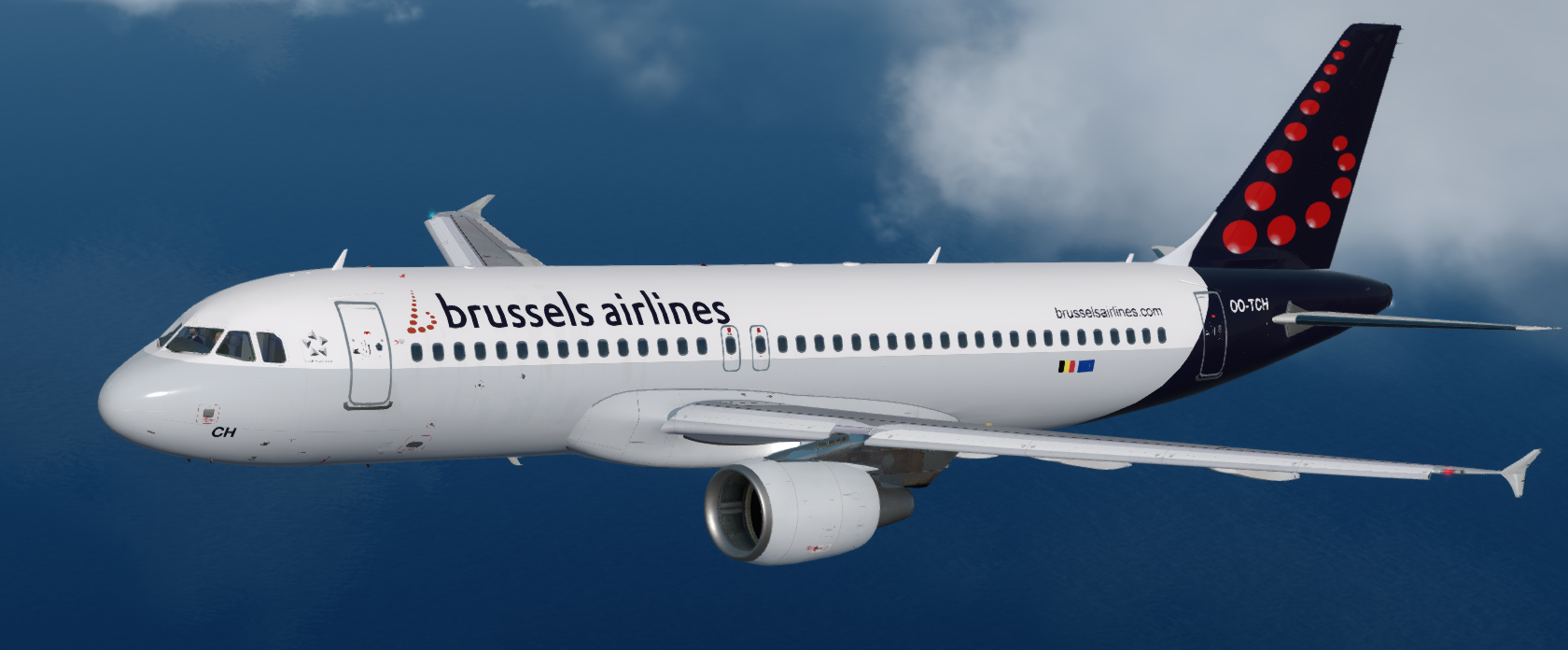
ootch1.png

User Feedback

Florian Wolf

Florian Wolf

   1 of 1 member found this review helpful 1 / 1 member

I really really like this one

Great work! 

benoitdelbecke

benoitdelbecke


Thank you for your work. Do you intend to make the whole fleet? Especially the Belgian icons?

Response from the author:

Thanks :) Yes, I intend to make the whole fleet for v5 but just the default liveries. 
The Belgian icons are already made by other very talented repainters. I hope they'll update their liveries for v5 soon!

Hamza Essaadi

Hamza Essaadi


Was waiting on this one!

Account

Navigation

Search

Search

Configure browser push notifications

Chrome (Android)
  1. Tap the lock icon next to the address bar.
  2. Tap Permissions → Notifications.
  3. Adjust your preference.
Chrome (Desktop)
  1. Click the padlock icon in the address bar.
  2. Select Site settings.
  3. Find Notifications and adjust your preference.

