
Skip to content
View in the app

A better way to browse. Learn more.

Flight Sim Labs Forums

A full-screen app on your home screen with push notifications, badges and more.

To install this app on iOS and iPadOS
  1. Tap the Share icon in Safari
  2. Scroll the menu and tap Add to Home Screen.
  3. Tap Add in the top-right corner.
To install this app on Android
  1. Tap the 3-dot menu (⋮) in the top-right corner of the browser.
  2. Tap Add to Home screen or Install app.
  3. Confirm by tapping Install.

Titan Airways A320 Dual Livery Fleet Pack (G-POWK & G-POWM) 1.0.0

(5 reviews)

1 Screenshot

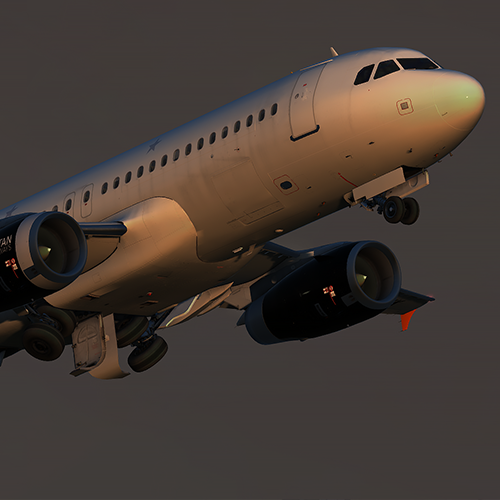
Titan Airways (ZT/AWC) A320 Dual Fleet Pack

P3Dv4 v2.0.2.300+ ONLY.

 This is a custom repaint fleet pack of the Titan Airways A320s (G-POWK & G-POWM).

If you like these liveries why not buy me a coffee.  All donations are heavily appreciated.

https://paypal.me/MatthewAshman

Titan.thumb.png.e6954415ff09461074037114df7435bf.png

User Feedback

callumgoodwin

callumgoodwin


Any chance of this getting updated to PBR and the Jet2 titles added?

G-POWM | Airbus A320-232 | Jet2.com (Titan Airways) | Jorge Guerra |  JetPhotos

Elliot Wright

Elliot Wright


Great work, mate! :lol:

Youp Oosterwegel

Youp Oosterwegel


Just wowww... Awesome liveries as usual!

Samuel Leonard

Samuel Leonard

   1 of 1 member found this review helpful 1 / 1 member

moar repatriation flights

Harry Twine

Harry Twine


Great liveries as usual! :)

Account

Navigation

Search

Search

Configure browser push notifications

Chrome (Android)
  1. Tap the lock icon next to the address bar.
  2. Tap Permissions → Notifications.
  3. Adjust your preference.
Chrome (Desktop)
  1. Click the padlock icon in the address bar.
  2. Select Site settings.
  3. Find Notifications and adjust your preference.

